Wanhao Duplicator 4
Software
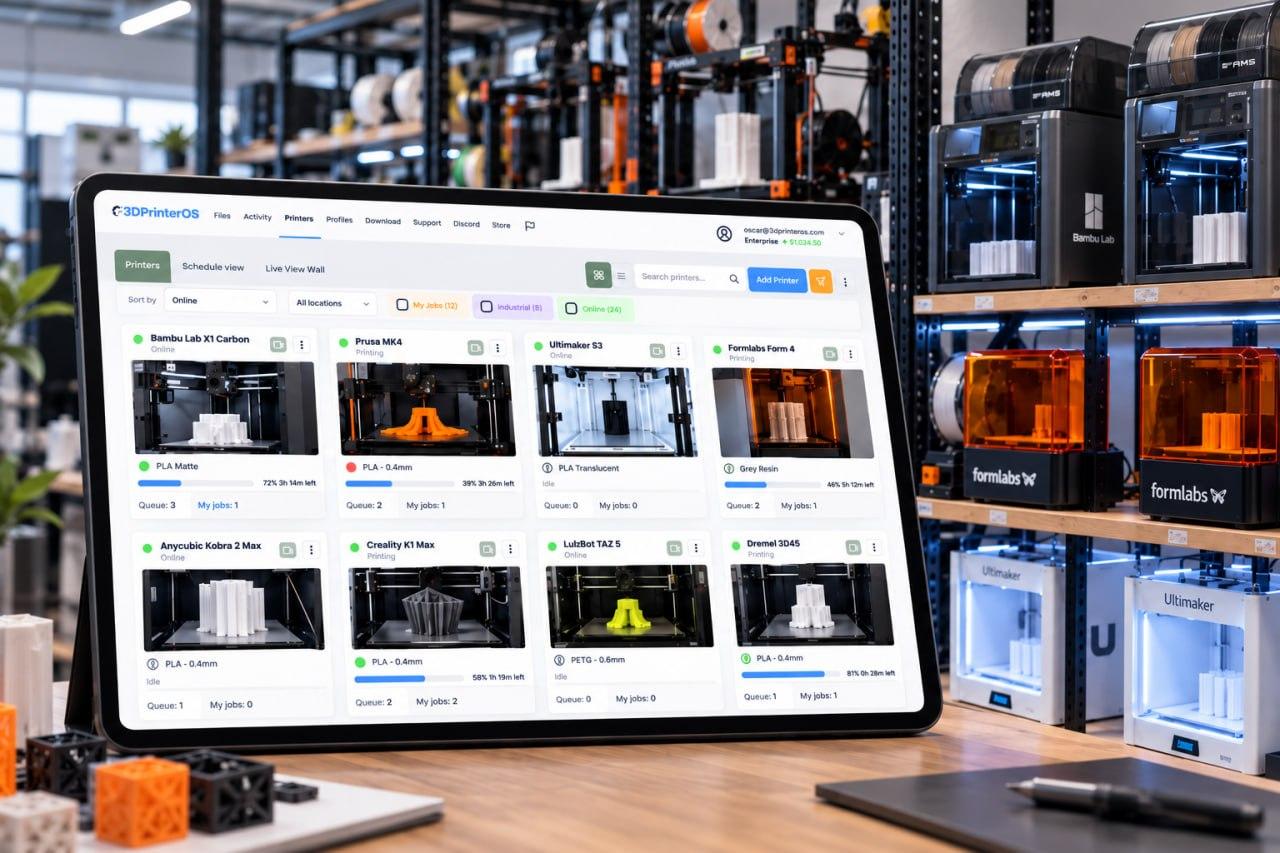
3DPrinterOS is Wanhao Duplicator 4 software for your browser. Slice in the cloud, print remotely and manage jobs and users from a single dashboard. No installation is needed.
Start a 14-day free trial, no credit card →

Interactive illustration. Real jobs run in 3DPrinterOS Cloud.
What is the best software for the Wanhao Duplicator 4?
Wanhao users usually want one tool that handles slicing and sending. 3DPrinterOS is that tool for the Duplicator 4: a browser-based cloud slicer, remote printing, a print queue with live monitoring, plus filament tracking, billing and a login for each person when the printer is shared.
| Printer | Wanhao Duplicator 4 (other Wanhao models: check the supported 3D printers list) |
|---|---|
| Software type | Browser-based, no Wanhao software download |
| Slicing | Cloud slicer, online |
| Tracking | Print queue and live monitoring |
| Shared use | A login per person, filament tracking, billing and user balances |
| Scale | One printer or ten, among 200+ integrated printers |
Wanhao 3D printer software, explained simply
Wanhao users often look for one tool that handles slicing and sending. That is what 3DPrinterOS offers for the Duplicator 4. You keep your printer. The platform adds the workflow around it.
Many owners start with files on a laptop. That works for one person. It breaks when a second and a third person need the printer.
Shared use, materials and costs
Classrooms, labs and offices can give each person a login. Administrators choose who prints, and everyone sees the queue.
| Shared need | What 3DPrinterOS offers |
|---|---|
| Filament use | Filament tracking across printers |
| Costs | Billing tools and user balances |
| Access | A login for each person |
| Versions | Every version of a model stays in your account, so you can compare what printed before with what you plan to print now |
Ask our team which tools suit your Duplicator 4 setup.
Starting with one printer, growing to more
A single Duplicator 4 is a good start. Add printers when you are ready, not before.
- Same controls at any size: the queue and user controls work the same with one printer or ten
- Mixed brands: other Wanhao printers and other brands join the same dashboard
- 200+ integrated printers: check the supported 3D printers list for your models
- Keep working: workshops are noisy and labs are busy, so remote jobs let you stay at your desk
How to Print on a Wanhao Duplicator 4 with 3DPrinterOS
Three jobs 3DPrinterOS takes off your plate, plus the record that stays behind.
Sending without walking over
Start jobs with remote printing, so you do not need to be at the printer to begin.
A record of what printed
Every model version, filament use and cost stays in the account.
Who Uses 3DPrinterOS with the Wanhao Duplicator 4?
Pick your team to see what changes.
Education with a Wanhao Duplicator 4
Education programs give students shared access to the Duplicator 4.
Enterprise with a Wanhao Duplicator 4
Enterprise teams keep jobs organized across departments.
OEMs with a Wanhao Duplicator 4
OEMs can watch over printers they support.
Teams That Run Shared Printers on 3DPrinterOS

This close collaboration has enabled Koenigsegg to tailor the platform to their specific needs, resulting in an optimized and user-friendly system for managing their 3D printers.

Dublin City University
230 users and 2,353 prints in a single semester, with fair queues.

The Weber School
200+ yearly users, 2,400+ prints and 10,000+ printing hours on 11 printers.

Pine Crest School
3D printing for 2,699 students, with up to 35 prints sent at once.
Running more than one printer?
Every printer joins the same account, queue and dashboard. Setup assistance is included.
Software for other popular printers
Wanhao Duplicator 4 Software FAQ
What software does the Wanhao Duplicator 4 use?
Is there Wanhao 3D printer software to download?
Can I slice Duplicator 4 files online?
Does it support other Wanhao printers?
Can several people use one Duplicator 4?
Want a Duplicator 4 walkthrough?
Talk to our team. Start with a 14-day trial; setup assistance is included.
Already have an account? Open 3DPrinterOS Cloud →


