
3D printing helps robotics teams rapidly create, test, and refine components. 3DPrinterOS centralizes model preparation, cloud slicing, print queues, user access, and printer monitoring to support faster, more organized development.
We have an amazing group of students working on solving real-world problems using these printers, as opposed to if all these machines were sitting there collecting dust.








3DPrinterOS gives robotics teams more than a connection to individual printers. It provides a central operating layer for the people, files, machines, and jobs involved in additive manufacturing.

One Platform for the Print Workflow
Teams can prepare models, slice files, organize queues, send jobs, and monitor printing without moving between multiple disconnected systems.
Centralized Printer Fleet Management
Compatible printers can be viewed and managed from one dashboard. This gives lab managers greater visibility into availability and active jobs.
Controlled Multiuser Access
Administrators can create workgroups, assign permissions, manage user access, and determine who can submit or approve print jobs.
Cloud-Based Collaboration
Users can access files and printing tools through a browser. This supports robotics teams working across classrooms, departments, campuses, or business locations.
Support for Mixed Printer Environments
3DPrinterOS supports more than 200 printer models, allowing organizations to coordinate compatible machines from different manufacturers.
Customization and Support
The platform can be customized around specific organizational workflows. Setup assistance and round-the-clock support help teams implement and expand their robotics printing programs.
Universities and Research Laboratories
Students and researchers can share printers while administrators manage permissions, approvals, and queues. Usage records provide better visibility into lab activity.
K12 Robotics Programs
Schools can manage student access and submitted print jobs without giving every learner unrestricted control of the printers. Browser-based tools also reduce dependence on software installed on individual devices.
OEMs and Manufacturing Teams
OEMs can use 3D printing for robotic parts during product development, equipment testing, tooling preparation, and assembly planning. Centralized management helps standardize workflows across teams.
Corporate Robotics Teams
Engineering teams can use robotics prototyping software to coordinate files and prints across designers, engineers, and lab managers. Remote access supports collaboration between offices or facilities.

Queue brackets, grippers and housings across every printer, watch them live from anywhere, and keep a full record of who printed what. Book a demo to see how robotics teams run their print fleet on 3DPrinterOS.
Yes. A robotics lab can connect all its printers to 3DPrinterOS and manage users, files, permissions and print queues from one dashboard. Team members submit parts from a browser, jobs go to the next free printer, and lab managers monitor prints remotely and see who printed what, on which printer and at what cost.
Useful setups for robotics teams:
The platform supports 200+ printer models, so a lab with a mix of brands does not need one app per brand.
See 3D printing software for robotics, or learn how to manage multiple 3D printers.
Robotics 3D printing usually needs three kinds of software: CAD to design parts, a slicer to turn each model into printer instructions, and management software to run shared printers, files, users and jobs. 3DPrinterOS covers the last two: it includes a cloud slicer and manages queues, monitoring and the fleet in one place.
How the pieces fit:
For a team, the management layer is what keeps shared printers usable: workgroups, permissions, approvals and a print history that shows who printed which part.
See 3D printing software for robotics and the cloud slicing software page.
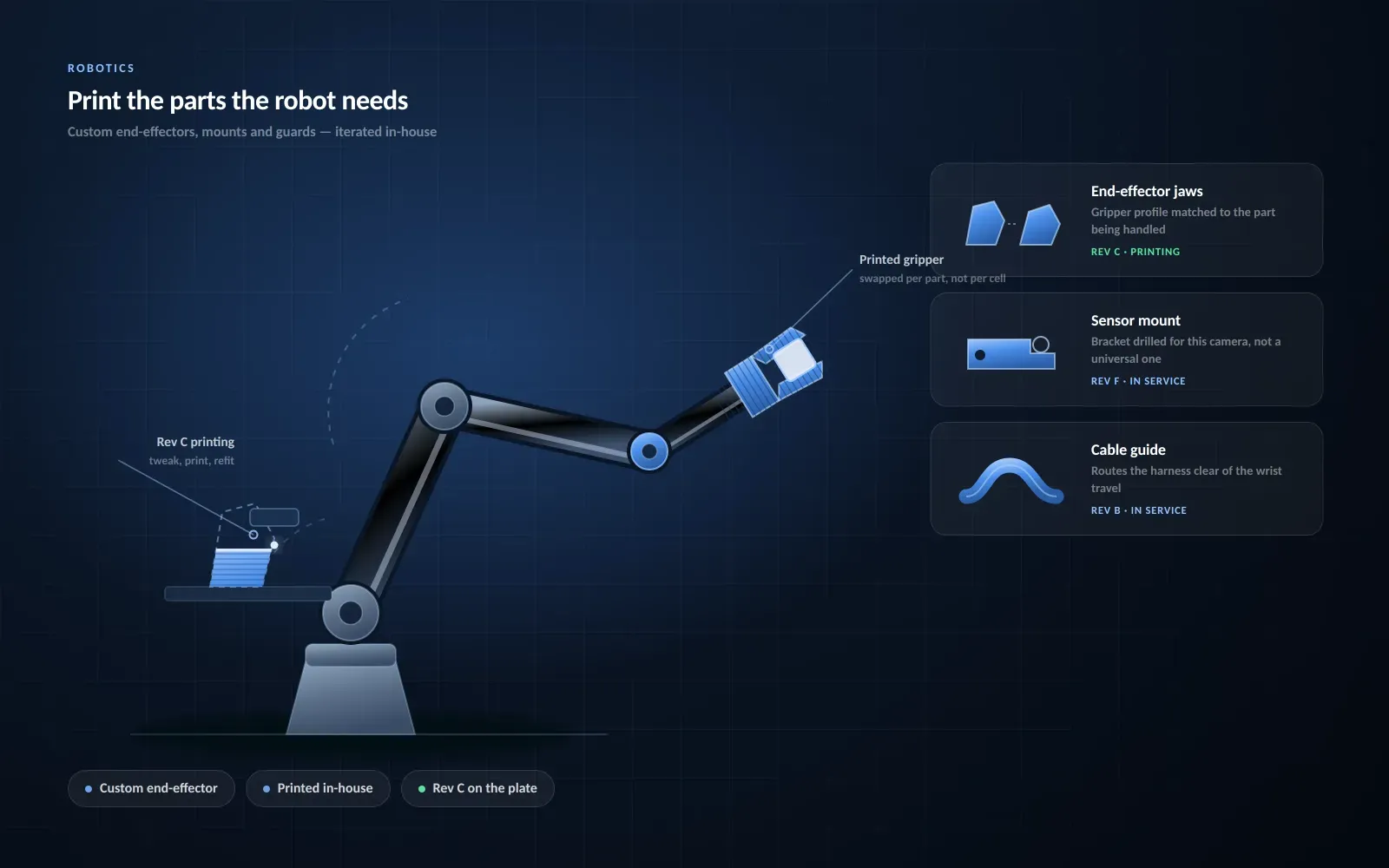
3D printing is used in robotics to make prototypes, grippers, end effectors, sensor mounts, housings, brackets, adapters and fixtures. Teams print a part, test its fit and movement on the robot, change the design and print again the same day, so they can try several versions before choosing a final manufacturing method.
Robotics labs usually share a few printers among many students or engineers. A shared queue, user roles and job history keep that fair and traceable. See 3D printing software for robotics for how 3DPrinterOS supports robotics teams.

Used by robotics teams to queue brackets, grippers and housings across every printer, iterate faster and keep parts moving around the clock

Monitor and restart prints remotely from the lab or home
“This close collaboration has enabled Koenigsegg to tailor the platform to their specific needs, resulting in an optimized and user-friendly system for managing their 3D printers.”

Team Leader
Koenigsegg Automotive AB
Book your personalized assessment now and get your free trial.
Limited-time offer
Apply now and save up to 50% on your first year of 3DPrinterOS
Used by higher education, enterprises, and OEMs to manage printers, files, and users from a single, cloud-based platform
Control access, users, and print permissions by team or lab
“This close collaboration has enabled Koenigsegg to tailor the platform to their specific needs, resulting in an optimized and user-friendly system for managing their 3D printers.”
Team Leader
Koenigsegg Automotive AB
Book your personalized assessment now and get your free trial.

