Slice anywhere
Browser slicing on laptops, tablets and Chromebooks, nothing to install.

Orca Slicer is a powerful, free desktop slicer. 3DPrinterOS slices in the browser too, then takes care of everything that happens next: queueing, remote printing, monitoring, users, analytics and security.
Already slice in OrcaSlicer? Its built-in 3DPrinterOS print host sends sliced files straight to your 3DPrinterOS account.
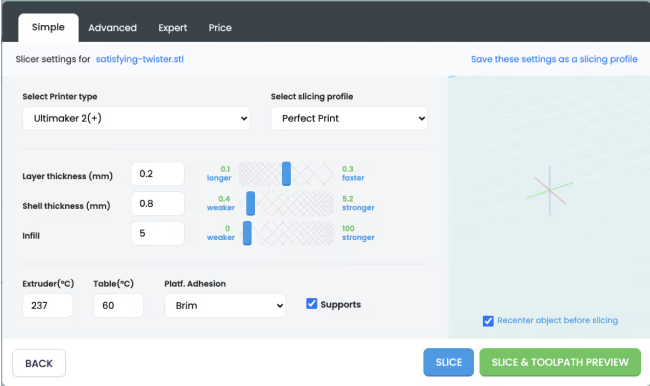


The toolpath visualization within 3DPrinterOS has dramatically increased the 3D print success rate.
Browser slicing on laptops, tablets and Chromebooks, nothing to install.
Tested profiles for every workgroup, so prints come out consistent.
Send jobs to any printer and monitor them from anywhere.
Route jobs to the next free printer automatically.
Permissions, print tracking and secure file management.
Usage, success rates and costs across the fleet.
Filter by category or switch on "Show only differences".
| Feature | Orca Slicer | 3DPrinterOS |
|---|---|---|
| Slice models into G-code | ✓ | ✓ |
| Where it runs | Desktop app | Any browser |
| Advanced calibration tools | ✓ | ~ |
| Shared, locked profiles for groups | – | ✓ |
| License | Free, open source | Subscription, free trial |
| Send jobs to printers remotelyOrca sends to printers on your network | ~ | ✓ |
| Monitor prints with a camera | ~ | ✓ |
| Shared queues across printers | – | ✓ |
| AI print failure detection | – | ✓ |
| Multi-user permissions | – | ✓ |
| Print tracking and history | – | ✓ |
| Single sign-on | – | ✓ |
| Secure cloud file library | – | ✓ |
| STL, OBJ, 3MF, AMF, 3DS and G-code | ~ | ✓ |
| Send sliced files straight to 3DPrinterOSOrcaSlicer 2.4.0-beta and later include a 3DPrinterOS print host | ✓ | ✓ |
Showing 15 of 15 features
Orca Slicer features as publicly described.
If you love fine-tuning in OrcaSlicer, keep it. Set 3DPrinterOS as the print host in OrcaSlicer and your sliced files land in your 3DPrinterOS account, ready to queue and monitor.
Shared, locked profiles mean everyone prints with tested settings, on any device, without installs.
Queue, route, monitor and report on every print across your fleet.
Connect printers through the 3DPrinterOS client.
In OrcaSlicer 2.4.0-beta or later, set the print host type to 3DPrinterOS and log in once. Or slice in the browser instead.
Click Print in OrcaSlicer to upload to 3DPrinterOS, then queue, monitor and track every job from the cloud.
Connect your printer to 3DPrinterOS once and manage it from any browser.

Beginners pick a printer and a tested profile; experts open advanced settings. All in the browser.
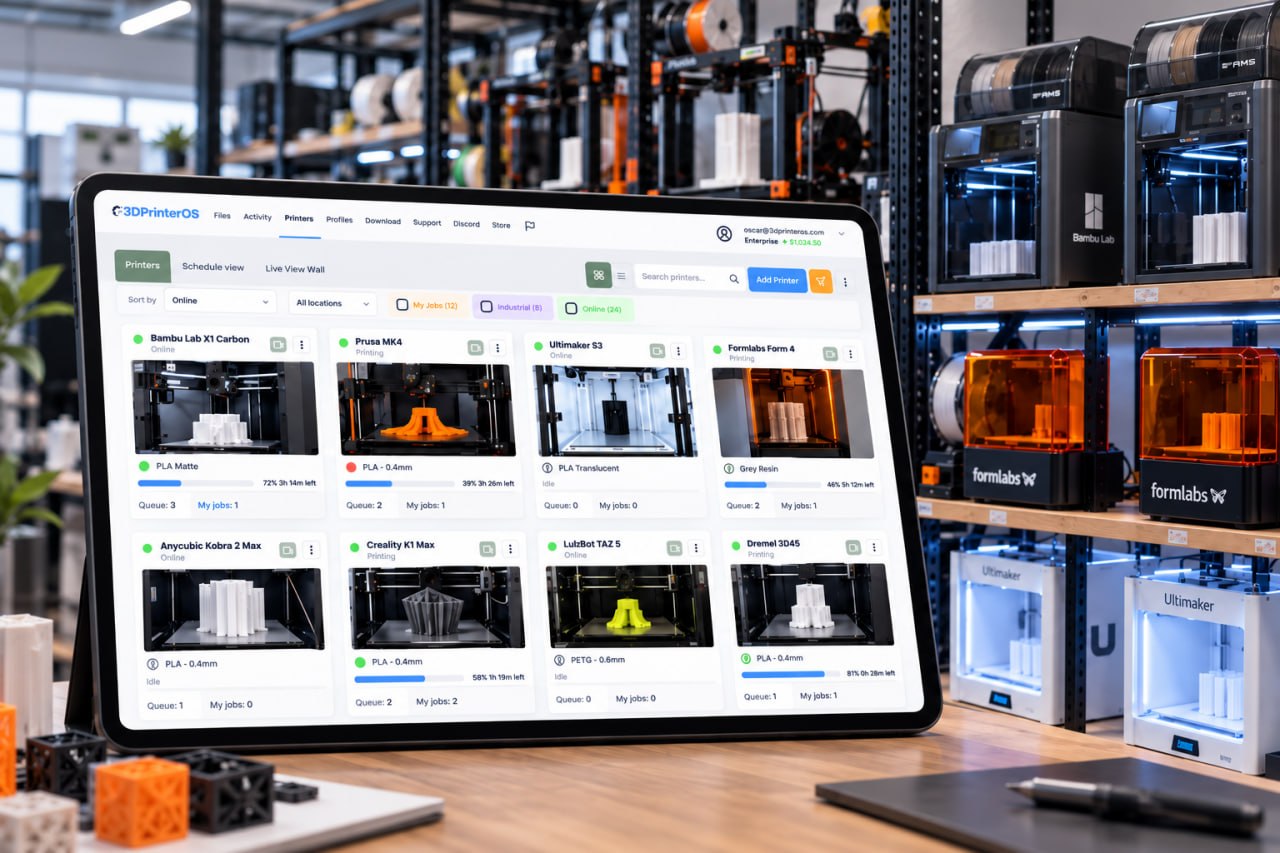
Send jobs to any printer, watch them live and get notified when they finish or fail.
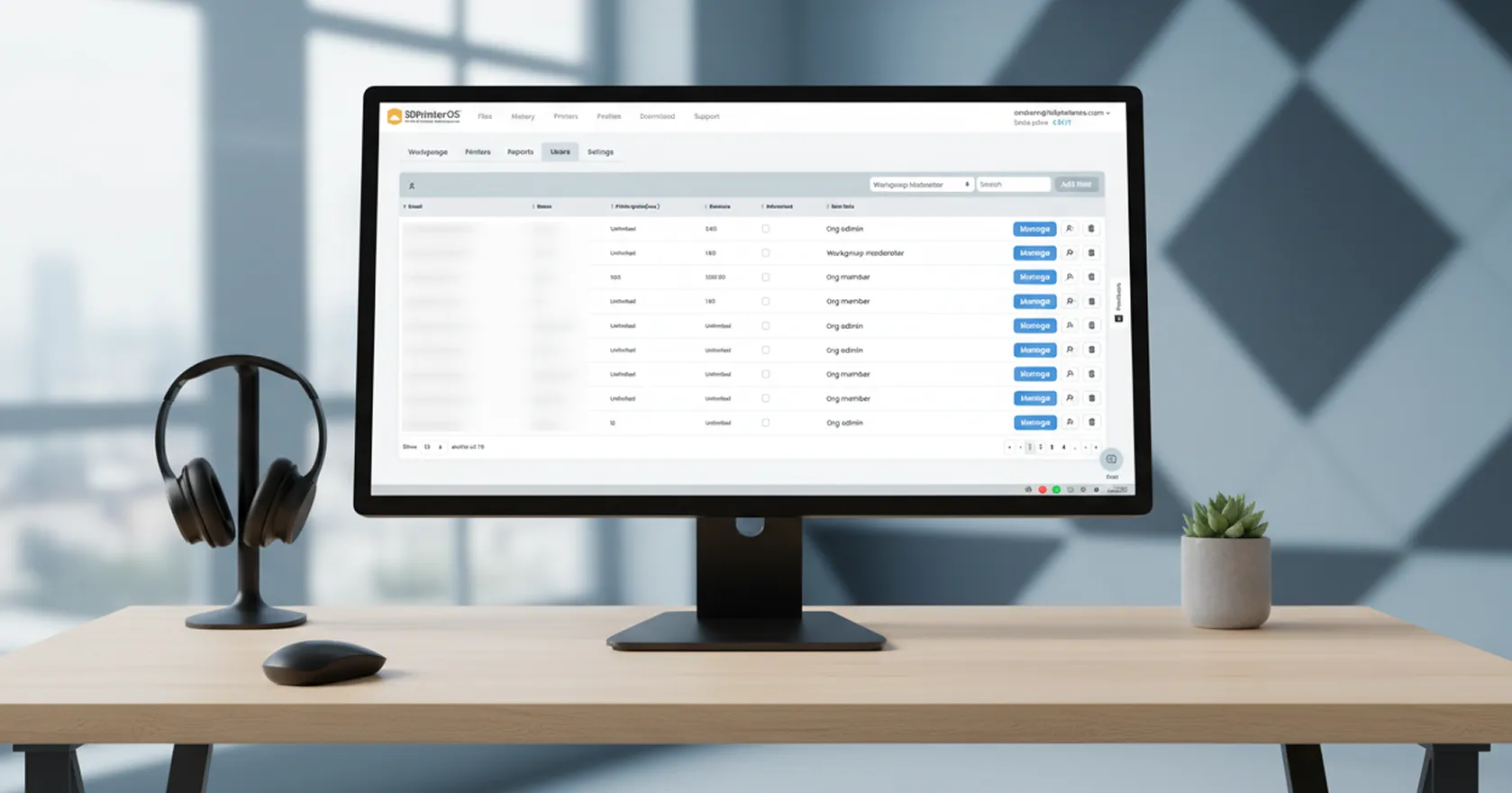
Only authorized users can access and print files, and every job is tracked.
Click through slicing a model and sending it to a printer in 3DPrinterOS.
Students slice on Chromebooks with approved profiles.
K-12 schools →Labs share tested profiles across every printer.
Higher education →Engineers send prototypes to printers at any site.
Enterprise →Print farms route sliced jobs automatically.
Print farm management →It includes a browser-based slicer, and it is also a full management platform for queueing, remote printing, monitoring, users and analytics.
Yes. OrcaSlicer 2.4.0-beta and later include a 3DPrinterOS print host. Set the host type to 3DPrinterOS, log in once, then click Print and choose Upload to send sliced files to your 3DPrinterOS account. For Bambu Lab printers, turn on "Use 3rd-party print host" first.
Yes. Upload G-code from any slicer and print it through 3DPrinterOS.
No. Slice and manage prints in the browser. Printers connect once through the 3DPrinterOS client.
STL, OBJ, 3MF, AMF, 3DS and G-code.
Orca Slicer is free and open source. 3DPrinterOS is a subscription platform with a free trial.
See how 3DPrinterOS handles everything after the G-code.

Used by higher education, enterprises, and OEMs to manage printers, files, and users from a single, cloud-based platform

Control access, users, and print permissions by team or lab
“This close collaboration has enabled Koenigsegg to tailor the platform to their specific needs, resulting in an optimized and user-friendly system for managing their 3D printers.”

Team Leader
Koenigsegg Automotive AB
Book your personalized assessment now and get your free trial.
Used by higher education, enterprises, and OEMs to manage printers, files, and users from a single, cloud-based platform
Control access, users, and print permissions by team or lab
“This close collaboration has enabled Koenigsegg to tailor the platform to their specific needs, resulting in an optimized and user-friendly system for managing their 3D printers.”
Team Leader
Koenigsegg Automotive AB
Join us today and become one of our partners

