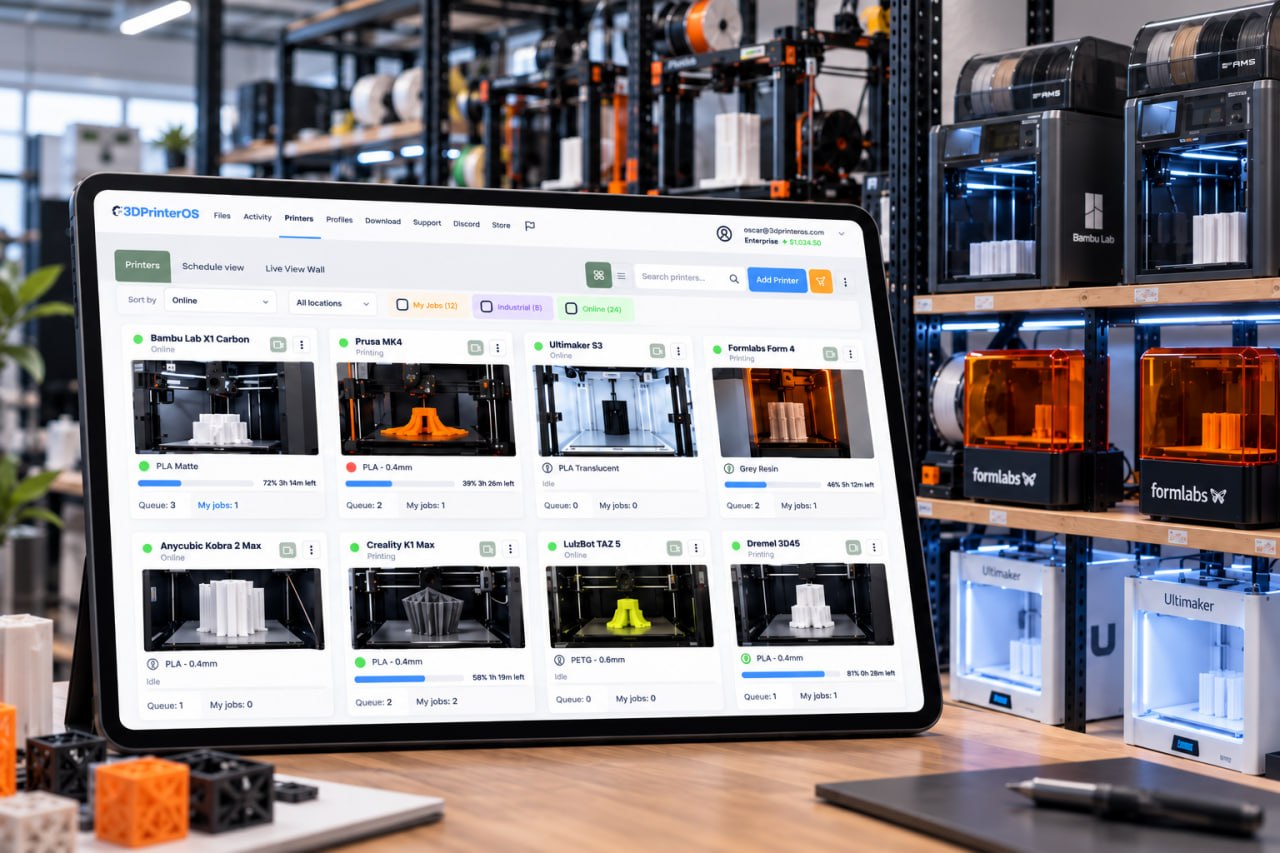
Manage, automate, and scale your 3D printing operations from a single 3D printer operating system platform.
This close collaboration has enabled Koenigsegg to tailor the platform to their specific needs, resulting in an optimized and user-friendly system for managing their 3D printers.
 Tim Bäck
Team Leader, Koenigsegg Automotive AB
Tim Bäck
Team Leader, Koenigsegg Automotive AB







Used by higher education, enterprises, and OEMs to manage printers, files, and users from a single, cloud-based platform





Our 3D printer management software empowers you to efficiently oversee files, printers, and users across your entire organization, significantly enhancing operational efficiency.

Prusa
Unlock the full potential of all of your Prusa 3D printers with our management program.
A versatile integration that complements and enhances your Ultimaker 3D printing experience

Yes. 3DPrinterOS is designed to support workflows that use files from multiple 3D printer modeling software tools, enabling teams to centralize file handling, approval, and print execution regardless of the modeling application used.
Industries such as manufacturing, education, healthcare, research labs, and product design benefit from a 3D printer operating system due to improved scalability, secure file handling, and standardized 3D printing workflows.
Yes. By controlling printer access, standardizing workflows, tracking performance data, and integrating approved files from 3D modeling software for 3D printing, a 3D printer operating system significantly reduces failed prints and wasted material.
Centralized management connects 3D modeling for 3D printing software with printer execution, reducing manual file transfers, minimizing errors, and ensuring consistent print settings across teams and locations.
Even small teams and educational labs benefit from 3D printing management software by reducing failed prints, controlling access, tracking usage, and maintaining consistent workflows as printer usage grows.
The best 3D modeling software for 3D printing depends on use case—engineering, prototyping, or education—but all benefit from being managed within a centralized 3D printer operating system.
Yes. 3DPrinterOS supports workflows that integrate files from leading 3D printer modeling software, allowing smooth transitions from design to print management.
3D printing typically requires 3D modeling software for 3D printing, slicing software, and a 3D printing management software or printer OS to execute and monitor prints.
A 3D printer operating system is software that manages printers, users, files, and print workflows from a single platform, enabling centralized control and scalable 3D printing operations.

Used by higher education, enterprises, and OEMs to manage printers, files, and users from a single, cloud-based platform

Control access, users, and print permissions by team or lab
“This close collaboration has enabled Koenigsegg to tailor the platform to their specific needs, resulting in an optimized and user-friendly system for managing their 3D printers.”

Team Leader
Koenigsegg Automotive AB
Book your personalized assessment now and get your free trial.
Used by higher education, enterprises, and OEMs to manage printers, files, and users from a single, cloud-based platform
Control access, users, and print permissions by team or lab
“This close collaboration has enabled Koenigsegg to tailor the platform to their specific needs, resulting in an optimized and user-friendly system for managing their 3D printers.”
Team Leader
Koenigsegg Automotive AB
Join us today and become one of our partners

Limited-time offer
Apply now and save up to 50% on your first year of 3DPrinterOS
Used by higher education, enterprises, and OEMs to manage printers, files, and users from a single, cloud-based platform
Control access, users, and print permissions by team or lab
“This close collaboration has enabled Koenigsegg to tailor the platform to their specific needs, resulting in an optimized and user-friendly system for managing their 3D printers.”
Team Leader
Koenigsegg Automotive AB
Book your personalized assessment now and get your free trial.