FlashForge Adventurer 3
Software
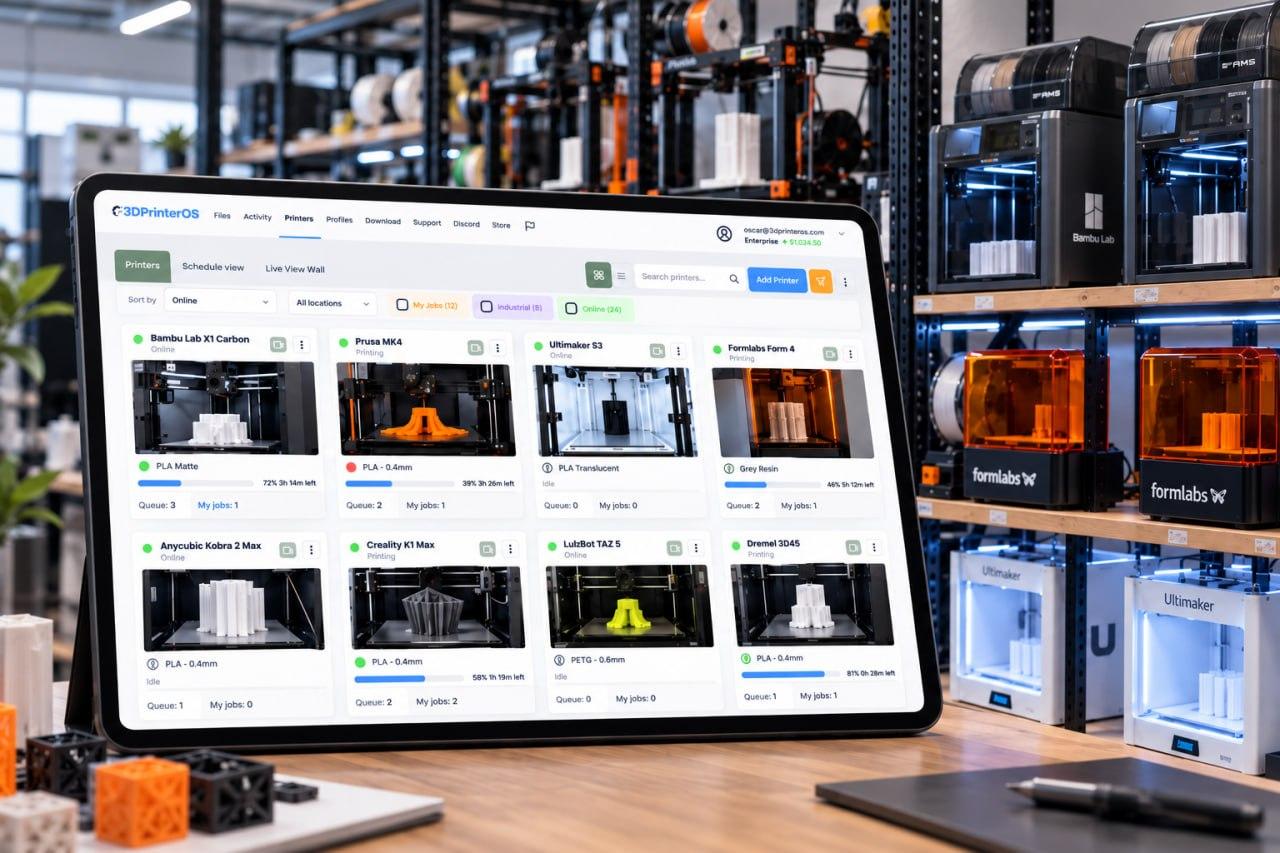
3DPrinterOS is FlashForge Adventurer 3 software that runs in your browser. Slice in the cloud, print remotely and control the print queue for classrooms and teams. No download is needed.
Start a 14-day free trial, no credit card →

Interactive illustration. Real jobs run in 3DPrinterOS Cloud.
What is the best software for the FlashForge Adventurer 3?
For classrooms and teams, the most practical FlashForge Adventurer 3 software is browser-based. 3DPrinterOS gives each learner an account, slices models in the cloud, sends jobs remotely and runs a shared digital print queue, so a teacher always knows who prints next, where the file is and when a print is finished.
| Printer | FlashForge Adventurer 3 (Pro and Lite: check the supported 3D printers list) |
|---|---|
| Software type | Browser-based, no download |
| Slicing | Cloud slicer |
| Classroom control | User permissions, shared queue, push notifications |
| Reprints | Models and version history stay in the account |
| Best for | K12, school districts, offices and OEM teams |
Who prints next? Where is the file? Is it finished?
A busy classroom printer creates the same puzzle every day. Paper sheets and shared calendars go out of date quickly. Flip the switch to see the digital queue.
What teachers and admins can control
- Who can print, through user permissions
- Which job runs next, from the queue
- When a print finishes, through push notifications
- How the printer is used over time
- Reprints next term: keep a good model with its version history, and any teacher can send it again
Adventurer 3 Pro and Lite
People also search for the Adventurer 3 Pro and the Adventurer 3 Lite. Check the supported 3D printers list for your exact model, or ask our team.
Each model has its own settings, so confirm yours before you roll out to a whole school.
Built for busy schools
Students are many, time is short and supervision varies. Try a short trial with one class first, watch how the queue changes the routine, then widen it to other teachers.
How to Print on a FlashForge Adventurer 3 with 3DPrinterOS
A simple routine for each class period.
Learners upload models
Each learner uploads to their own account before class.
The teacher checks the queue
Approve the order and see every job in one place.
The Adventurer 3 prints
The printer works while the class carries on.
Notifications show it is done
Learners and the teacher see when a print finishes.
Who Uses 3DPrinterOS with the FlashForge Adventurer 3?
Pick your team to see what changes.
Education with a FlashForge Adventurer 3
One Adventurer 3 serves thirty students with a fair digital queue.
Enterprise with a FlashForge Adventurer 3
Enterprise teams track usage by person.
OEMs with a FlashForge Adventurer 3
OEMs can help customers remotely.
Teams That Run Shared Printers on 3DPrinterOS

This close collaboration has enabled Koenigsegg to tailor the platform to their specific needs, resulting in an optimized and user-friendly system for managing their 3D printers.

Dublin City University
230 users and 2,353 prints in a single semester, with fair queues.

The Weber School
200+ yearly users, 2,400+ prints and 10,000+ printing hours on 11 printers.

Pine Crest School
3D printing for 2,699 students, with up to 35 prints sent at once.
Running more than one printer?
Every printer joins the same account, queue and dashboard. Setup assistance is included.
Software for other popular printers
FlashForge Adventurer 3 Software FAQ
What software works with the FlashForge Adventurer 3?
Is there Adventurer 3 slicer software?
Is there an Adventurer 3 software download?
Can I print to the Adventurer 3 over WiFi?
Does it work with the Adventurer 3 Pro or Lite?
Teaching with an Adventurer 3?
Book a demo and see how education teams use 3DPrinterOS to run a fair, digital print queue.
Already have an account? Open 3DPrinterOS Cloud →


