Creality Ender 3
3D Printer Software
Looking for Ender 3 software? 3DPrinterOS adds cloud slicing, remote printing and print queue management to your Creality Ender 3. It runs in your browser, so you do not install a program.
Start a 14-day free trial, no credit card →

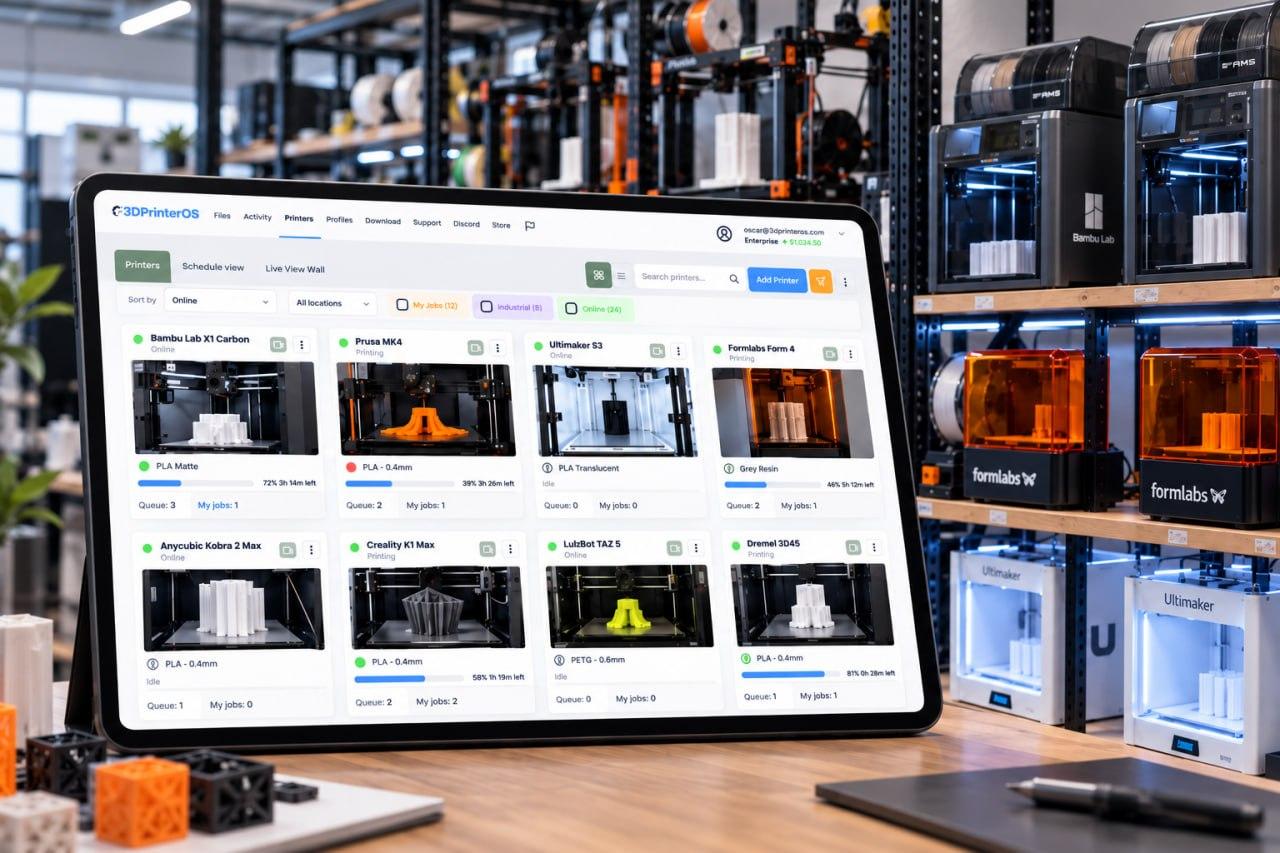
Interactive illustration. Real jobs run in 3DPrinterOS Cloud.
What is the best software for the Creality Ender 3?
An Ender 3 needs software for three jobs: slicing the model, sending it to the printer and tracking the print. 3DPrinterOS does all three in your browser, with no Ender 3 program to install, and lets several Ender 3s and other Creality printers share one account and one print queue.
| Printer | Creality Ender 3 (Pro, V2, V3 SE: check the supported 3D printers list) |
|---|---|
| Software type | Browser-based, no download |
| Slice | Cloud slicer, plus STL repair and orientation |
| Send | Remote printing from another room or building |
| Track | Shared print queue and print fleet view |
| Price to start | 14-day trial, no credit card. See pricing plans |
What software does an Ender 3 need?
Whether you search for an Ender 3 program or Ender 3 printing software, every workflow comes down to three jobs. 3DPrinterOS handles all three in one place.
| Job | How 3DPrinterOS handles it |
|---|---|
| Slice | Turns the model into layers with the cloud slicer |
| Send | Starts the job from anywhere with remote printing |
| Track | Follows the job in the print queue |
You can also repair and orient STL files before you slice. Each file version stays in your account, so a model you tweaked last week is easy to find. You can try it with one printer.
Why people search for an Ender 3 program
The Ender 3 is popular, and many owners meet the same wall. The printer works, but the routine around it is manual. Files sit on memory cards. Nobody knows which version printed last.
A browser-based platform removes those small frictions. It does not change your printer. It changes the routine around it.
When one Ender 3 becomes five
Makerspaces and classrooms rarely stop at one printer. A shared account lets many people send jobs without swapping memory cards.
- A fair queue: the print queue keeps the order fair, so nobody guesses which printer is free
- One fleet: every new printer joins the same print fleet
- Printer in the garage? Start and manage jobs from another room while the printer works in a lab, workshop or garage
- Traceable prototypes: enterprise and OEM teams use low-cost printers for prototypes, and a shared account keeps those jobs easy to trace
Ender 3 owners with other Creality models
How to Print on a Creality Ender 3 with 3DPrinterOS
From file to finished print on an Ender 3, without a memory card.
Slice it in the cloud
No computer beside the printer is needed. The cloud slicer prepares the layers for the Ender 3.
Start the job remotely
Send it with remote printing from your desk, another room or another building.
Follow it in the queue
See which printer is free and where every job stands.
Who Uses 3DPrinterOS with the Creality Ender 3?
Pick your team to see what changes.
Education with a Creality Ender 3
Makerspaces and classrooms share Ender 3 printers without swapping memory cards.
Enterprise with a Creality Ender 3
Low-cost Ender 3 printers handle prototypes, and every job stays traceable.
OEMs with a Creality Ender 3
OEM teams run Ender 3 prototypes from the same shared account.
Teams That Run Shared Printers on 3DPrinterOS

This close collaboration has enabled Koenigsegg to tailor the platform to their specific needs, resulting in an optimized and user-friendly system for managing their 3D printers.

Dublin City University
230 users and 2,353 prints in a single semester, with fair queues.

The Weber School
200+ yearly users, 2,400+ prints and 10,000+ printing hours on 11 printers.

Pine Crest School
3D printing for 2,699 students, with up to 35 prints sent at once.
Running more than one printer?
Every printer joins the same account, queue and dashboard. Setup assistance is included.
Software for other popular printers
Creality Ender 3 Software FAQ
Do I need to install an Ender 3 program?
Can I slice without a computer beside the printer?
Is there free software for the Ender 3?
Is there an Ender 3 software download?
Does it work with the Ender 3 Pro, V2 or V3 SE?
How do I connect an Ender 3 to my computer?
Start with your Ender 3
Start a 14-day trial, or book a demo for help with your Ender 3. No credit card is needed.
Already have an account? Open 3DPrinterOS Cloud →


