
Sindoh 3DWOX 1
Software
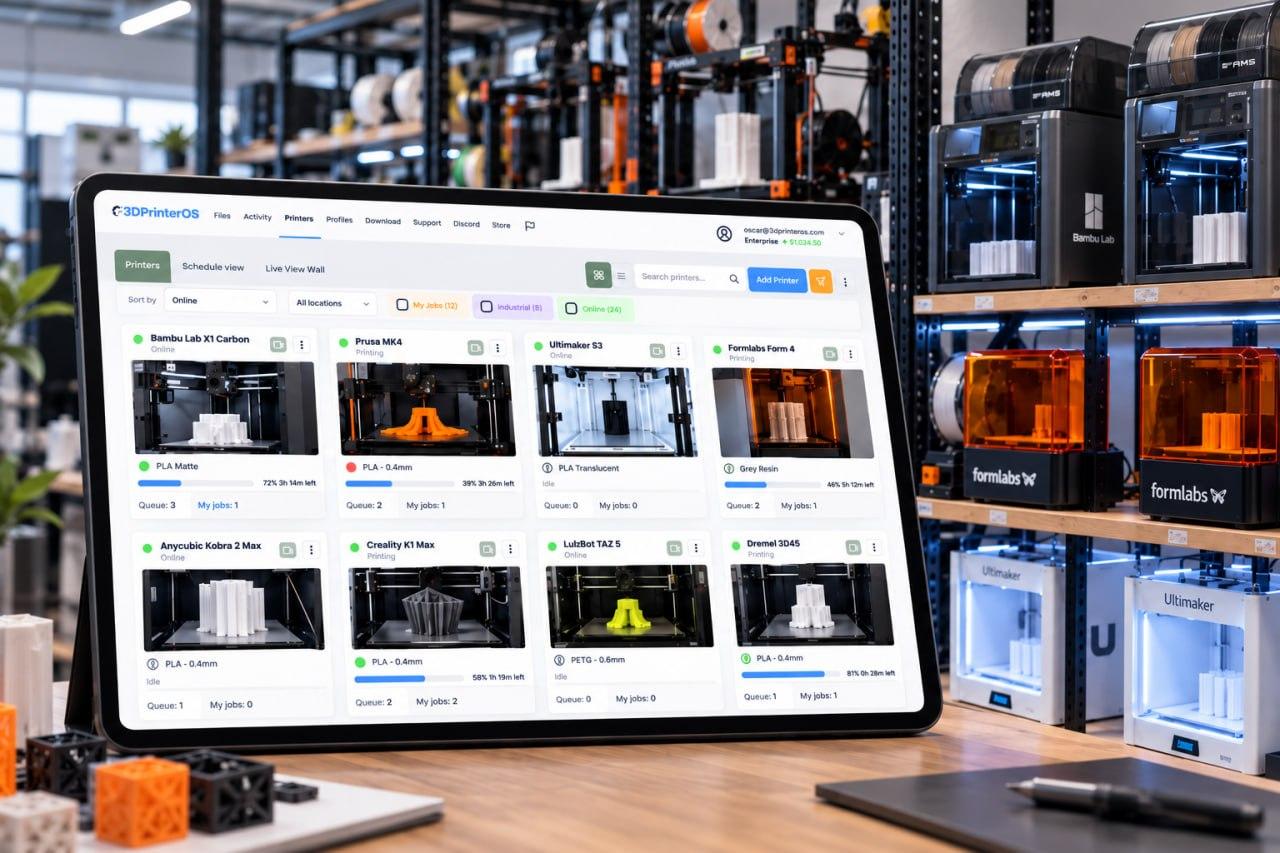
3DPrinterOS gives your Sindoh 3DWOX 1 a browser-based home for slicing, printing and job control. Prepare models in the cloud, send them to the printer remotely and keep every user and job organized. There is no desktop program to install.
Start a 14-day free trial, no credit card →

Interactive illustration. Real jobs run in 3DPrinterOS Cloud.
What is the best software for the Sindoh 3DWOX 1?
For a Sindoh 3DWOX 1, 3DPrinterOS replaces the desktop download with browser-based software. You slice in the cloud, send jobs with remote printing and manage users and the print queue from one account, so any classroom computer or visitor laptop can print without installing 3DWOX Desktop.
| Printer | Sindoh 3DWOX 1 |
|---|---|
| Software type | Browser-based, no 3DWOX Desktop install needed |
| Slicing | Cloud slicer for the 3DWOX 1 |
| Starting jobs | Remote printing from any browser |
| Shared use | User permissions, shared print queue, billing and user balances |
| Getting started | 14-day trial, no credit card, setup assistance included |
3DWOX software and the desktop download question
A search for 3DWOX software often starts with a desktop download. 3DPrinterOS takes a different route: you work in the browser, so a new classroom computer or a visitor laptop needs no installation.
Your files, jobs and users stay in one account, whichever computer you use. That matters in a school, where computers change from room to room.
What changes when your 3DWOX 1 moves to the cloud
Flip the switch to compare a typical shared-printer routine with the 3DPrinterOS one.
Keeping a shared 3DWOX 1 under control
Schools, studios and offices often share one printer. Administrators decide who can print, and the queue shows what is running and what is waiting, which cuts down on interruptions.
- User permissions keep access clear
- A shared queue shows what is running and what is waiting
- Billing and user balances for makerspaces and schools that charge for prints or limit student use. Ask our team how billing works for your setup
How to Print on a Sindoh 3DWOX 1 with 3DPrinterOS
A typical 3DWOX 1 session, step by step. A teacher can prepare a model in the morning and let students send theirs in the afternoon.
Sign in from any browser
Open 3DPrinterOS on any computer. No 3DWOX Desktop install, no USB drive.
Upload and prepare a model
Scale, orient or repair it if needed. Every version stays in your account.
Who Uses 3DPrinterOS with the Sindoh 3DWOX 1?
Pick your team to see what changes.
Education with a Sindoh 3DWOX 1
Education teams give each learner a fair turn and a clear record.
Enterprise with a Sindoh 3DWOX 1
Enterprise teams see who printed what and when.
OEMs with a Sindoh 3DWOX 1
OEMs can support customers without visiting the printer.
Teams That Run Shared Printers on 3DPrinterOS

This close collaboration has enabled Koenigsegg to tailor the platform to their specific needs, resulting in an optimized and user-friendly system for managing their 3D printers.

Dublin City University
230 users and 2,353 prints in a single semester, with fair queues.

The Weber School
200+ yearly users, 2,400+ prints and 10,000+ printing hours on 11 printers.

Pine Crest School
3D printing for 2,699 students, with up to 35 prints sent at once.
Running more than one printer?
Every printer joins the same account, queue and dashboard. Setup assistance is included.
Software for other popular printers
Sindoh 3DWOX 1 Software FAQ
Is 3DPrinterOS a 3DWOX slicer?
Does it work with other Sindoh printers?
Do I need 3DWOX Desktop installed?
How do I start?
Ready to move your 3DWOX 1 to the cloud?
Talk to our team about slicing, queues and user permissions for a shared Sindoh 3DWOX 1.
Already have an account? Open 3DPrinterOS Cloud →


