


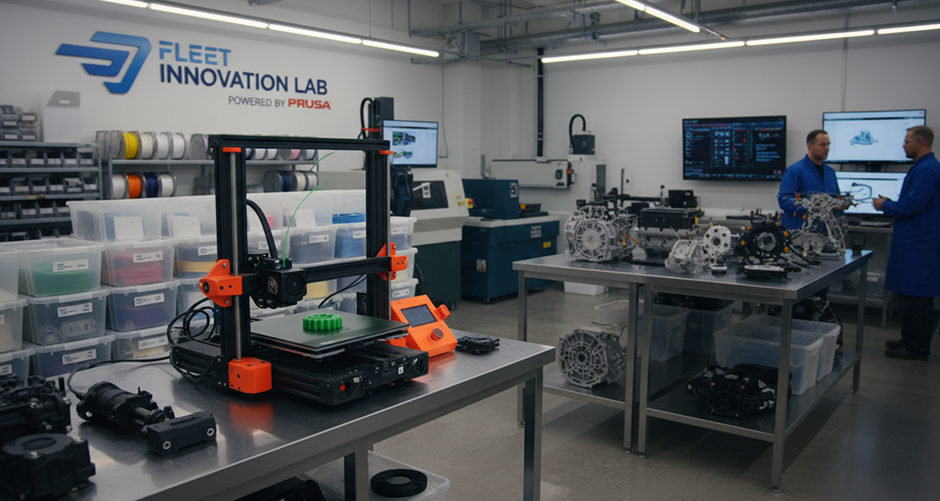



As organizations scale their additive manufacturing capabilities, managing multiple Prusa printers across different rooms, facilities, or even countries becomes increasingly complex. Without a centralized system, teams often rely on manual checks, fragmented tools, or direct physical access to machines. This approach not only slows down operations but also introduces blind spots that lead to failed prints, wasted materials, and underutilized equipment. Understanding how to monitor Prusa printers remotely is essential for any organization looking to operate efficiently and scale sustainably.
Cloud-based platforms such as 3DPrinterOS provide a unified way to monitor all connected printers in real time. Instead of juggling multiple interfaces or relying on local connections, teams gain a single source of truth where every printer, job, and user activity is visible. This shift from fragmented monitoring to centralized visibility is what enables modern 3D printing operations to function at scale.
Why Remote Monitoring Is Critical for Scaling Operations
In small setups, physically checking printers may seem manageable, but as the number of machines increases, this approach quickly becomes inefficient. Operators cannot realistically track dozens or hundreds of printers manually, especially when they are distributed across locations. As a result, issues such as print failures, filament shortages, or machine errors often go unnoticed until it is too late.
Remote monitoring introduces continuous visibility into printer performance, allowing teams to identify and resolve issues as they happen. This reduces downtime, improves success rates, and ensures that resources are used effectively. More importantly, it enables organizations to move from reactive troubleshooting to proactive optimization, which is a key requirement for enterprise-grade 3D printing.
Centralized Dashboards and Real-Time Insights
A robust remote monitoring solution provides a centralized dashboard where all printers can be viewed simultaneously. From this interface, users can track job progress, monitor machine status, and review historical performance data. This level of insight allows teams to understand how their printers are being used and where inefficiencies exist.
Real-time data plays a crucial role in decision-making. When operators can instantly see which printers are active, idle, or experiencing issues, they can take immediate action to maintain workflow continuity. Over time, this visibility also helps organizations identify patterns, optimize usage, and improve overall operational efficiency.
Access and Control from Anywhere
One of the most powerful aspects of cloud-based monitoring is the ability to access your 3D printing environment from anywhere. Whether working remotely, traveling, or managing multiple facilities, users can stay connected to their operations without needing to be physically present. This flexibility not only improves responsiveness but also supports modern, distributed teams that rely on remote collaboration.
By enabling access across devices such as desktops, tablets, and smartphones, organizations ensure that decision-makers and operators can act quickly whenever needed. This level of accessibility is particularly valuable in enterprise environments where time-sensitive production workflows must be maintained without interruption.
Driving Efficiency Through Proactive Management
Ultimately, remote monitoring is not just about visibility—it is about control and optimization. By continuously tracking printer performance and job status, organizations can identify inefficiencies, reduce waste, and improve output quality. This leads to higher utilization rates, better resource allocation, and a more reliable 3D printing operation.
As 3D printing continues to evolve within enterprise environments, remote monitoring becomes a foundational capability that enables growth, scalability, and long-term success.




.png)


