Creality Print Farm Software: Run K1 and K2 Fleets in 3DPrinterOS
How to run a Creality print farm in 3DPrinterOS: supported models, K1 and K2 setup, shared queues, monitoring, approvals and reports.





Creality print farm software runs a fleet of Creality printers from one dashboard: one queue, live monitoring, users and reports. 3DPrinterOS connects the K1, K1 Max, K2 Pro, K2 Plus and Ender-3 V3 KE over the network, sends each job to the next free printer and keeps Creality machines in the same queue as your other brands.
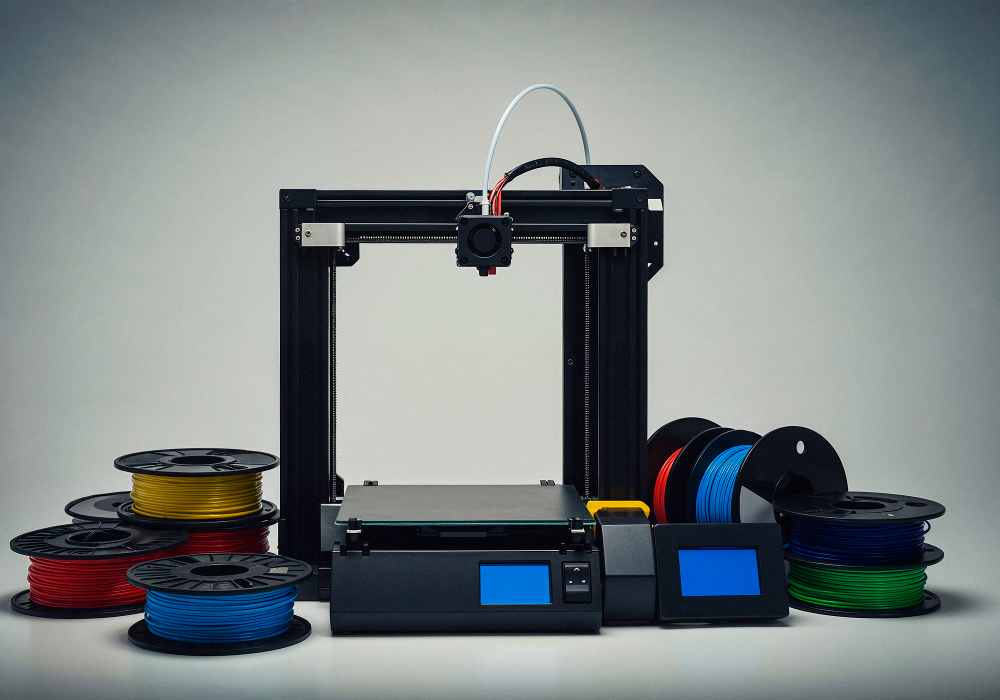
Creality's K-series printers are fast and affordable, which makes them a common choice when a farm grows from a few printers to dozens. The printers themselves are rarely the problem at that size. The work around them is: deciding which machine is free, keeping profiles the same, knowing when a print failed and tracking who used what. This page explains how a Creality print farm runs in 3DPrinterOS.
The 3DPrinterOS supported printers page lists these Creality models:
For a production farm, the K1 Max is a frequent pick. Creality lists a 300 x 300 x 300 mm build volume, a typical speed of 300 mm/s with a maximum of 600 mm/s, and a hotend rated for up to 300 °C. Its AI camera watches for spaghetti failures and foreign objects, and its AI LiDAR scans the first layer. Compare it with other farm printers in our guide to the best 3D printers for print farms.
3DPrinterOS connects to K-series printers over your network through Moonraker. The Creality 3D printer software page describes a one-time setup per printer:
The other way to connect printers is the 3DPrinterOS client on a PC or Raspberry Pi. One Raspberry Pi supports up to 15 printers and a computer supports 50 or more, according to the 3D printer controller page.
Jobs go into a shared print queue and are routed to the next free printer. Creality printers share queues with other brands, so a mixed farm with Creality, Bambu Lab and Prusa printers still has one place to send work. See print queue management for how routing works.
Every K1 can be controlled and monitored from one dashboard in any browser. Live status, notifications when jobs finish and job analytics show which printers are busy and which need attention. Print Fail Detector watches prints for failures and notifies the operator.
Farms that print for customers, students or several teams need control over who prints. 3DPrinterOS gives users roles, approvals and print limits. A manager can require approval before a job starts and see which user sent each job.
The online slicer runs in the browser with profiles for 200+ printers, so operators do not need a desktop slicer on every computer. Keeping one set of profiles for identical Creality printers means any job can run on any of them.
Job history, success rates and usage by user and printer show when the farm is close to capacity and when a printer needs maintenance. Pair the data with a 3D print farm maintenance checklist.
Creality Cloud is Creality's own app for its printers. A farm that only runs Creality machines may start there. Once the fleet includes other brands, or needs roles, approvals, SSO and usage reports across teams, a vendor-neutral platform keeps everything in one queue. Our Creality Cloud alternative page compares the two.
The same setup works as the farm grows. Add printers to the organization, put them in workgroups and let the queue spread the work. Fantasy Pets, a product-based print farm, runs 116 printers from one 3DPrinterOS interface. Across all customers, 3DPrinterOS has printed 10M+ parts for 2.5M+ users at 500+ companies and universities, including NASA, NIH, Google and Koenigsegg.
For the full farm feature set, see 3D printer farm management software. For the platform as a whole, see 3D printer management software. Ready to connect your Creality fleet? Set a meeting now.
Creality print farm software connects many Creality printers to one dashboard, so jobs, users and monitoring sit in one place. 3DPrinterOS does this for the K1, K1 Max, K2 Pro, K2 Plus, Ender-3 V3 KE and more, and shares the queue with other brands.
The 3DPrinterOS supported printers list includes the K1, K1C, K1 Max, K2 Plus, K2 Pro, Ender-3, Ender-3 S1, Ender-3 V3 KE, Ender-3 Max, Ender-5 Plus, Ender 5 Pro, Ender-6, CR-10 models, CR-6 SE and CR-30 3DPrintMill.
Allow network access to builds.3dprinteros.com, update the K1 Max or Ender-3 V3 KE to firmware 1.3.2.1 or later, enable root access, connect over SSH and run the 3DPrinterOS install script. Then open the printer's IP address on port 8008, log in and pick the printer type.
Yes. In 3DPrinterOS, Creality printers share queues with other brands, and jobs can go to the next free printer. Bambu Lab, Prusa, Elegoo, Flashforge and other printers can sit in the same organization.
Yes. 3DPrinterOS gives users roles, approvals and print limits, so a manager decides who can send jobs to which printers and which jobs need approval first.

Used by higher education, enterprises, and OEMs to manage printers, files, and users from a single, cloud-based platform

Control access, users, and print permissions by team or lab
“This close collaboration has enabled Koenigsegg to tailor the platform to their specific needs, resulting in an optimized and user-friendly system for managing their 3D printers.”

Team Leader
Koenigsegg Automotive AB
Book your personalized assessment now and get your free trial.