One queue for every printer
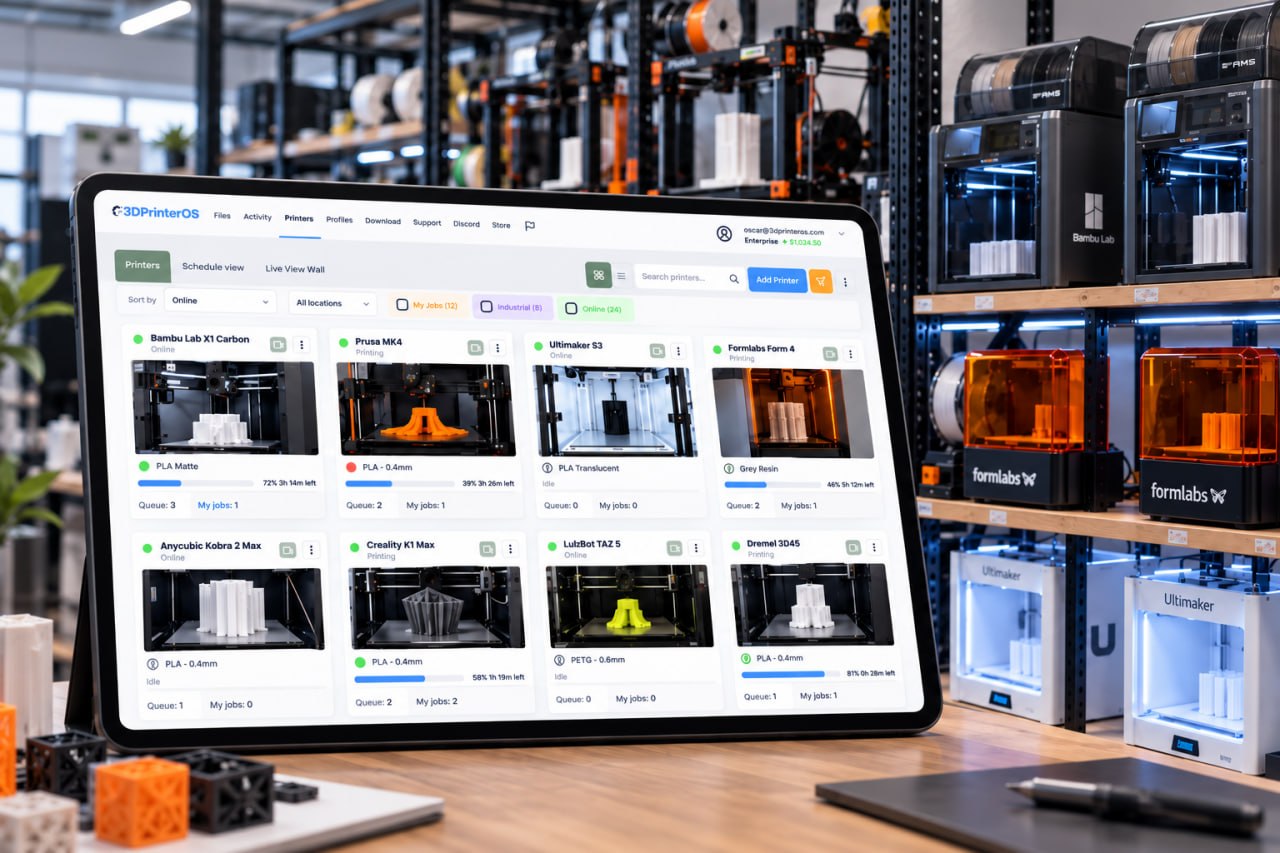
Send a job to a printer group and 3DPrinterOS sends it to the next free printer, across brands, rooms and buildings.
The best OctoApp alternative for printers that many people share is 3DPrinterOS. OctoApp is a phone app that controls printers through the host you already run, such as OctoPrint, Klipper, Bambu Lab or ELEGOO. 3DPrinterOS is a cloud platform for 200+ printer models with one shared queue, roles, job approval, quotas, single sign-on and browser slicing.
Free 14-day trial, no credit card required.


OctoApp is a mobile app for iPhone, iPad and Android, with Wear OS support, from the developer Livingroom Workbench. Its app store listings say it supports OctoPrint and Klipper (Moonraker, Mainsail and Fluidd), Bambu Lab printers and ELEGOO Centauri printers. The app is split into three workspaces, Connect, Prepare and Print, and covers print preparation, print control, file management, a terminal, flow rate, feed rate and fan controls, webcams including several at once, a G-code viewer, notifications about prints and filament, power control plugins and support for more than one printer. The app is free to download, with in-app purchases that unlock features or support the developer. The developer does not run servers for remote access, so you bring your own URL, a VPN, or a plugin such as OctoEverywhere or Obico.
That is a strong setup for one maker who looks after a few printers. It changes when a school, lab, library or company shares printers among many people. Then someone has to decide who may print where, approve files, set limits, charge for material and show who printed what. Those controls are the core of 3D printer management software such as 3DPrinterOS, and a phone app on top of a single host does not provide them.
Send a job to a printer group and 3DPrinterOS sends it to the next free printer, across brands, rooms and buildings.
The 3DPrinterOS client turns a Raspberry Pi, ROCK Pi or computer into a printer controller, and Bambu Lab printers connect in LAN Only Mode. The dashboard runs in the cloud.
Users open the dashboard in a browser with nothing to install, watch live camera views and get push and email alerts when a print finishes or needs attention.
Lab staff review a file before it reaches a printer, so a bad job is stopped before it wastes filament or machine time.
Balances, print limits and cost tracking per user, with billing through PaperCut, Stripe or CBORD.
Single sign-on with SAML, Shibboleth, OKTA or InCommon, so there are no shared logins and access ends when people leave.
Both let you watch and control printers away from the printer. Switch on "Show only differences" to see where they differ.
| Feature | OctoApp | 3DPrinterOS |
|---|---|---|
| Control prints remotelyStart, pause and cancel | ✓ | ✓ |
| Webcam view | ✓ | ✓ |
| Print notifications3DPrinterOS: push and email alerts | ✓ | ✓ |
| More than one printerOctoApp: listed in its app description | ✓ | ✓ |
| Works without a host you run yourselfOctoApp: needs OctoPrint, Klipper or a supported printer, and your own remote-access route | – | ✓ |
| Shared print queue across printers | – | ✓ |
| Browser slicing3DPrinterOS: Slicer 5, Slicer for Prusa, Bambu Slicer, MakerBot Slicer, Formlabs Slicer | – | ✓ |
| Camera-based failure detection3DPrinterOS: Print Fail Detector notifies, with an Organizational License | – | ✓ |
| Native phone app3DPrinterOS works in the phone browser | ✓ | – |
| Roles, workgroups and per-printer permissions | – | ✓ |
| Job approval before a print starts | – | ✓ |
| Quotas, balances and billing (PaperCut, Stripe, CBORD) | – | ✓ |
| Usage reports by user, printer and group | – | ✓ |
| Single sign-on (SAML, Shibboleth, OKTA, InCommon) | – | ✓ |
| Private cloud, on-premise or air-gapped | – | ✓ |
Showing 15 of 15 features
OctoApp features as described in its App Store and Google Play listings, checked 22 Nov 2026. "–" means not described there. Apps change, so check the listings for current details.
OctoApp is free to download. Its App Store listing shows in-app purchases, including support options from $0.99 for a month and $6.99 for a year and "All features" unlocks between $11.99 and $17.99. The host behind it, such as OctoPrint or Klipper, is yours to run, and remote access outside your network needs your own URL, a VPN or a third-party service.
3DPrinterOS Premium starts at $19 a month for 2 printers and 1 user, with a 14-day free trial and no credit card required. Education and Enterprise plans are priced by the number of printers, users and sites, and add role-based access, job approval and reassignment, and private cloud or on-premise deployment.
Run the 3DPrinterOS client on a Raspberry Pi, ROCK Pi or computer next to your printers; one Raspberry Pi can host up to 15 printers. Bambu Lab printers connect in LAN Only Mode.
Group printers by material, size or room, so a job sent to the group goes to the next free printer.
Create workgroups and roles, or connect single sign-on, then turn on job approval, balances and print limits where you need them.
Open the dashboard in your phone browser to watch cameras, get alerts and pause or cancel a print from anywhere.
3DPrinterOS supports 200+ printer models from brands such as Bambu Lab, Prusa, Creality, ELEGOO, FlashForge, Anycubic, Ultimaker and Formlabs. See the supported printers list.
Fantasy Pets, a product print farm, runs 116 printers from one 3DPrinterOS interface and plans to grow to 200. Batch queueing sends one job to several printers at once, often 10, one or two skilled people run production around the clock, and new operators are productive after a brief training session. Read the Fantasy Pets story →
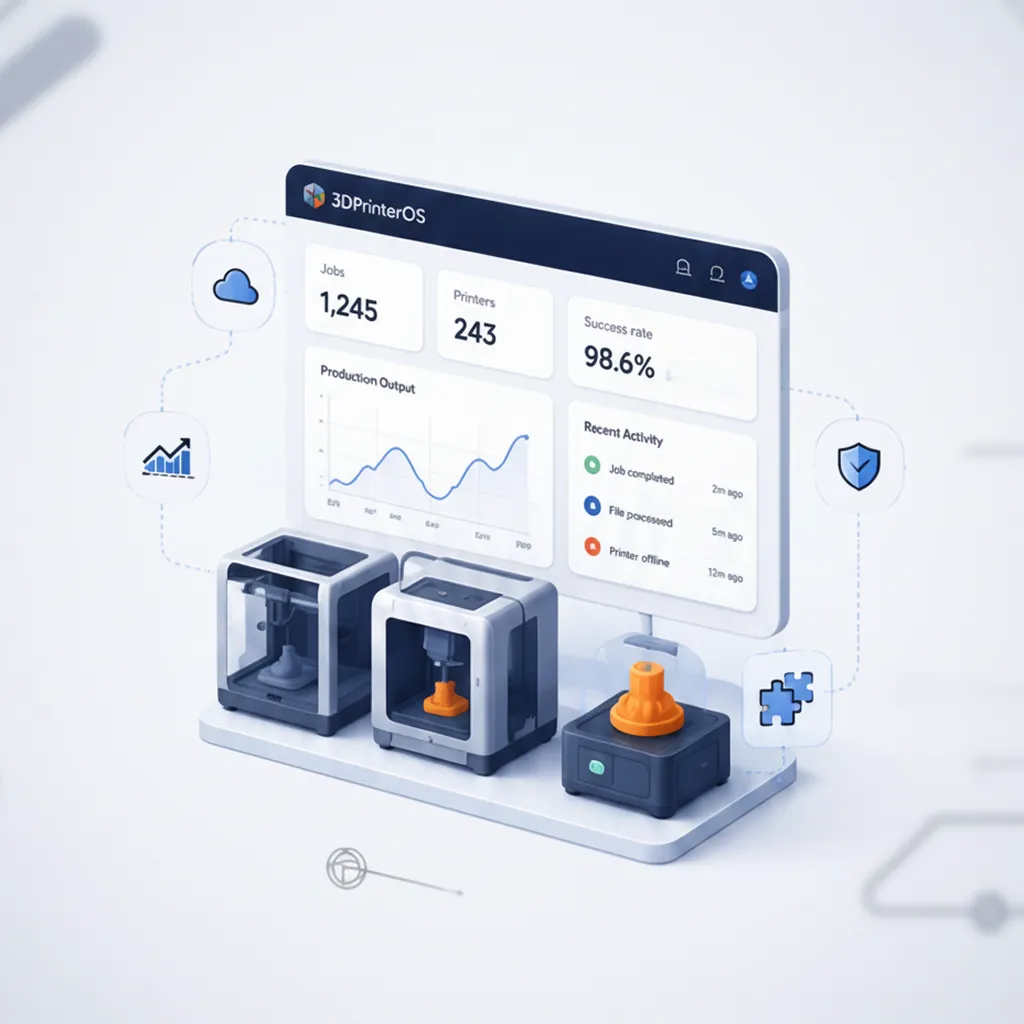
3DPrinterOS logs every job with its user, printer and file. Reports show usage by user, printer and group, job history and success rates, and turn material use into costs you can bill back to departments.

Use the managed cloud on Azure in the U.S. or Europe, your own AWS, Azure or Google Cloud account, or air-gapped servers. NASA, NIH, Google and Koenigsegg are among the organizations that use 3DPrinterOS.
Running a print farm? See 3D printer farm management with 3DPrinterOS.
For printers shared by many people, 3DPrinterOS. It keeps remote control, cameras and notifications, and adds a shared queue across 200+ printer models, roles, job approval, quotas and billing, single sign-on and browser slicing.
3DPrinterOS runs in any browser, on a tablet or a phone, with nothing to install. You can watch camera views, get push and email alerts, and start, pause or cancel prints remotely.
No. The 3DPrinterOS client runs on a Raspberry Pi, ROCK Pi or computer and connects your printers to the cloud dashboard, and Bambu Lab printers connect in LAN Only Mode.
Yes. Print Fail Detector monitors prints and flags likely failures, and sends notifications so someone can pause or cancel the job remotely. It is available with an Organizational License.
Premium starts at $19 a month for 2 printers and 1 user. Education and Enterprise plans are priced by printers, users and sites, and every plan starts with a 14-day free trial.
See how 3DPrinterOS queues, approves, bills and reports every print, on every brand.

Used by higher education, enterprises, and OEMs to manage printers, files, and users from a single, cloud-based platform

Control access, users, and print permissions by team or lab
“This close collaboration has enabled Koenigsegg to tailor the platform to their specific needs, resulting in an optimized and user-friendly system for managing their 3D printers.”

Team Leader
Koenigsegg Automotive AB
Book your personalized assessment now and get your free trial.
Used by higher education, enterprises, and OEMs to manage printers, files, and users from a single, cloud-based platform
Control access, users, and print permissions by team or lab
“This close collaboration has enabled Koenigsegg to tailor the platform to their specific needs, resulting in an optimized and user-friendly system for managing their 3D printers.”
Team Leader
Koenigsegg Automotive AB
Book your personalized assessment now and get your free trial.

