Cloud-Based vs. On-Premise 3D Print Management: Which Deployment Model Fits Your Institution?
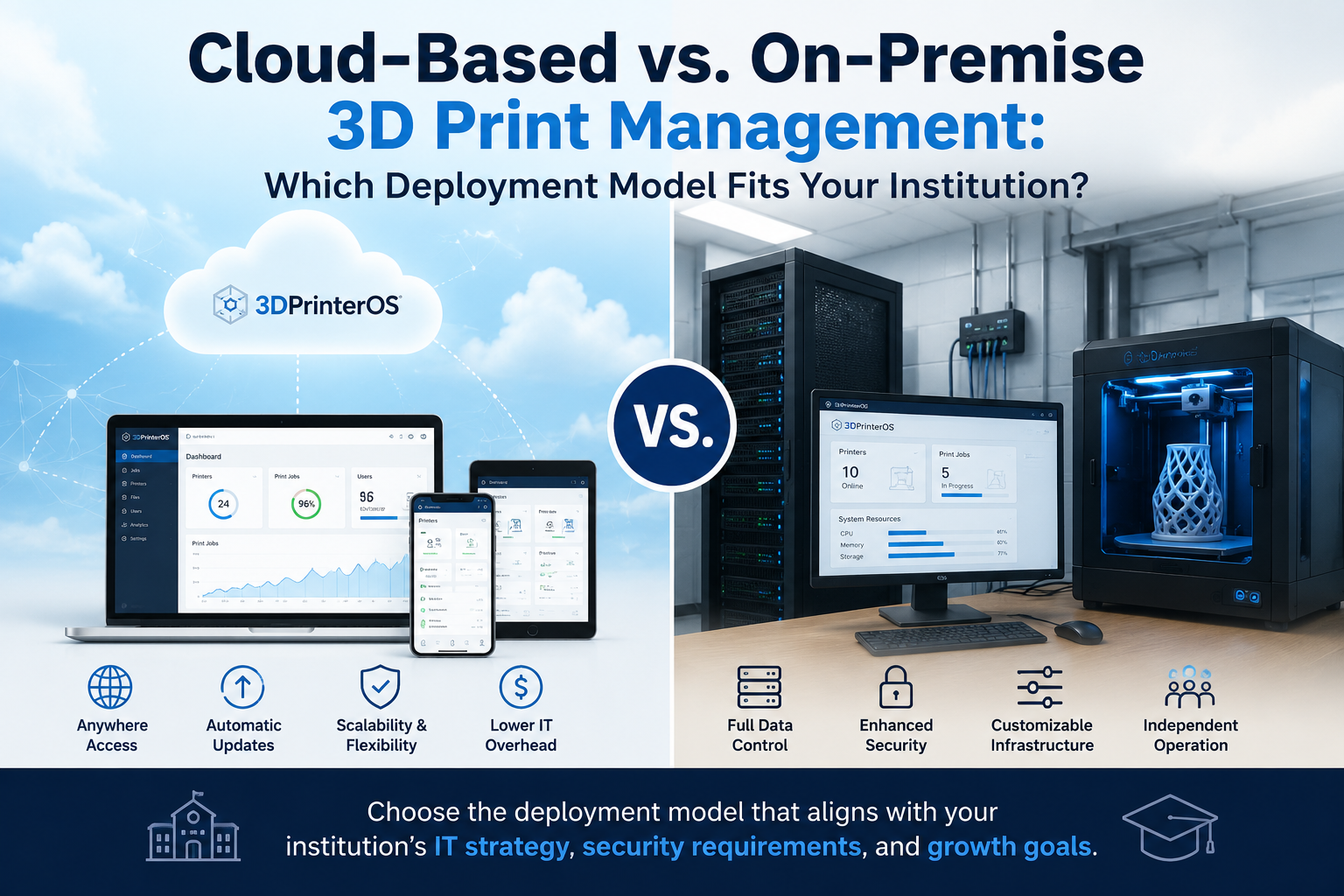




Institutions standardizing their 3D printing operations face an important infrastructure decision. Should print management run through a cloud platform or remain on servers controlled by the institution?
The answer depends on operational scale, IT resources, security policies, and access requirements. Neither model is automatically right for every environment. A practical deployment comparison should consider how each option affects daily administration and future growth. Deployment is only one part of the wider 3D printing operations stack, which also includes user administration, file management, slicing, print queues, monitoring, and fleet reporting.
Cloud-based print management generally reduces the need to purchase, configure, and maintain a dedicated on-premises print server. Institutions can focus on connecting printers, defining users, and establishing workflows.
An on-premises system gives the institution direct responsibility for its environment. This can support specific internal requirements, but it also requires server capacity, technical expertise, backups, and recovery planning.
Cloud-based 3D printing is often well suited to distributed teams. Authorized users can submit files, review queues, and monitor activity across campuses or facilities without being physically connected to one local network.
On-premises access is commonly restricted to the institution’s network. Remote access may still be possible, but IT teams must configure and maintain the necessary connections and security controls.
Security depends on architecture, configuration, and governance, not simply where the software is hosted.
An on-premises deployment provides direct control over servers, storage, and network policies. This may be important for institutions handling sensitive research, regulated information, or government projects.
Cloud 3D printing can provide centralized permissions and controlled access without requiring every site to maintain separate infrastructure. Institutions with stricter requirements may consider private cloud 3D printing or a hybrid environment that balances remote management with internal data controls.
A cloud deployment can simplify expansion because printers, users, and locations are managed through a shared platform. This is useful when a program grows across departments or campuses.
On-premises expansion may require additional server capacity, licensing, network configuration, and IT support. This does not make expansion impractical, but institutions should account for the internal resources required.
Cloud platforms commonly use recurring subscription fees, shifting print management toward operating expenses. Costs may be easier to align with current usage, although institutions should review long-term subscription commitments.
On-premises systems may require higher initial spending for servers, installation, backup systems, and internal support. Organizations that already maintain suitable infrastructure may find this model more economical.
With 3D cloud printing, the provider generally manages software updates and platform maintenance. Internal teams still oversee users, policies, and connected equipment, but they carry less responsibility for the underlying software infrastructure.
On-premises deployments place patching, upgrades, compatibility testing, and planned downtime under institutional control. This offers flexibility over update timing while increasing the workload placed on IT.
Multi-site universities, distributed enterprises, and shared research networks often lean toward cloud deployment because centralized access makes coordination easier.
Government organizations and regulated environments may prefer an on-premises, private cloud, or hybrid model. The choice depends on data residency rules, contractual obligations, and internal security policies.
Small, single-site programs can use either approach. Their decision may depend more on available IT support and total cost than on scale.
Before selecting a deployment model, institutions should ask:
The right model is the one that supports the institution’s actual operating conditions. Learn more about how cloud-based 3D printing can support centralized access, workflow visibility, and scalable printer management.

Used by higher education, enterprises, and OEMs to manage printers, files, and users from a single, cloud-based platform

Control access, users, and print permissions by team or lab
“This close collaboration has enabled Koenigsegg to tailor the platform to their specific needs, resulting in an optimized and user-friendly system for managing their 3D printers.”

Team Leader
Koenigsegg Automotive AB
Join us today and become one of our partners