Effortlessly streamline the management of your Bambu Lab 3D printers with 3DPrinterOS. This centralized platform enables you to control, monitor, and coordinate multiple printers, including the advanced Bamb Lab 3D printer. Schedule print jobs, optimize settings for enhanced performance, and elevate productivity to new heights. Simplify and transform your 3D printing workflow today for seamless operations and outstanding results.
VP of Global Sales & Co-Founder, 3D Control Systems (creators of 3DPrinterOS)
How to manage Bambu lab 3D printers?
Whether you manage a single Bambu printer, a university makerspace, an engineering lab, or a large-scale print farm, efficient printer management is essential for maximizing productivity. Centralized monitoring, queue management, and remote access help teams reduce downtime, eliminate bottlenecks, and improve overall print success rates.
<H2>How Do You Manage a Bambu Print Queue?
A Bambu print queue is the system used to organize, prioritize, and distribute print jobs across one or more Bambu Lab printers.
The most effective way to manage a Bambu Lab print queue is by using centralized print management software that allows you to:
Schedule print jobs
Prioritize urgent projects
Monitor multiple printers simultaneously
Share printer access across teams
Manage print farms from a single dashboard
Track printer availability and utilization
For organizations running multiple printers, centralized queue management helps reduce idle time and improve throughput.
<H2>Mastering the Management of Multiple Bambu Lab 3D Printers with 3DPrinterOS
Bambu Lab has quickly made a name for itself in 3D printing. Even though they're fairly new to the scene, they're earning a reputation for accuracy, speed, and flexibility.
However, navigating the intricacies of managing several of these cutting-edge 3D printers simultaneously does present a set of challenges.
As organizations scale their additive manufacturing operations, printer management becomes increasingly complex. Teams must coordinate users, printers, materials, maintenance schedules, and print priorities while ensuring that machines remain productive.
Whether you're managing multiple Bambu Lab X1 Carbon, P1S, or P1P printers, establishing a streamlined workflow is critical for long-term success.
<H2>Common Challenges When Managing Multiple Bambu Lab Printers
Organizations often encounter the following challenges:
Print Queue Bottlenecks
Without centralized management, users may compete for printer access, creating delays and inefficient printer utilization.
Limited Visibility
It can be difficult to determine:
Which printers are available
Which jobs are currently running
Estimated completion times
Printer status and health
User Management
Many organizations need the ability to:
Share Bambu printers with multiple users
Restrict access based on roles
Manage project-specific permissions
Monitor print activity
Print Farm Scalability
As printer fleets grow, manual printer management becomes increasingly difficult and time-consuming.
<H2>The challenge: harnessing the power of Bambu Lab 3D printer
Every Bambu Lab 3D printer is a powerhouse, capable of crafting detailed, high-quality prints. Whether an organization operates Bambu Lab P1P, Bambu Lab X1 Carbon, or a mixed fleet of Bambu Lab printers, maintaining a consistent workflow across devices is essential. The seamless integration of Bambu Lab P1P, Bambu Lab X1 Carbon, and 3DPrinterOS allows administrators to monitor printers, manage queues, standardize workflows, and oversee production from a single centralized platform.
<H2>3DPrinterOS: elevating 3D printer management
With 3DPrinterOS, the complexities of multi-printer management are transformed into a streamlined, efficient operation.
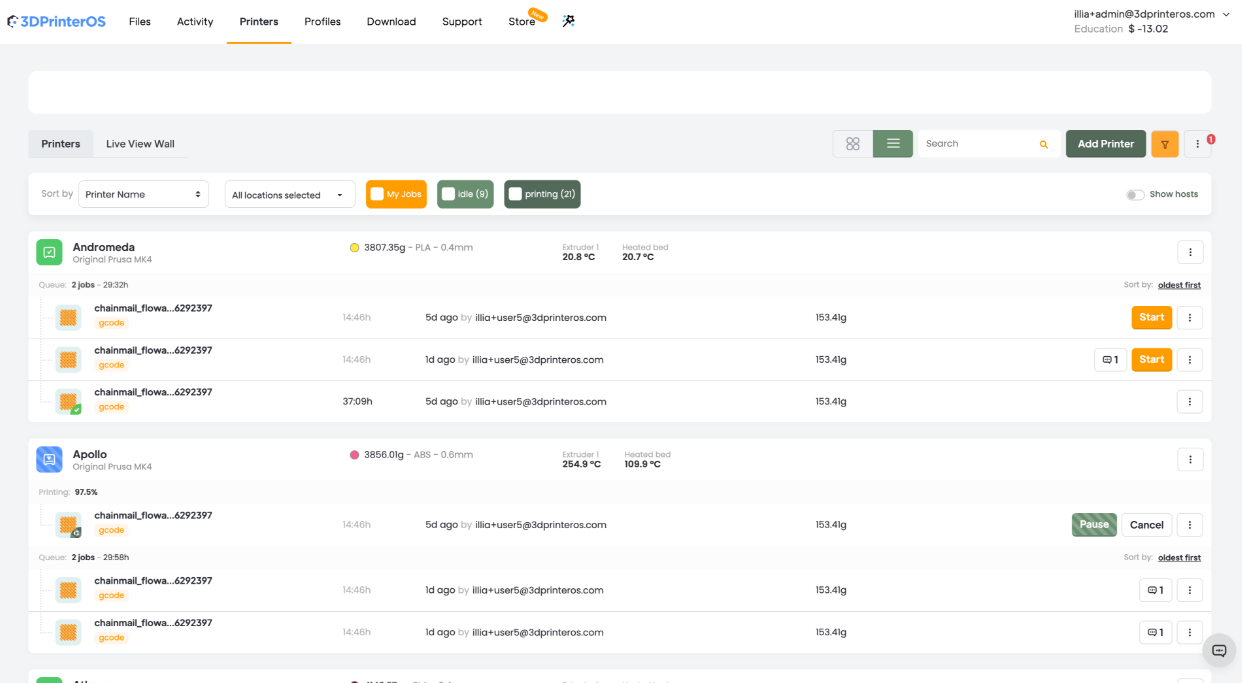
Unified Dashboard: Switching between different interfaces or manually checking the status of each printer is a thing of the past.
3DPrinterOS users are presented with a comprehensive dashboard that offers an integrated view of all connected Bambu Lab printers.
In real-time, determine which printers are active, which are queued, and which might need attention.
The dashboard provides visibility across your entire fleet, helping administrators make informed decisions about printer allocation, workload balancing, and maintenance planning.
Centralized print queue management: Allocating and overseeing print jobs across numerous machines is simplified with 3DPrinterOS.
Through centralized queue management, jobs can be designated, reordered, or paused with minimal effort, ensuring printers are always operating at maximum efficiency.
<H2>Benefits of a Centralized Bambu Print Queue
A centralized Bambu Lab print queue enables organizations to:
Assign jobs to the most appropriate printer
Reprioritize projects instantly
Reduce printer downtime
Eliminate scheduling conflicts
Improve overall printer utilization
Scale operations more efficiently
Rather than managing individual Bambu Studio queue prints, administrators can manage an entire printer fleet from a single interface.
<H2>Bambu Studio Print Queue vs Centralized Queue Management
Feature
Bambu Studio
3DPrinterOS
Single Printer Management
Yes
Yes
Multi-Printer Monitoring
Limited
Yes
Centralized Queue
Limited
Yes
User Permissions
Basic
Advanced
Fleet Management
Limited
Yes
Remote Access
Yes
Yes
Multi-Location Management
No
Yes
Enterprise Scalability
Limited
Yes
For organizations managing multiple printers, centralized queue management often delivers greater efficiency and operational control.
Remote access & monitoring: You might not always be present on-site, but that doesn’t mean you lose control.
3DPrinterOS offers the ability to monitor, manage, and even troubleshoot your Bambu Lab printers remotely, ensuring you're always in command, no matter where you are. Remote management allows administrators and operators to:
Track print progress
Review queue status
Monitor printer availability
Respond to issues quickly
Manage distributed printer fleets across multiple locations
<H2>How to Share Bambu Printers Across Teams
Many organizations need to provide access to multiple users while maintaining security and operational control.
Share Bambu Printer Access Securely
With proper user management capabilities, organizations can:
Optimizing the workflow with 3DPrinterOS, 3D printer software
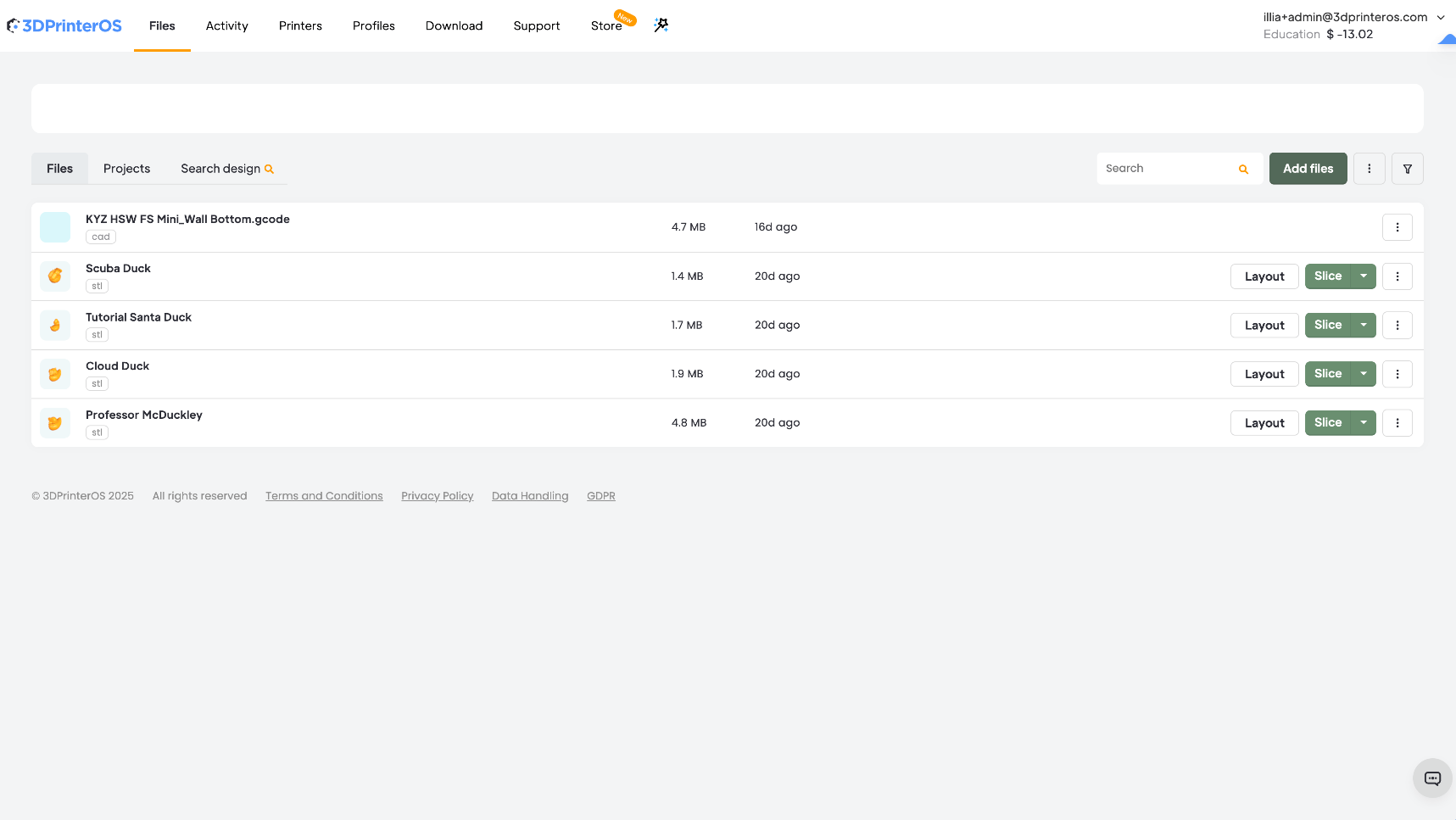
Beyond the core management features, 3DPrinterOS provides tools that enhance the entire 3D printing workflow.
Its integrated design tools, compatibility checks, and smart slicing functions mean that print jobs are not only efficiently organized but also executed to perfection.
Additionally, for collaborative environments such as academic labs or community makerspaces, 3DPrinterOS promotes team collaboration.
Users can share designs, allocate print tasks, and discuss projects, all within the platform.
<H2>Best Practices for Bambu Lab Farm Management
Organizations operating multiple Bambu printers can improve productivity by following these best practices:
Standardize Print Profiles Use consistent printer and material settings to improve reliability.
Review Queue Performance Analyze print queue activity regularly to improve throughput and workflow efficiency.
<H3>Setting the gold standard in 3D printer management
The essence of successful 3D printing isn't just in the final product but also in the journey—how smoothly and efficiently one can go from design to tangible object.
With 3DPrinterOS managing a fleet of Bambu Lab printers, that journey becomes a benchmark in efficiency.
And, of course, if your Bambu Lab printers are just a part of your 3D printer fleet, that's great. You can run your whole fleet of 3D printers - no matter what kind, and no matter where they're located - from the single interface of 3DPrinterOS.
Multiple Bambu printers can be managed using centralized printer management software that provides queue management, remote monitoring, and fleet visibility.
Rene-Oscar Ariko is the VP of Global Sales and Co-Founder at 3D Control Systems, the company behind 3DPrinterOS. With more than a decade of experience in global business development, SaaS, and additive manufacturing, Oscar has helped scale 3D printing software into a worldwide market. At 3D Control Systems, he expanded adoption to 100+ countries, and built a category-leading platform trusted by NASA, Google, and leading universities. Through his work at 3DPOS, Oscar continues to advance networked 3D printing on a global scale, connecting institutions, enterprises, and users across industries.
Control access, users, and print permissions by team or lab
“This close collaboration has enabled Koenigsegg to tailor the platform to their specific needs, resulting in an optimized and user-friendly system for managing their 3D printers.”
Tim Bäck
Team Leader Koenigsegg Automotive AB
Thank you! One of our representatives will get in touch as soon as possible.
Oops! Something went wrong while submitting the form.