Live video streaming
Watch the build plate in real time from any browser or phone.


Track, control and analyze every 3D print in real time. Watch live camera feeds, get alerts when something goes wrong, record timelapses and review print history from any device.
Monitor 150+ printer models from one dashboard.
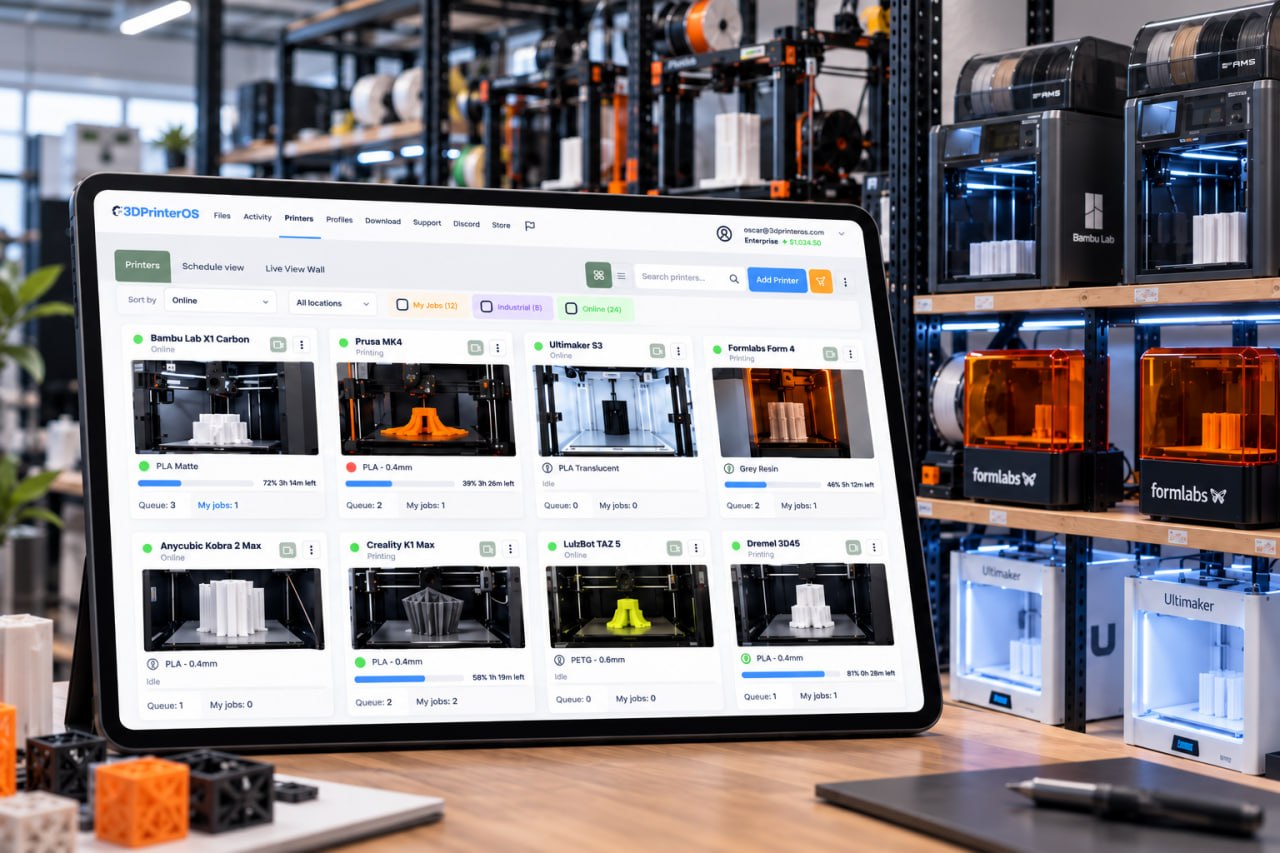








3DPrinterOS gave us structure without sacrificing creativity. It’s like gaining a staff member without hiring one.
Watch the build plate in real time from any browser or phone.
AI failure detection spots misprints and alerts you before material is wasted.
Pause or stop a print the moment something looks wrong.
Record timelapses and capture snapshots to learn from every print.
See print time, temperatures, files and filament information for each job.
Review past prints, add notes and start reprints based on what worked.
Connect your printers and their cameras to 3DPrinterOS.
Send a job and open the live view from the dashboard on any device.
Receive notifications when a print finishes or fails, and act remotely.
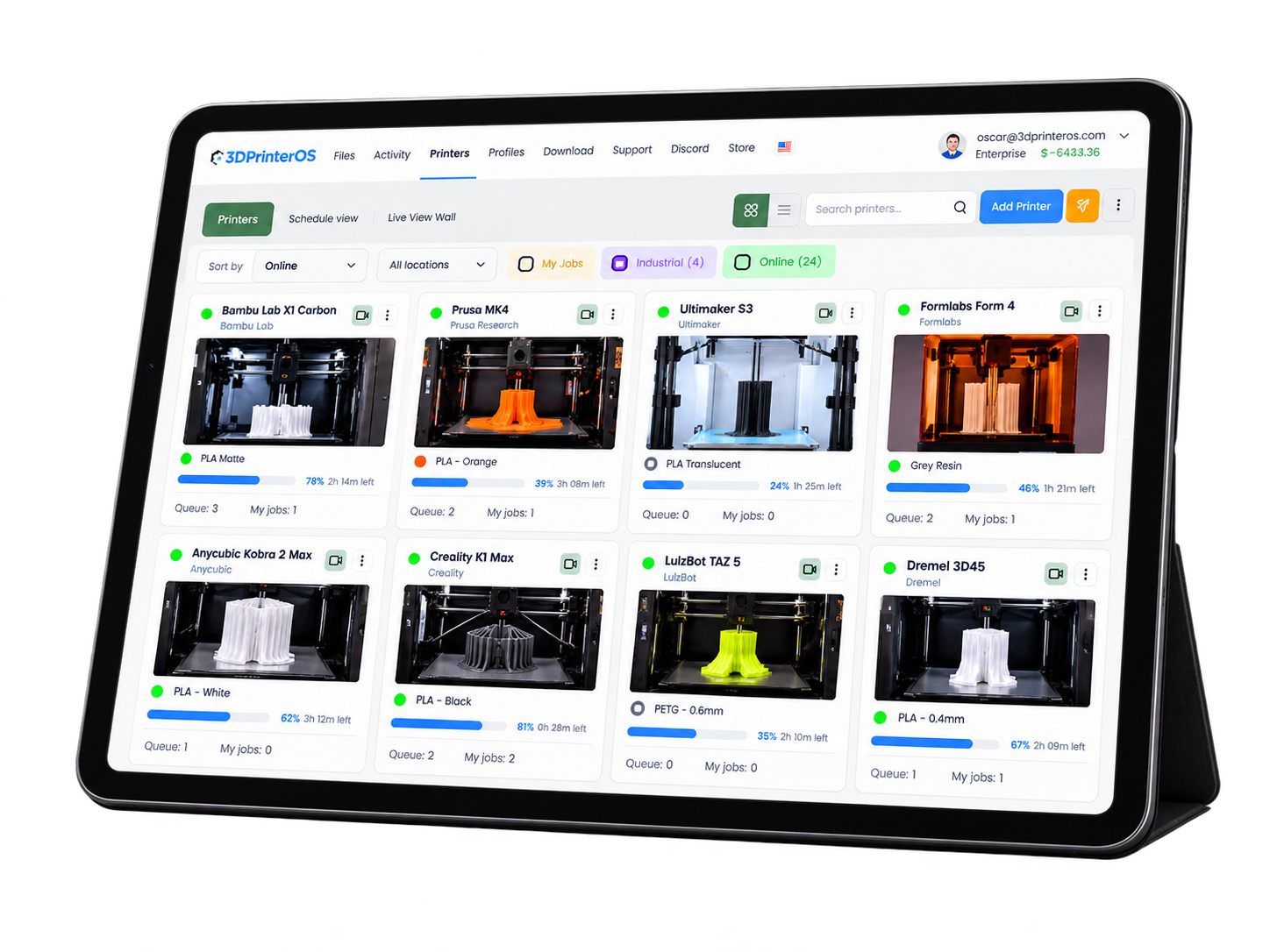
Manage and monitor multiple printers from a single dashboard. Ideal for print farms, educational labs and manufacturing environments.
.png)
Spaghetti detection identifies failed prints and alerts you so you can stop them early, reducing wasted filament and machine time.
.png)
Review past prints, timelapses and notes. Analytics highlight recurring issues so you can optimize printer settings and reduce failures.
Click through how 3DPrinterOS spots failed prints and alerts you, right in your browser.
Lab managers watch student prints across the makerspace from anywhere.
Higher education →Production teams optimize workflows and catch failures early.
Manufacturing →Prototyping labs shorten iteration cycles with live feedback.
Enterprise →High-volume farms monitor every machine without walking the floor.
Print farm management →It lets you track, control and analyze 3D printing in real time from a central dashboard, including live video, alerts and print history.
Yes. Cloud-based monitoring lets you view live feeds and control prints from anywhere with an internet connection.
Spaghetti detection identifies print failures where filament misprints, helping you stop prints early and reduce material waste.
It improves print success rates, reduces errors and wasted material, and helps optimize overall printing efficiency.
Cloud monitoring offers remote access and centralized control across teams and sites, while local monitoring is limited to on-site viewing.

Used by higher education, enterprises, and OEMs to manage printers, files, and users from a single, cloud-based platform

Control access, users, and print permissions by team or lab
“This close collaboration has enabled Koenigsegg to tailor the platform to their specific needs, resulting in an optimized and user-friendly system for managing their 3D printers.”

Team Leader
Koenigsegg Automotive AB
Buchen Sie jetzt Ihr personalisiertes Assessment und erhalten Sie Ihre kostenlose Testversion.
