Spool digital twins
Every physical spool gets a digital twin that tracks what is left on it.


The 3DPrinterOS Filament Manager gives every spool a digital twin, calculates exactly how much filament each print uses and keeps your inventory and costs accurate in real time.
Built into 3DPrinterOS, alongside printing history and billing.
.png)








3DPrinterOS allows me to track usage and tie it to individual users. This provides oversight: students learn that even when printing for fun there's a real dollar value attached to it.
 Brian SlocumManaging Director, The Wilbur Powerhouse, Lehigh University
Every physical spool gets a digital twin that tracks what is left on it.
An accurate, up-to-date record of every spool, however large your stock.
Analyzes each sliced file to work out how much filament the print needs.
Deducts the exact amount used from the right spool after each print.
Accurate filament costs per print, user and project.
See which printers, users and materials consume the most filament.
Add each spool to the Filament Manager to create its digital twin.
When a job is sliced, the G-code is analyzed for the filament it needs.
The used amount is deducted from the spool, so stock and costs stay current.

See exactly how much filament is left on each spool before you start, and reorder before stock runs low.
.png)
Because usage is calculated from the G-code, costs per print are precise. Use them for budgets, chargebacks and billing.
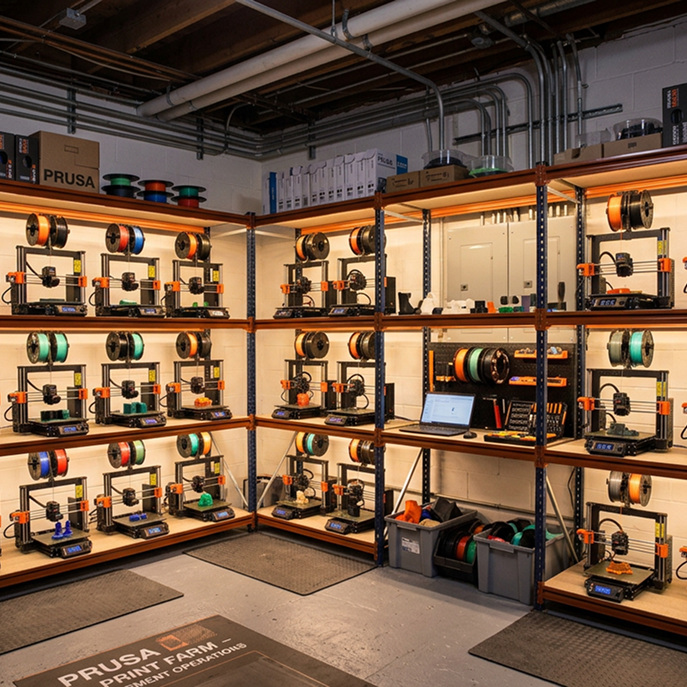
Track spools across dozens of printers without spreadsheets, and see consumption by printer and material.
Click through printing history and filament tracking in an enterprise 3DPrinterOS workspace.
Makerspaces track material use per student and project.
Higher education →Print farms keep stock levels accurate across the whole fleet.
Print farm management →Engineering teams allocate material costs to projects.
Enterprise →Schools stretch their filament budget and avoid surprises.
K-12 schools →It records how much filament you have, how much each print uses and what it costs. 3DPrinterOS does this automatically with a digital twin for every spool.
It analyzes the sliced G-code to calculate the filament each print needs, then deducts that amount from the spool used.
A digital record of a physical spool that tracks its material and how much filament is left on it.
Yes. Filament usage is turned into accurate costs per print, user and project.
Yes. Filament data can feed billing and user balances in 3DPrinterOS.

Used by higher education, enterprises, and OEMs to manage printers, files, and users from a single, cloud-based platform

Control access, users, and print permissions by team or lab
“This close collaboration has enabled Koenigsegg to tailor the platform to their specific needs, resulting in an optimized and user-friendly system for managing their 3D printers.”

Team Leader
Koenigsegg Automotive AB
Buchen Sie jetzt Ihr personalisiertes Assessment und erhalten Sie Ihre kostenlose Testversion.
