Cloud slicing
Slice in the browser with profiles for 150+ printers. No desktop software to install.


Slice, send, queue, monitor and report on every 3D printer you own from one cloud platform. Enterprises and educational institutions use 3DPrinterOS to print 24/7, with hundreds of thousands of users and tens of thousands of 3D printers on the platform.
Works with 150+ printers from every major brand.
.png)








We were able to track individual users, machines and print jobs across the entire network via 3DPrinterOS.
Chip BobbertDigital Media Engineer, Duke UniversityDesign in your favorite CAD tool. 3DPrinterOS handles everything that happens next.
Slice in the browser with profiles for 150+ printers. No desktop software to install.
Watch prints on camera, record timelapses and cancel failures remotely.
Send jobs to the next available printer and share queues across workgroups.
Roles, permissions, approvals and single sign-on for every user.
AI spaghetti detection catches failed prints before they waste material.
Analyze users and printers for efficiency, productivity and cost.
CAD and 3D modeling tools create and modify the models you want to print.
Slicers turn a 3D model into printer instructions (G-code) with the right settings.
Platforms like 3DPrinterOS manage printers, users, queues and monitoring at scale, with slicing built in.
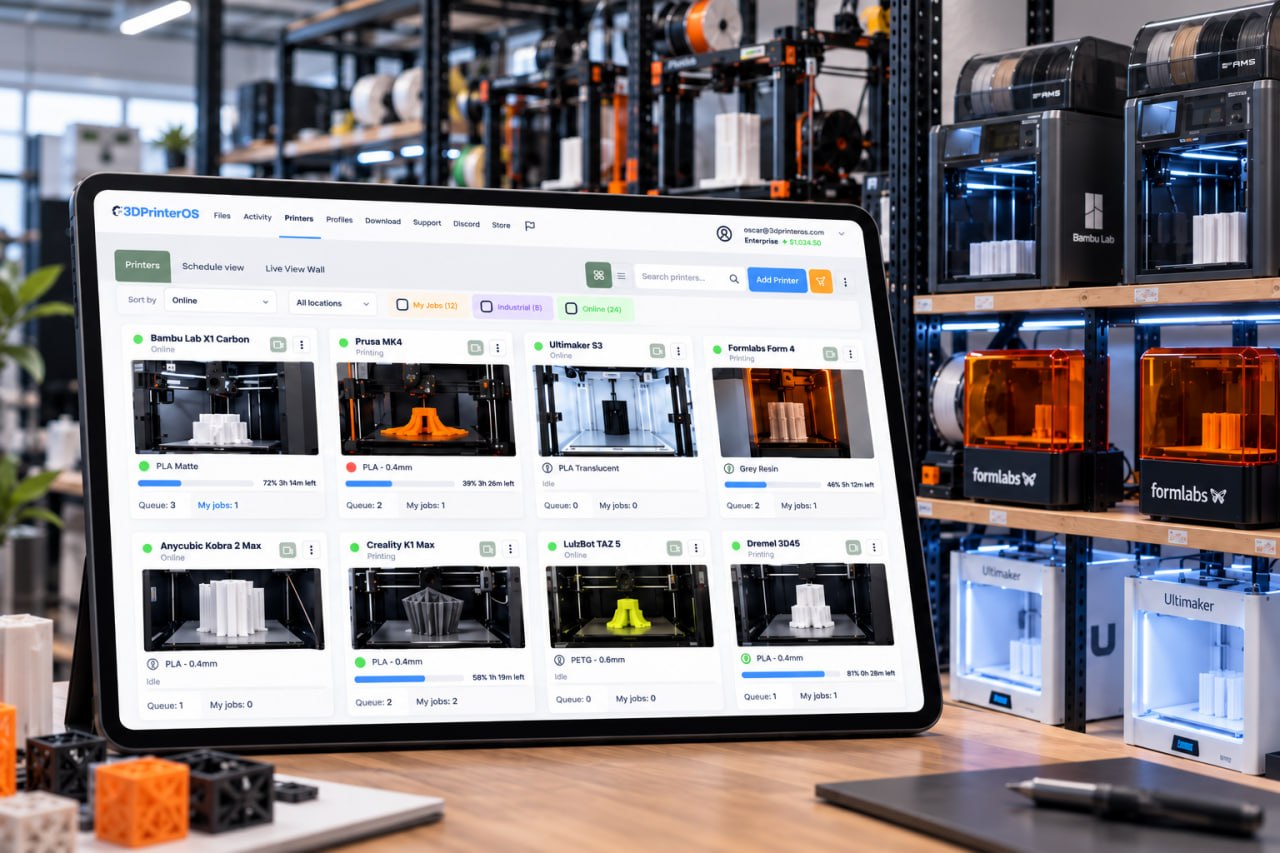
Access controls and queue management prevent conflicts and failed jobs, so printers can run day and night without someone watching every machine.
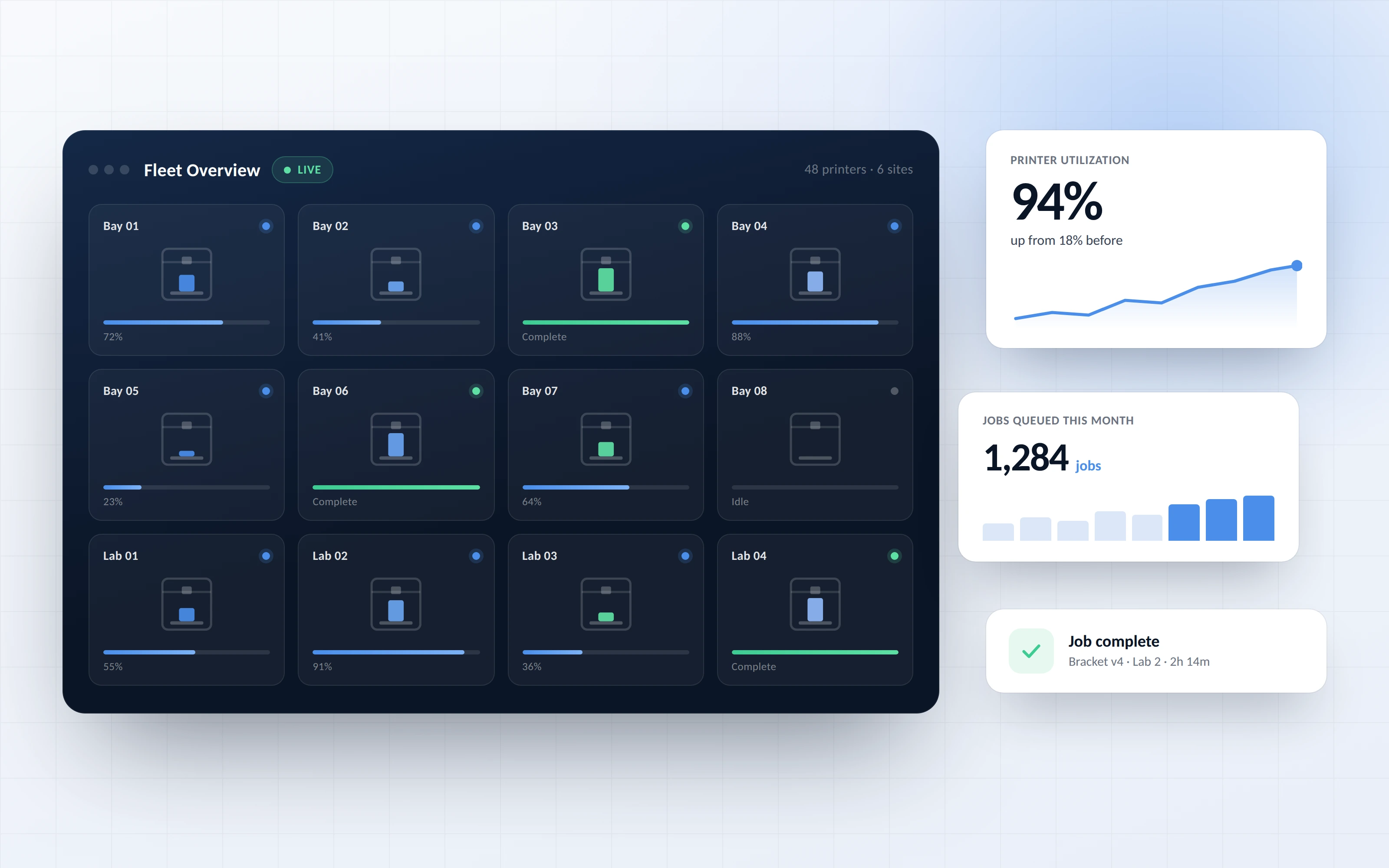
Manage hundreds of printers and thousands of users from one interface. Workgroups share queues, and administrators manage the whole printing process.
.png)
Analyze users and printers for efficiency, productivity and innovation. Every job is logged with the user, file, printer and result.
Click through a real 3DPrinterOS workflow in your browser, from slicing a model to sending it to a printer.
Universities run campus makerspaces with thousands of student users.
Higher education →Schools give every classroom safe, simple 3D printing.
K-12 schools →Enterprises manage prototyping printers across teams and sites.
Enterprise →Print farms keep every printer busy with queues and monitoring.
Print farm management →It depends on your needs. CAD tools are best for design, while platforms like 3DPrinterOS are ideal for slicing, managing printers, users and workflows at scale.
Design software is used to create and modify 3D models before they are prepared for printing.
No. 3DPrinterOS is cloud-based software that complements your design tools by handling slicing, printing workflows and printer management.
Yes. 3DPrinterOS lets you manage multiple printers, users and print queues from a single interface, across brands and locations.
3DPrinterOS supports 150+ printer models, including Bambu Lab, Prusa, Ultimaker, Creality, Dremel and Klipper-based printers.

Used by higher education, enterprises, and OEMs to manage printers, files, and users from a single, cloud-based platform

Control access, users, and print permissions by team or lab
“This close collaboration has enabled Koenigsegg to tailor the platform to their specific needs, resulting in an optimized and user-friendly system for managing their 3D printers.”

Team Leader
Koenigsegg Automotive AB
Buchen Sie jetzt Ihr personalisiertes Assessment und erhalten Sie Ihre kostenlose Testversion.
