Equal access for every user
Students and staff who use a keyboard, screen reader, magnifier or high-contrast settings can submit and manage their own prints without asking someone else.


Makerspaces, labs and print farms serve students, staff and engineers with a wide range of abilities. The 3DPrinterOS web app is built to WCAG 2.2 Level AA, so everyone can upload, slice, queue and monitor prints on equal terms.
Our Accessibility Conformance Report (VPAT 2.5) is available on request for procurement and accessibility offices.









3DPrinterOS allowed us to maximize output while minimizing input and gave a tool to makers that is simple, easy to use, and requires minimal training.
Chip BobbertSenior Technologist and Innovation CoLab Architect, Duke UniversityWhen one platform controls every printer in a lab, a barrier in that platform locks someone out of the whole fleet. Accessibility makes 3D printing fair for every user and easier to approve for every institution.
Students and staff who use a keyboard, screen reader, magnifier or high-contrast settings can submit and manage their own prints without asking someone else.
The U.S. ADA Title II rule requires public universities and agencies to meet WCAG 2.1 Level AA, and EU public buyers apply EN 301 549. Content that meets WCAG 2.2 also meets WCAG 2.1.
Clear labels, strong contrast, helpful error messages and large click targets make the platform quicker for every user, from a first-year student to a print farm operator on a tablet.
Our accessibility work covered the applicable WCAG 2.2 criteria at Level A and Level AA, grouped here by what they change for the people using 3DPrinterOS.
Every control usable by keyboard, with no traps, a clearly visible focus indicator that is never hidden, and single-key shortcuts that can be turned off.
WCAG 2.1.1, 2.1.2, 2.1.4, 2.4.7, 2.4.11
Sufficient contrast, status never shown by color alone, real text instead of images of text, and layouts that hold up at 200% text size and 400% zoom.
WCAG 1.4.1, 1.4.3, 1.4.4, 1.4.5, 1.4.10, 1.4.11, 1.4.12
Headings, labels and relationships exposed in code, visible labels that match accessible names, and print status updates announced without moving focus.
WCAG 1.3.1, 2.4.6, 2.5.3, 4.1.3
No unexpected changes when a field gets focus or a value changes, consistent navigation on every page, and tooltips that can be dismissed and hovered.
WCAG 3.2.1, 3.2.2, 3.2.3, 1.4.13
Fields that support autofill, error messages that suggest a fix, and sign-in that does not depend on memorising or transcribing codes.
WCAG 1.3.5, 3.3.3, 3.3.8
Tap targets large enough to hit reliably, and screens that work in portrait and landscape, so operators can manage printers from a phone beside the machine.
WCAG 1.3.4, 2.5.8
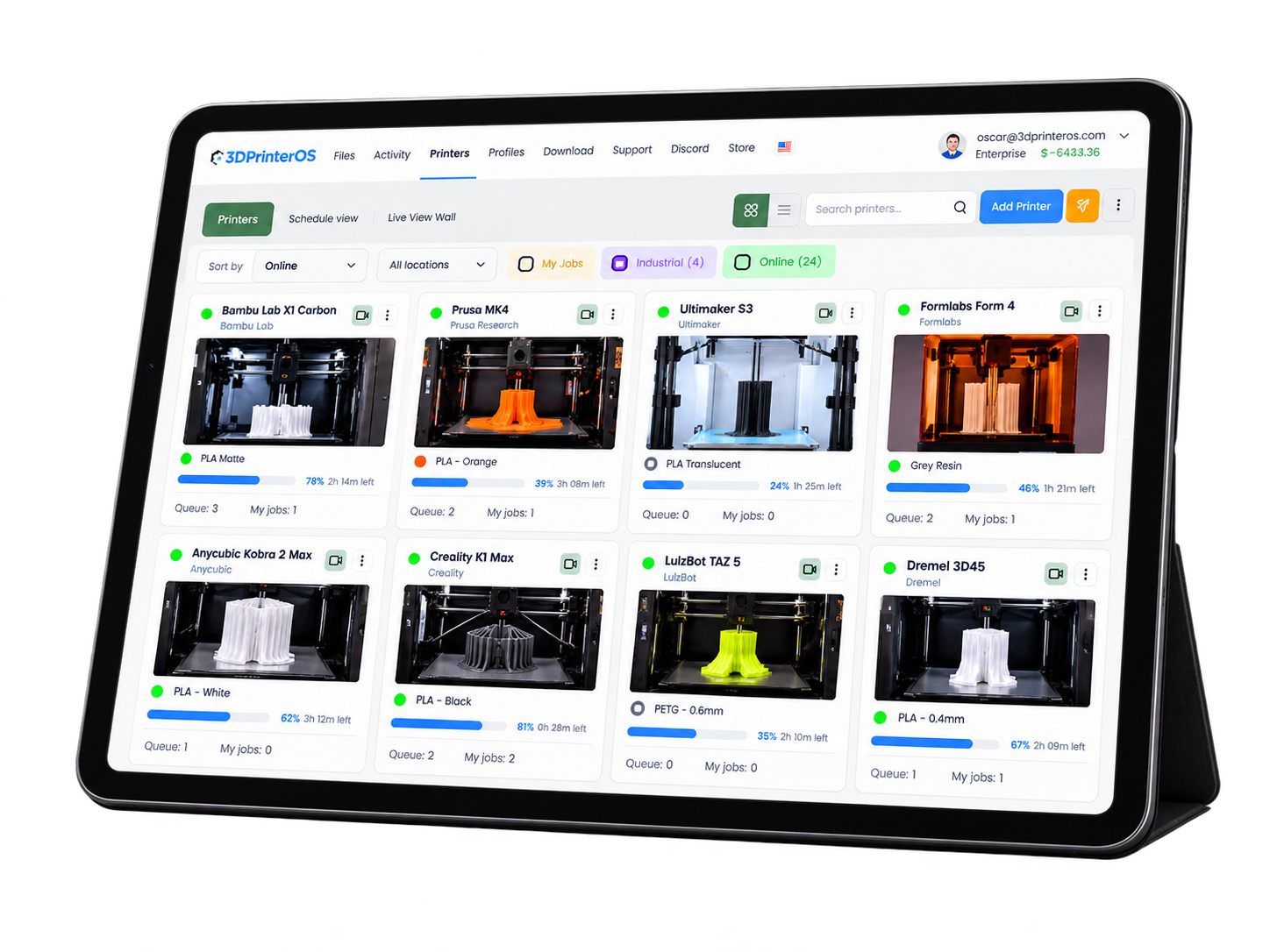
3DPrinterOS runs in a web browser with nothing to install. Users keep their own screen reader, magnifier, zoom level and browser settings on a laptop, Chromebook, tablet or phone.
%201%20(1).png)
Single sign-on lets users log in with the organisation account they already use every day, so there is no extra password to remember, type or reset.
.png)
Dark mode reduces glare during long sessions at the print queue, and notifications tell users when a print is done, so nobody has to keep watching the screen.
Install 3DPrinterOS on your printer and manage it from any browser, with the accessibility settings you already use.
We audited the 3DPrinterOS interface against WCAG 2.2, fixed each criterion that needed attention and ran regression testing at the end of each phase. The results are documented in our Accessibility Conformance Report.
Phase 1
Completed: August 2024 to April 2025
The foundation: keyboard operation, semantic structure, color independence and predictable focus and input behaviour.
Phase 2
Completed: April 2025 to July 2026
Contrast, zoom and reflow, focus visibility, target size, accessible authentication and status messages, including the criteria new in WCAG 2.2.
Click through a real 3DPrinterOS workflow, from slicing a file to sending it to a printer.
You can be in your dorm room, or you can be in Africa, but as long as you have an internet connection, you can upload your file.
 Brian SlocumLehigh University
Just being able to click a few buttons and set the prints going has been huge, and we can have multiple people doing it at the same time without stepping on each other’s toes.
 Vicki SpitalnickInnovation Specialist, Pine Crest School
This close collaboration has enabled Koenigsegg to tailor the platform to their specific needs, resulting in an optimized and user-friendly system for managing their 3D printers.
Tim BäckTeam Leader, Koenigsegg Automotive ABIf any part of 3DPrinterOS is hard to use with your assistive technology or settings, we want to know. Reports from users, lab managers and accessibility offices go straight to our product team.
Tell us the page or feature, what you were trying to do and what happened.
Let us know your browser, operating system and any assistive technology you use.
Our team reviews the report, suggests a workaround where possible and schedules the fix.
Scope of this statement. This page covers the 3DPrinterOS web application used to upload, slice, queue and monitor prints and to manage users and printers. Printer hardware, printer firmware and third-party slicer engines are outside its scope. Our Accessibility Conformance Report lists the few criteria where work continues, such as reflow of table-heavy views on very small screens; ask us for the full report. Last updated October 2026.
The 3DPrinterOS web application is built to the Web Content Accessibility Guidelines (WCAG) 2.2 at Level AA, and our Accessibility Conformance Report also covers the revised Section 508 standards. WCAG 2.2 builds on WCAG 2.1, so this work also covers the WCAG 2.1 AA requirements used in many procurement rules.
Yes. Contact our team and we will share our Accessibility Conformance Report (VPAT 2.5, dated August 2026) with your accessibility office or procurement team, alongside our security and HECVAT documentation.
3DPrinterOS runs in the browser, so users work with the screen reader they already use. Headings, labels, table structure and print status messages are exposed to assistive technology as part of our WCAG 2.2 work.
Yes. Every control can be reached with a standard keyboard, with no keyboard traps and a clearly visible focus indicator.
No. Users work in a web browser on a laptop, Chromebook, tablet or phone, keeping their own accessibility settings. Printers connect once through a PC, a Raspberry Pi or directly for supported cloud-ready models.
Use the contact page and tell us the page or feature, what happened, and your browser, operating system and assistive technology. Our team will follow up and suggest a workaround where possible.
Book a demo and our team will walk your accessibility office or procurement team through the platform and our documentation.

Used by higher education, enterprises, and OEMs to manage printers, files, and users from a single, cloud-based platform

Control access, users, and print permissions by team or lab
“This close collaboration has enabled Koenigsegg to tailor the platform to their specific needs, resulting in an optimized and user-friendly system for managing their 3D printers.”

Team Leader
Koenigsegg Automotive AB
Buchen Sie jetzt Ihr personalisiertes Assessment und erhalten Sie Ihre kostenlose Testversion.
