Bambu Lab A1 Mini
Software
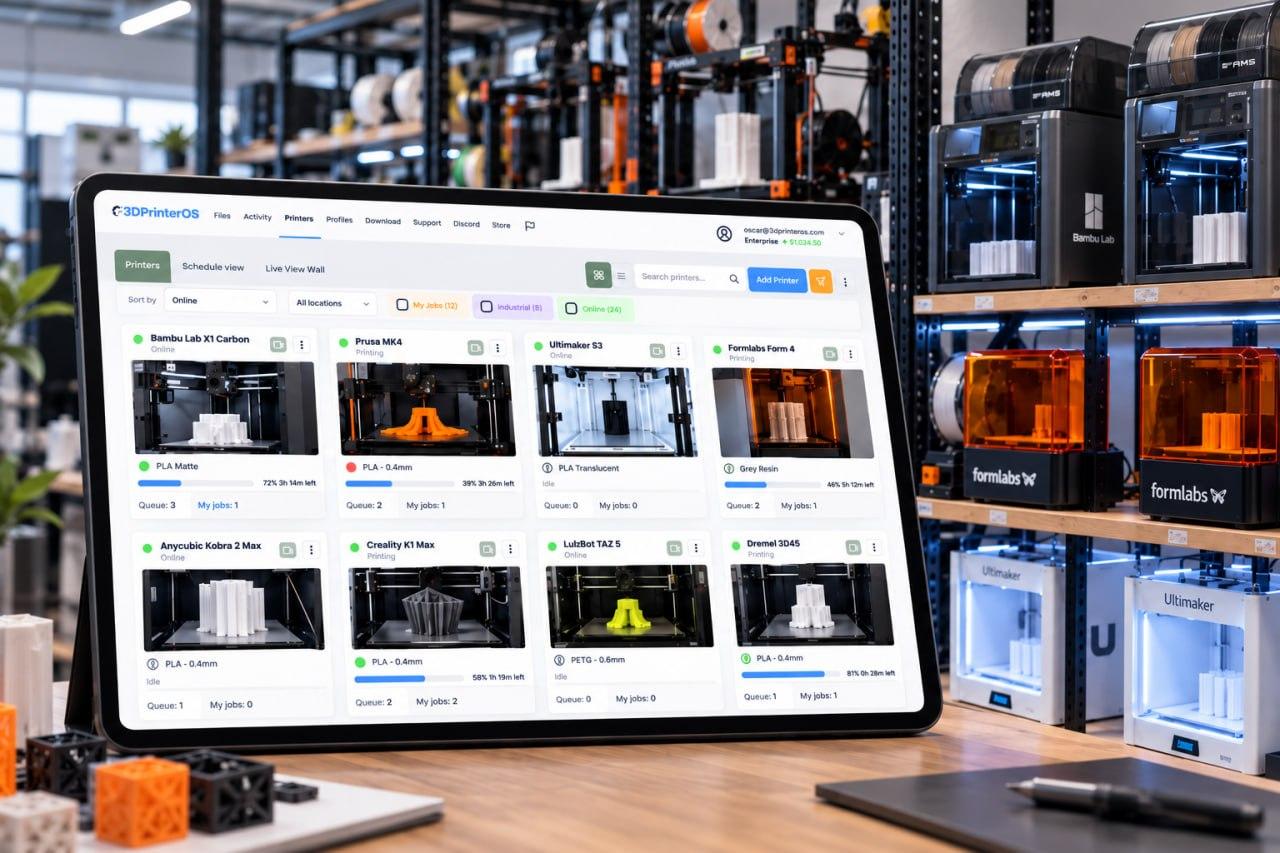
3DPrinterOS runs the Bambu Lab A1 mini from any browser: cloud slicing in the Bambu Slicer, remote printing, a shared print queue and a login for every student or user. It connects in LAN Only Mode, with nothing to install on each user's computer.
Start a 14-day free trial, no credit card →

Interactive illustration. Real jobs run in 3DPrinterOS Cloud.
What is the best software for a shared Bambu Lab A1 mini?
The A1 mini is a compact printer that suits classrooms and makerspaces. Bambu Studio works for one person; once a group shares the printer, 3DPrinterOS adds browser-based slicing in the Bambu Slicer, a fair queue, job approvals, user balances and one dashboard for every printer.
Bambu Lab A1 Mini key facts
| Build volume | 180 × 180 × 180 mm |
|---|---|
| Design | Compact cantilever-style printer |
| Multi-colour | Up to 4 colours with the AMS lite |
| 3DPrinterOS connection | LAN Only Mode (required), through the 3DPrinterOS Cloud Client on the same network. Allow ports 990 and 50000–50100 between host and printer |
| Firmware | All firmware versions listed as compatible; turn on Developer Mode too if your firmware shows that toggle |
| Cloud slicer | Bambu Slicer, the 3DPrinterOS cloud slicer for Bambu Lab printers, based on Bambu Studio. Up to 4 colours per cloud slice for single-plate .3mf files |
Printer specs: Bambu Lab beginner printer guide and Bambu Lab miniatures guide. Connection and firmware: 3DPrinterOS Bambu Lab compatibility table.
Sharing an A1 mini with a class, lab or team
Each person gets a login. Administrators choose who prints, can require approval before a job starts, and everyone sees the queue.
| Shared need | What 3DPrinterOS offers |
|---|---|
| Access | A login per person, with permissions set per printer group |
| Approvals | Optional approval before a job starts on the A1 mini |
| Filament use | Filament tracking across printers |
| Costs | Billing tools and user balances that cap usage |
| Accountability | Every print is tied to a named user and stays in the job history |
How to connect the Bambu Lab A1 Mini to 3DPrinterOS
Four steps. Bambu Lab printers connect in LAN Only Mode through the 3DPrinterOS Cloud Client on your network. Full details are on the Bambu Lab supported printers page.
Turn on LAN Only Mode
On the A1 mini, enable LAN Only Mode. If your firmware shows a Developer Mode toggle, turn that on too.
Put it on the Cloud Client's network
The A1 mini must be on the same network as the computer running the 3DPrinterOS Cloud Client. Allow ports 990 and 50000–50100, and give the printer a static IP or DHCP reservation.
Add the printer in 3DPrinterOS
Follow the connection guide to add the A1 mini to your account. Bambu Farm Manager and 3DPrinterOS cannot manage the same printer at once, so remove it from one before adding it to the other.
Slice in the browser and send
Open the Bambu Slicer, pick the printer, nozzle, process and filament, then print now or add the job to the print queue.
From one A1 mini to a classroom fleet
Classrooms and makerspaces rarely stay at one printer. 3DPrinterOS keeps the controls the same as the fleet grows.
- Same controls at any size: queues, approvals and user permissions work the same with one A1 mini or a room full, in one 3D printer management software platform
- Mixed Bambu fleets: A1 mini, A1, P-series and X1 printers share one queue. See Bambu Lab fleet management
- Mixed brands: other brands join the same dashboard; check the supported 3D printers list
- Per-group permissions: assign students to classes or labs and set permissions per printer group
Who uses 3DPrinterOS with the Bambu Lab A1 Mini?
Pick your team to see what changes.
Education with the A1 mini
Teachers give each student a login, approve jobs before they print and keep a fair queue across a row of A1 minis.
Enterprise with the A1 mini
Teams use A1 minis for quick prototypes and fixtures, with every job tied to a named user and its cost.
OEMs and resellers
OEMs and resellers can watch over the printers they support from one account.
Teams that run shared printers on 3DPrinterOS

This close collaboration has enabled Koenigsegg to tailor the platform to their specific needs, resulting in an optimized and user-friendly system for managing their 3D printers.

Dublin City University
230 users and 2,353 prints in a single semester, with fair queues.

The Weber School
200+ yearly users, 2,400+ prints and 10,000+ printing hours on 11 printers.
Bambu Lab fleet management
Queues, user access, live monitoring and fleet reports for X1, P and A series printers.
Running more than one Bambu Lab printer?
Every printer joins the same account, queue and dashboard. Setup assistance is included.
Related Bambu Lab pages
Bambu Lab A1 Mini FAQ
What is the Bambu Lab A1 mini bed size?
What software does the Bambu Lab A1 mini use?
How does the A1 mini connect to 3DPrinterOS?
Which A1 mini firmware works with 3DPrinterOS?
Can I keep using Bambu Farm Manager with my A1 mini?
Can several people share one A1 mini?
Can I print in several colours from the cloud slicer?
Want an A1 mini walkthrough?
Talk to our team. Start with a 14-day trial; setup assistance is included.
Already have an account? Open 3DPrinterOS Cloud →


