One queue for every brand
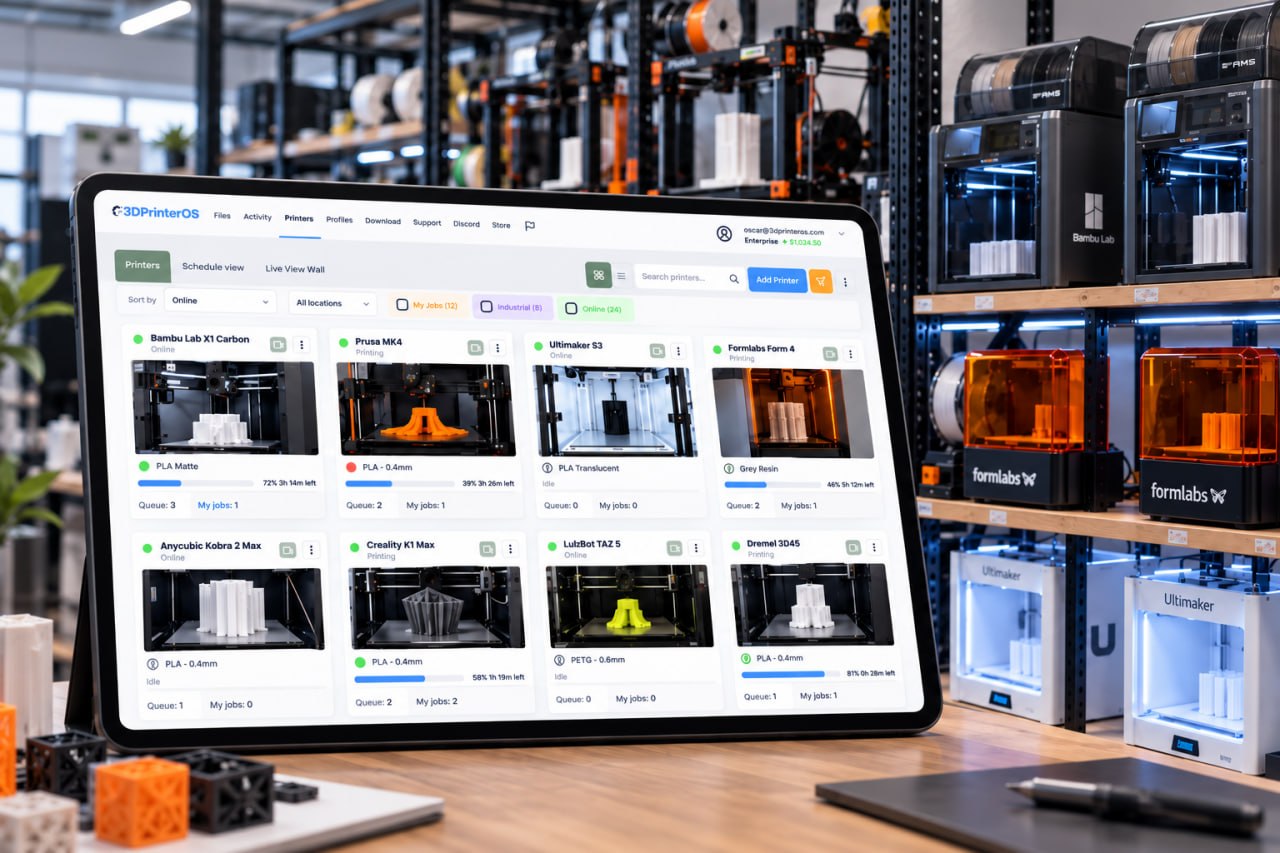
Send jobs to a printer group and 3DPrinterOS routes each one to the next free printer, whether it is a Bambu Lab, Prusa, Creality, Ultimaker or Formlabs machine.
The best FlowQ alternative for printers shared by many people is 3DPrinterOS. FlowQ, from Infinity Flow 3D, queues and restarts print-farm jobs through its own tunnel hardware and tracks filament with its S1+ loader. 3DPrinterOS manages 200+ printer models with one shared queue, roles, job approval, quotas, single sign-on, browser slicing and on-premise options.
Free 14-day trial, no credit card required.


FlowQ is the print farm software from Infinity Flow 3D, which says it began as the internal system for its own farm and is developed and hosted in the USA. It works with 60+ printer models from several brands. Printers connect through a FlowQ Tunnel, such as a FlowQ Hub or the S1+ filament loader. You plan prints ahead and FlowQ routes them to the right printers, and with an auto-ejection system it can start the next job on its own, with looping settings. Filament inventory updates in real time when you use the S1+, which is sold from $165.99. Files uploaded once are shared across all machines, and Zapier, Make and the FlowQ API connect it to other apps.
That suits a production farm that already runs Infinity Flow 3D hardware and wants hands-off reprints. A school, university lab or engineering team usually has a different priority: many people share the printers, and someone must approve files, set limits, charge for material and see who printed what. Those controls are the core of 3D printer management software such as 3DPrinterOS.
Send jobs to a printer group and 3DPrinterOS routes each one to the next free printer, whether it is a Bambu Lab, Prusa, Creality, Ultimaker or Formlabs machine.
Klipper-based printers connect directly, Bambu Lab printers connect in LAN Only Mode, and others use the Cloud Client on a Raspberry Pi, ROCK Pi or PC.
Teachers and lab staff review a file before it reaches a printer, so bad prints are stopped before they waste filament or machine time.
Balances and printing limits per user, charged per gram, per job or as a flat fee through PaperCut, Stripe or CBORD.
SAML, Shibboleth, OKTA and InCommon sign-in, so there are no shared logins and access ends when people leave.
Slice with Slicer 5, Slicer for Prusa, Bambu Slicer, MakerBot Slicer or Formlabs Slicer, including on Chromebooks, and share profiles across the fleet.
Both queue jobs across many printers and let you work from anywhere. Switch on "Show only differences" to see where they differ.
| Feature | FlowQ | 3DPrinterOS |
|---|---|---|
| Print queue across many printers | ✓ | ✓ |
| Remote access from anywhere | ✓ | ✓ |
| Central file storage shared by all printers | ✓ | ✓ |
| Supported printersFlowQ: 60+ models. 3DPrinterOS: 200+ models | ~ | ✓ |
| Browser slicing3DPrinterOS: Slicer 5, Slicer for Prusa, Bambu Slicer, MakerBot Slicer, Formlabs Slicer | – | ✓ |
| Camera-based failure detection3DPrinterOS: Print Fail Detector notifies the job owner | – | ✓ |
| Auto-start the next job after auto-ejection | ✓ | – |
| Real-time spool inventoryFlowQ: with the S1+ loader. 3DPrinterOS records filament use and cost per job instead | ~ | – |
| Filament use and cost recorded for every job | – | ✓ |
| Zapier and Make integrations | ✓ | – |
| API | ✓ | ✓ |
| Roles, workgroups and per-printer permissions | – | ✓ |
| Job approval before a print starts | – | ✓ |
| Quotas, balances and billing (PaperCut, Stripe, CBORD) | – | ✓ |
| Single sign-on (SAML, Shibboleth, OKTA, InCommon) | – | ✓ |
| Private cloud, on-premise or air-gapped | – | ✓ |
| Free planFlowQ: free plan with monthly job limits. 3DPrinterOS: 14-day free trial, then paid plans | ✓ | ~ |
Showing 17 of 17 features
FlowQ features as described on Infinity Flow 3D's FlowQ page, checked 21 Nov 2026. "–" means not described there. Plans and features change, so check FlowQ for current details.
FlowQ has a free plan with no credit card, and paid plans raise the usage limits. On the Free and Basic plans, print jobs are capped each month and the queue pauses when the limit is reached; the cap resets on the first day of the month. Printers must be connected to a FlowQ Tunnel for cloud control, so the hardware is part of the cost: the S1+ loader is listed from $165.99 and the S1 upgrade kit at $39.99.
The 3DPrinterOS pricing page lists no monthly job cap for any plan. Premium starts at $19 a month for 2 printers and 1 user. Education and Enterprise plans are quoted for your fleet, Enterprise covers unlimited printers across sites and departments, and both add approvals, quotas, single sign-on and reports. Every plan starts with a 14-day free trial, and Education and Enterprise customers can ask for an extended trial.
Klipper-based printers connect directly, Bambu Lab printers connect over the local network in LAN Only Mode, and other printers connect through the 3DPrinterOS Cloud Client on a Raspberry Pi, ROCK Pi or PC. Set-up help is included.
Group printers by material, size or location, so a job sent to the group goes to the next free printer, overnight and at weekends.
Create workgroups and roles, or connect single sign-on, then turn on job approval, balances and print limits where you need them.
Upload files sliced on your desktop as before, or slice in the browser and send the job straight to the queue.
3DPrinterOS supports printers from Bambu Lab, Prusa, Creality, ELEGOO, FlashForge, Anycubic, Ultimaker, Formlabs and many more brands. See the supported printers list.
Fantasy Pets, a product print farm selling licensed dragon figurines, runs 116 printers from one 3DPrinterOS interface. Batch queueing sends one job to 10 printers at once, real-time monitoring lets one or two skilled people run production around the clock, and new operators are productive after one quick lesson. Read the Fantasy Pets story →
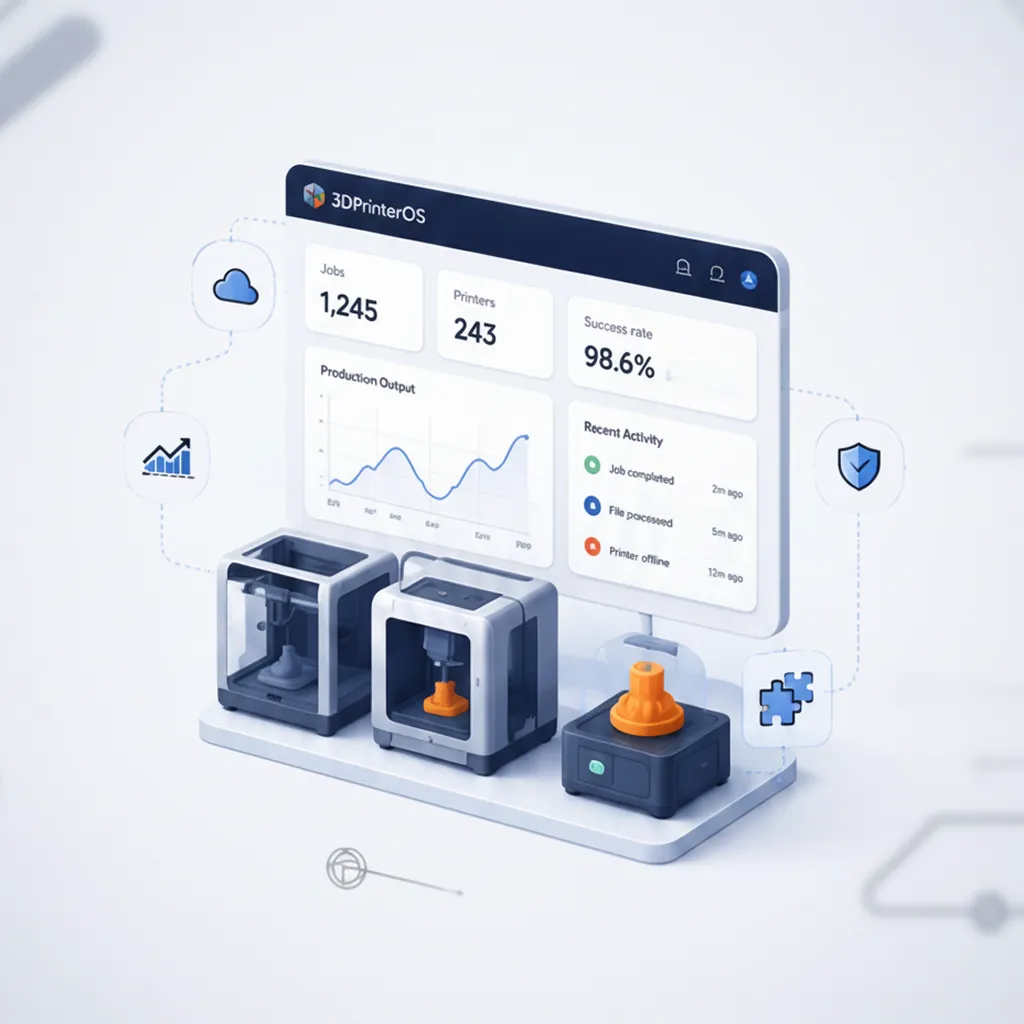
3DPrinterOS shows which printers are busiest, which users fail most and what each group costs, with a full print history for audits. Filament use is logged with the user, printer and file, and turned into a cost per job from your price per gram.

Run 3DPrinterOS in the U.S. or European cloud, in your own AWS, Azure or Google Cloud account, or on your own servers, fully air-gapped. NASA, NIH, Google and Koenigsegg are among the organizations that use 3DPrinterOS.
Running a print farm? See 3D printer farm management with 3DPrinterOS.
For printers shared by many people, 3DPrinterOS. It keeps a queue across many printers and remote access, and adds 200+ printer models, roles and workgroups, job approval, quotas and billing, single sign-on, browser slicing and on-premise options.
You do not need to buy vendor hardware. Klipper-based printers connect directly, Bambu Lab printers connect in LAN Only Mode, and other printers use the 3DPrinterOS Cloud Client, which runs on a Raspberry Pi, ROCK Pi or PC.
The 3DPrinterOS pricing page lists no monthly job cap for any plan. Admins can set their own quotas and print limits per user. Premium starts at $19 a month for 2 printers, Education and Enterprise plans are quoted per fleet, and every plan starts with a 14-day free trial.
Yes. 3DPrinterOS includes cloud slicing with Slicer 5 and engines such as Slicer for Prusa and Bambu Slicer, so users can slice and queue a job without installing a desktop slicer, including on Chromebooks.
Yes. Print Fail Detector uses the printer's camera to spot likely failures, such as spaghetti, and notifies the job owner, who can then pause or cancel the print remotely. It is available with an Organizational License.
See how 3DPrinterOS queues, approves, bills and reports every print, on every brand.

Hochschulen, Unternehmen und OEMs verwalten damit Drucker, Dateien und Nutzer über eine zentrale Cloud-Plattform

Zugriffe, Nutzer und Druckrechte nach Team oder Labor steuern
„Diese enge Zusammenarbeit hat es Koenigsegg ermöglicht, die Plattform genau auf die eigenen Anforderungen zuzuschneiden – mit dem Ergebnis eines optimierten, benutzerfreundlichen Systems zur Verwaltung der 3D-Drucker.“

Teamleiter
Koenigsegg Automotive AB
Buchen Sie jetzt Ihre persönliche Beratung und sichern Sie sich Ihre kostenlose Testphase.
Hochschulen, Unternehmen und OEMs verwalten damit Drucker, Dateien und Nutzer über eine zentrale Cloud-Plattform
Zugriffe, Nutzer und Druckrechte nach Team oder Labor steuern
„Diese enge Zusammenarbeit hat es Koenigsegg ermöglicht, die Plattform genau auf die eigenen Anforderungen zuzuschneiden – mit dem Ergebnis eines optimierten, benutzerfreundlichen Systems zur Verwaltung der 3D-Drucker.“
Teamleiter
Koenigsegg Automotive AB
Buchen Sie jetzt Ihre persönliche Beratung und sichern Sie sich Ihre kostenlose Testphase.

