The Complete Guide to 3D Printing Software, Remote Printing, and Print Management
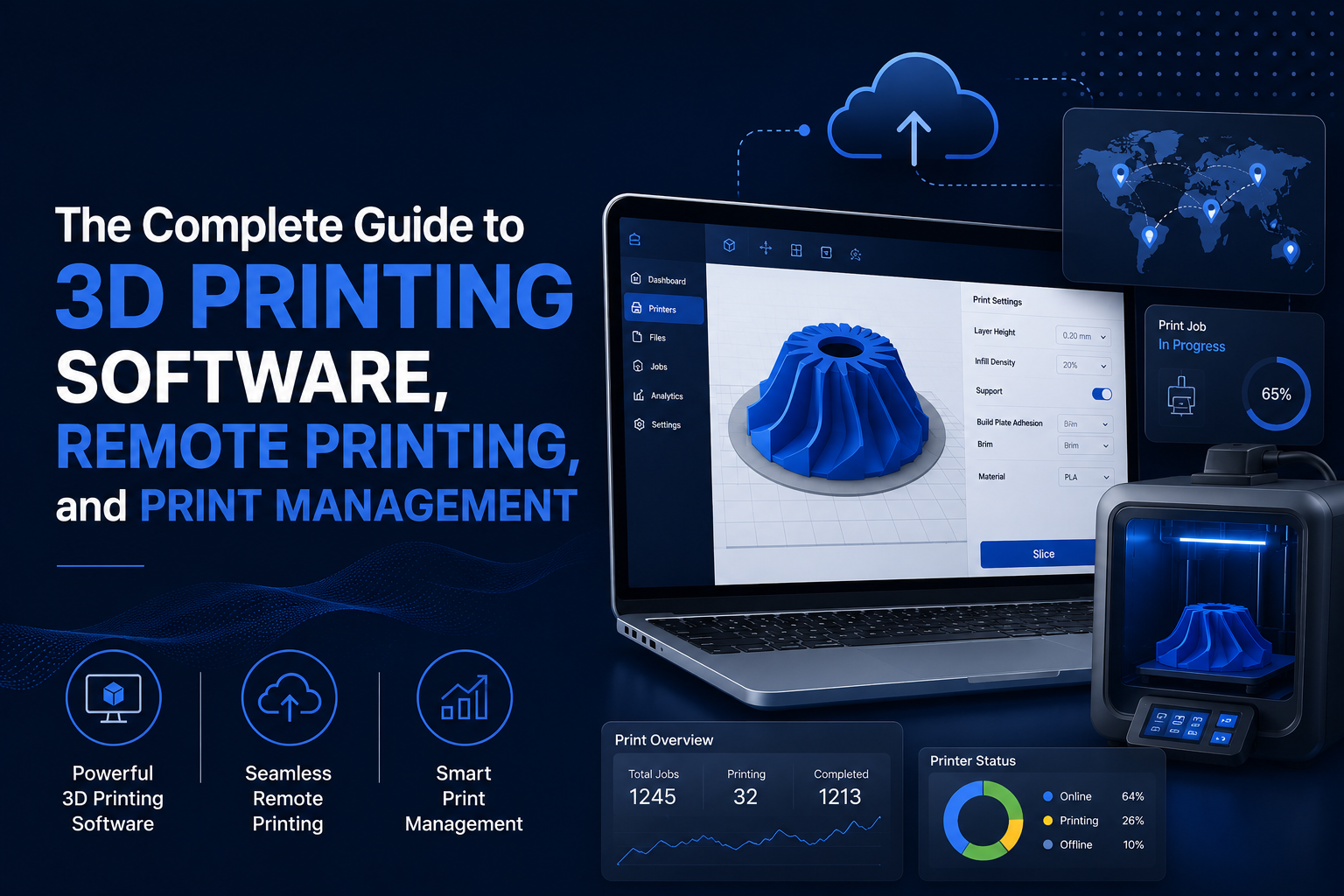


Over the past decade, 3D printing has evolved from a rapid prototyping technology into a core manufacturing tool used across education, engineering, consumer goods, the military, automotive, and enterprise sectors. As adoption continues to grow, organizations are managing larger printer fleets, more users, and increasingly complex production workflows.
While printer hardware continues to improve, software has become the foundation of efficient additive manufacturing. Preparing models, slicing files, managing print queues, monitoring jobs, controlling user access, and analyzing printer performance all rely on software working together as a connected ecosystem. Without centralized management, organizations often face inconsistent print quality, failed jobs, duplicated files, inefficient printer utilization, and limited visibility into production.
As adoption of additive manufacturing continues to accelerate, organizations require software that can scale with their operations. Today, platforms such as 3DPrinterOS support more than 300,000 active users, have facilitated the production of over 4 million 3D-printed parts, and are trusted by 300+ educational institutions and universities. These figures highlight the growing demand for centralized, cloud-based 3D printing management across both academic and enterprise environments.
This guide explains how modern 3D printing software supports every stage of the printing workflow, the growing role of remote and cloud-based printing, and the best practices organizations can use to improve productivity, security, and print management at scale.
3D printing software refers to the collection of digital tools used to design, prepare, slice, manage, monitor, and optimize additive manufacturing workflows. These applications convert digital models into printable instructions while helping organizations manage printers, users, print queues, production data, and remote printing operations from a centralized environment.
Although the final printed object often receives the most attention, successful additive manufacturing begins long before material reaches the build plate. Every print follows a structured digital workflow where software connects each stage of the process, from design creation to production monitoring.
The workflow typically begins with a three-dimensional model created in computer-aided design (CAD) software or downloaded from an approved model repository. Once the design is complete, the model is exported into a printable file format such as STL. These files represent the geometry of the object but cannot yet be interpreted directly by a 3D printer.
The next stage involves slicing software, which converts the digital model into machine-readable instructions known as G-code. During this process, users configure important print parameters including layer height, print speed, infill density, support structures, temperatures, and material settings. These decisions directly influence print quality, structural integrity, production time, and material consumption.
After slicing, the print job moves into the production phase. Modern organizations increasingly rely on print management software to organize files, assign jobs to available printers, manage print queues, monitor job progress, and control user permissions. Rather than operating each printer individually, centralized platforms provide a single interface for overseeing multiple printers and users across one or more locations.
Once printing is complete, post-processing activities such as support removal, cleaning, curing, inspection, or surface finishing prepare the final part for its intended application. Throughout each stage, software plays an essential role in maintaining consistency, improving collaboration, and reducing costly production errors.
As additive manufacturing operations continue to grow, organizations are placing greater emphasis on integrated software platforms that connect every stage of the workflow into a unified production environment rather than relying on disconnected tools.
.png)
Understanding how a 3D printer works makes it easier to appreciate the role software plays throughout the manufacturing process. While different additive manufacturing technologies use different materials and printing methods, most follow the same digital workflow from model creation to finished part.
Every successful print depends on accurate preparation, optimized print settings, and effective printer management. Software connects each stage, ensuring that digital designs are translated into precise machine instructions while minimizing errors and maintaining consistent results.
Every print begins with a digital design. Engineers, designers, educators, and manufacturers typically create models using computer-aided design (CAD) software or obtain them from trusted online repositories. Depending on the application, models may range from simple educational projects to highly detailed engineering components with complex geometries.
Once complete, the model is exported into a printable file format such as STL, OBJ, or 3MF. These files define the object's geometry but do not contain the instructions a printer needs to manufacture the part.
Before moving to production, many organizations also perform model validation to identify common issues such as non-manifold geometry, holes, overlapping surfaces, or missing faces. Correcting these problems early helps prevent slicing errors and failed prints later in the workflow.
After the model is finalized, it must be prepared for manufacturing. This stage focuses on positioning, scaling, and optimizing the model for the selected printer and material.
Preparation tasks often include:
For organizations managing multiple printers, maintaining standardized preparation procedures helps ensure consistent results across different departments, facilities, or classrooms.
The prepared model is then processed by slicing software. During this step, the software divides the object into hundreds or even thousands of horizontal layers and converts the design into G-code, the instruction set that controls printer movement.
Slicing software allows users to configure critical print parameters, including:
These settings directly affect print quality, strength, material consumption, and production time. Even small adjustments can significantly influence the success of a print, making standardized slicing profiles especially valuable for organizations operating multiple printers.
Cloud-based slicing solutions further simplify this process by allowing approved profiles to be shared across teams, reducing configuration inconsistencies and improving repeatability.
Once the print job is sent to the printer, manufacturing begins. Unlike traditional subtractive manufacturing, which removes material from a larger workpiece, additive manufacturing builds objects by depositing or solidifying material one layer at a time.
As each layer is completed, the printer gradually builds the final object according to the instructions generated during slicing. Throughout the process, software continues to play an active role by tracking print progress, monitoring printer status, and identifying potential issues that could interrupt production.
In modern production environments, cloud-based print management platforms also allow operators to remotely monitor active jobs, manage print queues, and oversee multiple printers from a centralized dashboard, reducing the need for continuous on-site supervision.
Printing is only one stage of the manufacturing process. Many applications require post processing before the finished part is ready for use.
Common post processing activities include:
Some industries may also perform functional testing, assembly, or additional finishing operations depending on the intended application.
Although these activities occur after printing, software continues to contribute by maintaining production records, tracking completed jobs, documenting print settings, and collecting performance data to optimize future workflows.
As organizations scale their additive manufacturing operations, integrating every stage of the process through a centralized software platform helps improve consistency, increase printer utilization, and provide greater visibility across the entire production workflow.
A 3D printer is only as effective as the software supporting it. While hardware builds the physical object, software controls the decisions that determine whether a print succeeds or fails. From creating digital models and preparing files to managing printer fleets and monitoring production, every stage of the additive manufacturing workflow depends on software working together as an integrated system.
Modern organizations rarely rely on a single application. Instead, they use a combination of design, slicing, print management, and monitoring software to improve productivity, standardize workflows, and maintain consistent print quality across multiple users and devices.
The workflow begins with design software, where digital models are created or modified before printing. Engineers, product designers, educators, and researchers use these applications to develop everything from concept prototypes to production-ready components.
Beyond creating geometry, design software allows users to evaluate dimensions, tolerances, assemblies, and manufacturability before a model reaches the printer. Identifying design issues early reduces the likelihood of failed prints and minimizes costly revisions later in the process.
Many modern design platforms also support collaborative workflows, enabling multiple stakeholders to review and refine models before production begins.
Once a design is complete, slicing software prepares it for manufacturing by converting the digital model into G-code that the printer can interpret.
This stage directly impacts print quality because the slicer determines how the printer will manufacture each layer of the object. Users configure settings such as:
Even small changes to these parameters can influence dimensional accuracy, material usage, surface finish, print strength, and production time.
For organizations operating multiple printers, maintaining standardized slicing profiles helps ensure consistent results regardless of which printer or operator is involved. Cloud-based slicing further simplifies profile management by allowing approved settings to be shared across teams and locations.
As additive manufacturing operations expand, managing individual printers manually becomes increasingly difficult. This is where print management software plays a central role.
Rather than treating each printer as a standalone device, print management software provides a centralized environment for organizing and controlling the entire printing operation.
Common capabilities include:
For educational institutions, automotive, military, and OEM facilities, and consumer products manufacturing facilities, centralized 3D printer management improves coordination while reducing manual administration. Operators can quickly identify available printers, prioritize production schedules, and maintain greater visibility across the entire printer fleet.
.png)
Visibility is essential for maintaining efficient production. Monitoring software provides real-time insights into printer activity, allowing operators to oversee ongoing jobs without being physically present at each machine.
Modern monitoring platforms typically provide information such as:
Historical reporting adds another layer of value by helping organizations analyze production trends over time. By reviewing print success rates, printer utilization, queue bottlenecks, and operational performance, managers can identify opportunities to improve efficiency and make better-informed decisions about future capacity planning.
One of the greatest advantages of modern 3D printing software is its ability to automate repetitive tasks throughout the production process. Automation reduces manual intervention, improves consistency, and allows organizations to scale their additive manufacturing operations more effectively.
Automated workflows can support activities such as:
Instead of relying on disconnected applications and manual processes, organizations can create structured workflows that improve collaboration while reducing operational complexity.
As printer fleets continue to grow, software has become the foundation of successful additive manufacturing. Integrating design, slicing, 3D print management software, monitoring, and automation into a unified workflow helps organizations improve print quality, increase equipment utilization, and support scalable production across multiple users and locations.
As organizations expand their additive manufacturing capabilities, managing a handful of printers often evolves into coordinating dozens or even hundreds of devices across multiple users, departments, or locations. While advances in printer technology have improved reliability, operational challenges often stem from fragmented workflows, inconsistent processes, and limited visibility rather than from the printers themselves.
Without a centralized approach to 3D printer management, organizations may struggle to maintain productivity, standardize operations, and scale their printing environments efficiently.
Operating several printers independently can quickly become difficult as printer fleets grow. Each printer may have its own settings, maintenance schedule, material requirements, and user access policies. When these systems are managed separately, administrators spend more time switching between devices and less time optimizing production.
Common challenges include:
Centralized 3D print management software simplifies these tasks by providing a single interface for overseeing the entire printer fleet, helping organizations improve utilization while reducing administrative effort.
.png)
Managing digital files becomes increasingly complex as more users contribute designs and print jobs. Without structured file management, organizations often encounter duplicate models, outdated design versions, inconsistent naming conventions, and uncertainty about which files are approved for production.
Poor file organization can lead to:
Cloud-based platforms address these issues by centralizing file storage, maintaining version control, and allowing authorized users to access approved files from a shared environment.
Print failures remain one of the most common obstacles in additive manufacturing. Failed jobs consume material, occupy valuable printer time, and delay project schedules.
Failures may result from:
While no system can eliminate every failure, centralized monitoring and standardized workflows help organizations identify problems earlier, reduce configuration errors, and improve overall print success rates.
Real-time monitoring also allows operators to respond quickly when issues occur, minimizing wasted production time and material.
Efficient printer utilization involves more than simply keeping machines running. Organizations must balance printer availability, material requirements, job priorities, and user demand while avoiding production bottlenecks.
Without centralized scheduling, some printers may remain idle while others become overloaded, leading to longer turnaround times and reduced operational efficiency.
A structured print management software platform helps administrators:
This coordinated approach supports more predictable production while making better use of existing resources.
Many organizations begin with a small number of printers but gradually expand as adoption increases. Growth introduces new operational challenges, including additional users, larger print queues, more complex approval processes, and increased security requirements.
Scaling successfully requires software that can support:
Rather than increasing operational complexity, modern 3D printing software enables organizations to expand their additive manufacturing capabilities while maintaining visibility, control, and efficiency throughout the production process.
As additive manufacturing continues to mature, overcoming these operational challenges depends less on purchasing additional hardware and more on implementing software that connects people, printers, and production into a unified workflow.
The growth of distributed teams, hybrid work environments, and multi-site manufacturing has changed how organizations manage their 3D printing operations. Instead of requiring users to prepare files and operate printers from a single location, cloud technologies now enable printers, users, and production workflows to remain connected from virtually anywhere.
Remote 3D printing allows organizations to manage print jobs without being physically present at the printer, while cloud-based print management centralizes workflows across entire printer fleets. Together, these technologies improve collaboration, increase operational flexibility, and provide greater visibility throughout the printing process.
Remote 3D printing allows authorized users to prepare, submit, monitor, and manage print jobs through an internet-connected platform rather than directly interacting with individual printers.
Instead of transferring files using USB drives or local networks, users can upload models, configure print settings, assign jobs, and monitor production through a centralized interface.
This approach is particularly valuable for organizations operating across multiple classrooms, engineering departments, manufacturing facilities, research laboratories, or geographic locations.
Cloud-based 3D printing software extends the capabilities of individual printers by connecting them to a centralized management platform.
Key benefits include:
Because all users work within the same environment, organizations can maintain greater consistency while reducing the risks associated with fragmented workflows.
One of the greatest advantages of cloud-based 3D printer management software is the ability to oversee printer operations remotely.
Administrators can:
Remote accessibility reduces the need for constant on-site supervision while allowing technical staff to support multiple locations from a centralized dashboard.
As printer fleets grow, organizing print requests becomes increasingly important. Instead of manually assigning jobs to individual machines, centralized print queues automatically organize production based on printer availability, user permissions, or operational priorities.
Centralized queue management helps organizations:
This structured approach minimizes delays while helping administrators coordinate large volumes of print requests more efficiently.
Modern cloud platforms provide continuous visibility into ongoing print jobs without requiring operators to remain beside the printer.
Remote monitoring capabilities typically include:
These tools allow organizations to identify potential issues earlier, respond more quickly to interruptions, and improve overall operational reliability.
Many universities, manufacturers, research organizations, and enterprise engineering teams operate printers across multiple facilities. Managing each location independently often creates inconsistencies in workflows, user permissions, and production standards.
Cloud-based 3D print management platforms provide a unified environment that connects distributed printer fleets while maintaining centralized oversight.
Organizations can:
This centralized approach allows distributed teams to operate as a connected production environment rather than isolated printing locations.
.png)
As additive manufacturing continues to expand, remote connectivity and cloud-based management are becoming foundational capabilities rather than optional features. Organizations that centralize printer management, users, and workflows are better positioned to improve efficiency, strengthen collaboration, and scale their 3D printing operations with confidence.
As additive manufacturing environments become more complex, the limitations of traditional desktop-based workflows become increasingly apparent. Managing individual printers, local files, and disconnected software may be sufficient for a single user, but these approaches quickly become inefficient as organizations add more printers, locations, and users.
Cloud-based 3D printing software addresses these challenges by centralizing printer management, file storage, user access, and production monitoring within a single platform. Instead of relying on isolated workstations, organizations gain a connected ecosystem that improves collaboration, standardizes workflows, and provides greater operational visibility.
.png)
The following comparison highlights the differences between traditional and cloud-based print management.
Moving to a cloud-based workflow is not simply about accessing printers remotely. It fundamentally changes how organizations coordinate users, printers, files, and production activities. Centralized management reduces administrative overhead, improves consistency, and enables organizations to scale additive manufacturing operations without significantly increasing operational complexity.
Improving print quality is only one part of a successful additive manufacturing strategy. Organizations also need to maximize printer utilization, reduce production delays, minimize material waste, and maintain consistent workflows across multiple users and devices. Achieving these objectives requires a combination of well-maintained hardware, optimized software, standardized processes, and data-driven decision-making.
Modern 3D printing software plays a central role in helping organizations increase productivity while maintaining consistent print performance.
Every failed print represents wasted material, lost production time, and delayed project schedules. Although some failures result from hardware or material issues, many originate during file preparation and print configuration.
Organizations can reduce print failures by:
Cloud-based software further reduces configuration errors by allowing teams to share validated print settings across multiple users and printers.
Print settings directly affect production speed, dimensional accuracy, surface finish, and mechanical performance. Rather than adjusting parameters individually for every job, organizations benefit from maintaining optimized profiles for common materials, printers, and applications.
Areas commonly optimized include:
Consistent settings help improve repeatability while reducing unnecessary experimentation during production.
Many organizations invest in additional printers before fully utilizing their existing equipment. Poor scheduling, limited visibility, and manual job assignment often leave printers idle while others experience production backlogs.
Centralized 3D printer management software improves utilization by allowing administrators to:
This coordinated approach increases throughput without requiring additional hardware investments.
As printer fleets grow, manual administration becomes increasingly inefficient. Workflow automation helps eliminate repetitive tasks while ensuring greater consistency throughout the production process.
Automation can support:
Reducing manual intervention allows operators to focus on higher-value activities while improving operational efficiency.
Managing multiple printers successfully requires standardized operating procedures that can scale with demand.
Organizations should establish best practices such as:
These practices help maintain consistency across departments while reducing operational complexity.
Modern print management software provides valuable operational insights that extend beyond individual print jobs. Analytics allow organizations to evaluate printer performance, identify production bottlenecks, and optimize resource allocation using measurable data rather than assumptions.
Common performance metrics include:
By continuously analyzing these metrics, organizations can improve productivity, make better investment decisions, and build more efficient additive manufacturing operations over time.
Ultimately, increasing productivity is not simply about printing faster. It involves creating connected workflows that maximize equipment utilization, improve collaboration, reduce waste, and provide complete visibility across the entire production environment.
As additive manufacturing expands across organizations, managing printers is no longer just about keeping equipment operational. Success depends on coordinating users, printers, files, and workflows within a single, connected environment. A centralized 3D printer management software platform provides the visibility and control needed to support growing operations while maintaining consistency across departments and locations.
One of the most significant advantages of centralized management is complete visibility across the printer fleet. Administrators can monitor printer availability, active jobs, queue status, and overall utilization from a single dashboard, rather than checking each printer individually. This centralized oversight makes it easier to balance workloads, identify bottlenecks, and maximize equipment utilization.
Centralized platforms also strengthen collaboration by providing shared access to approved print files, standardized slicing profiles, and common production workflows. Engineering teams, educators, researchers, and production staff can work from the same controlled environment, reducing duplicate work and ensuring greater consistency from one print job to the next.
As organizations add more printers and users, managing permissions becomes equally important. Educational institutions, makerspaces, and enterprise engineering departments often support hundreds or even thousands of users with varying responsibilities. Without clearly defined access controls, print queues can become disorganized, files may be modified unintentionally, and valuable printer time may be wasted.
Modern 3D print management platforms address these challenges through role-based permissions and workflow governance. Administrators can determine who can upload files, modify printer settings, approve print jobs, or manage production queues. This structured approach helps maintain operational consistency while allowing users to access only the tools and resources appropriate for their role.
These capabilities are particularly valuable in environments where multiple users share the same printing infrastructure, including:
Centralized governance also improves accountability. Organizations can track user activity, monitor printer utilization, review completed jobs, and generate reports that support capacity planning and operational improvements. Instead of relying on manual oversight, administrators gain data-driven insights that help optimize workflows and allocate resources more effectively.
Perhaps most importantly, centralized management simplifies growth. As organizations expand from a few printers to distributed fleets spanning multiple buildings or locations, standardized workflows, centralized user management, and unified reporting allow operations to scale without introducing unnecessary complexity.
For organizations seeking long-term efficiency, centralized 3D printer management transforms individual printers into a connected production ecosystem that supports collaboration, governance, and sustainable growth.
The value of centralized management becomes increasingly apparent as organizations expand their printer fleets and user communities. Platforms like 3DPrinterOS can support 300,000+ users, demonstrating how cloud-based management can scale from individual laboratories to large educational institutions and enterprise manufacturing environments.
Selecting 3D printing software is about more than evaluating today's requirements. As printer fleets grow, workflows become more sophisticated, and collaboration extends across multiple teams or locations, organizations need a platform that can adapt alongside their operations.
Grand View Research projects the global additive manufacturing market to grow from USD 37.6 billion in 2026 to USD 168.9 billion by 2033, reflecting strong investment in industrial 3D printing and digital manufacturing technologies.
Ease of use remains an important consideration. An intuitive interface reduces training time, encourages adoption, and helps users prepare and manage print jobs more efficiently. At the same time, the platform should offer advanced capabilities that support increasingly complex production environments without adding unnecessary administrative overhead.
Compatibility is another key factor. Organizations often operate a mix of printer models, materials, and software tools, making hardware-agnostic platforms particularly valuable. Broad compatibility reduces vendor dependence while providing flexibility as equipment requirements evolve.
Organizations should also evaluate capabilities such as:
.png)
As additive manufacturing continues to mature, software is evolving beyond printer management into intelligent production management. Artificial intelligence, predictive analytics, and cloud connectivity are enabling organizations to optimize workflows using operational data rather than manual intervention.
Emerging capabilities include:
These technologies help organizations identify inefficiencies earlier, improve print success rates, and make better-informed decisions about capacity planning and resource allocation.
Looking ahead, successful additive manufacturing will depend on software platforms that connect design, preparation, production, monitoring, and analytics within a single ecosystem. Organizations that invest in scalable, cloud-based solutions today will be better positioned to support future growth, accommodate evolving production requirements, and leverage the next generation of intelligent manufacturing technologies.
3D printing has evolved into a connected digital manufacturing process in which software plays a central role at every stage of production. From preparing models and generating print instructions to managing users, monitoring printer fleets, and optimizing workflows, modern 3D printing software enables organizations to operate more efficiently while maintaining consistency across increasingly complex environments.
Cloud-based management, remote printing, centralized workflows, and intelligent automation are reshaping how educational institutions, engineering teams, manufacturers, and research organizations approach additive manufacturing. Rather than managing individual printers in isolation, organizations can coordinate entire production environments through a unified platform that improves collaboration, visibility, and operational control.
Whether the goal is to reduce print failures, increase printer utilization, support distributed teams, or scale enterprise operations, choosing the right software platform lays the foundation for long-term success.
Trusted by 300,000+ users across 300+ educational institutions and universities, and supporting the production of more than 4 million 3D printed parts, 3DPrinterOS helps organizations simplify printer management, improve collaboration, and build scalable additive manufacturing workflows.
Ready to modernize your 3D printing workflow? Book a demo with 3DPrinterOS to see how cloud-based print management, remote printing, centralized user administration, and enterprise-grade workflow management can help simplify operations and support scalable additive manufacturing.
Print queue management organizes incoming print jobs and assigns them to available printers based on predefined workflows or administrative priorities. Centralized queue management helps reduce scheduling conflicts, improve printer utilization, prioritize urgent projects, and provide greater visibility into active and pending print jobs across the entire printer fleet.
Improving efficiency involves more than increasing print speed. Organizations can reduce print failures, standardize slicing profiles, automate workflows, optimize printer utilization, centralize print management, and monitor production through analytics. Combining these practices with cloud-based software helps improve productivity while reducing downtime and material waste.
Security depends on the capabilities of the software platform. Enterprise-grade cloud printing solutions typically include role-based user permissions, secure authentication, encrypted data transmission, centralized file management, and access controls to help protect intellectual property and maintain workflow governance. These features are particularly important for organizations managing sensitive designs or operating shared printing environments.
Yes. Modern cloud-based 3D printer management platforms allow organizations to manage multiple printers from a centralized dashboard. Administrators can assign print jobs, monitor printer availability, organize queues, manage users, and oversee production across multiple locations without interacting with each printer individually.
A 3D printer creates physical objects by building them one layer at a time from a digital model. The design is first converted into machine-readable instructions using slicing software, which generates G-code. The printer then follows these instructions to deposit or solidify material layer by layer until the object is complete. Additional post-processing may be required depending on the printing technology and application.
3D printing software is a collection of digital tools that support every stage of the additive manufacturing process. Depending on the application, it can be used to create 3D models, prepare files, generate G-code through slicing, manage printers, monitor print jobs, organize print queues, and analyze production performance. Together, these tools help improve print quality, workflow efficiency, and operational consistency.

Used by higher education, enterprises, and OEMs to manage printers, files, and users from a single, cloud-based platform

Control access, users, and print permissions by team or lab
“This close collaboration has enabled Koenigsegg to tailor the platform to their specific needs, resulting in an optimized and user-friendly system for managing their 3D printers.”

Team Leader
Koenigsegg Automotive AB
Join us today and become one of our partners

