


What prevents consistent print outcomes even when advanced machines are in place? The issue often lies within the capabilities and limitations of 3D printer software, where gaps in workflow control, visibility, and automation directly affect results.
Software serves as the operational backbone of 3D printing. It connects design, slicing, and execution into a single process. When these stages lack coordination, inefficiencies begin to appear. Print failures increase, production slows down, and material waste rises.
Many operations rely on fragmented tools that were not built to scale. These systems may work for single printers or basic workflows, but they struggle in environments that demand consistency and efficiency. Identifying these limitations is essential for understanding how the best 3D printer software resolves them and supports reliable output across different use cases.
People Also Ask
What are the biggest challenges in 3D printer software?
The biggest challenges include limited compatibility, lack of centralized control, manual slicing errors, poor monitoring, and insufficient analytics. These issues can reduce efficiency and increase print failures.
How can 3D printer software improve workflow efficiency?
Advanced software improves efficiency by automating slicing, enabling centralized control, providing real-time monitoring, and offering data insights that help optimize operations.
Limited Compatibility Across Printers and File Types
One of the most common challenges is limited compatibility between software platforms, printer models, and file formats. Many tools are designed for specific ecosystems, forcing users to switch between multiple applications to prepare and manage files.
This creates unnecessary complexity. File conversions can introduce errors, and incompatible formats may lead to failed prints. Inconsistent workflows also increase the time required to move from design to production.
Modern solutions address this issue by supporting a wide range of printer brands and file types. By enabling seamless integration across devices and formats, advanced software reduces friction and ensures that workflows remain consistent regardless of the hardware being used.
Lack of Centralized Control in Multi-Printer Environments
As operations expand, managing multiple printers without centralized control becomes increasingly difficult. Individual machines may operate independently, making it hard to monitor job progress or maintain uniform settings.
This lack of coordination often leads to inefficiencies such as idle printers, duplicated tasks, or inconsistent output quality. Without a unified system, teams must rely on manual tracking, which increases the risk of errors.
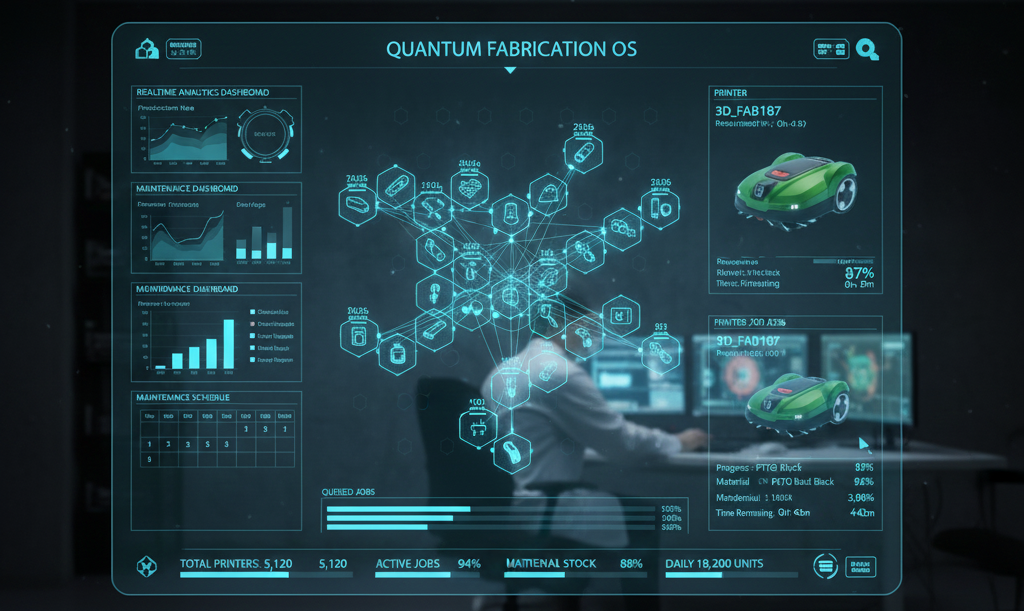
The best 3D printer software introduces centralized dashboards that provide visibility across all machines. This allows operators to manage jobs, monitor performance, and maintain consistent settings from a single interface. Centralization improves efficiency and ensures better control over production.
Manual and Error-Prone Slicing Processes
Slicing is a critical step that translates digital models into printable instructions. However, manual slicing processes often introduce inconsistencies. Variations in settings such as layer height, speed, or support structures can significantly impact print quality.
When multiple users handle slicing without standardized parameters, the risk of error increases. Even small deviations can lead to failed prints or structural issues in the final product.
Advanced software addresses this limitation by automating slicing workflows and applying predefined settings. This ensures consistency across print jobs and reduces reliance on manual input. Cloud-based slicing further enhances accuracy by handling complex computations without depending on local device performance.
Insufficient Monitoring and Failure Detection
Limited visibility into print progress is another major challenge. Without real-time monitoring, failures often go unnoticed until a job is complete. This results in wasted material, lost time, and reduced productivity.
In large-scale operations, the impact becomes even more significant. A single undetected issue can affect multiple printers and disrupt production schedules.
Modern software platforms integrate monitoring systems that continuously track print progress. Failure detection mechanisms identify issues such as layer shifts, temperature inconsistencies, or interruptions. Early alerts allow operators to intervene quickly, minimizing losses and improving overall efficiency.
Weak Queue Management and Job Scheduling
Effective queue management is essential for maintaining a steady workflow. However, many tools lack structured scheduling systems, leading to conflicts between print jobs.
Unorganized queues can cause delays, underutilized machines, and inefficient resource allocation. Without clear prioritization, urgent tasks may be delayed while less critical jobs occupy available printers.
The best 3D printer software solves this problem by implementing intelligent queue management systems. These systems prioritize jobs based on predefined criteria such as urgency, printer availability, or material requirements. Automated scheduling ensures optimal resource utilization and reduces downtime.
Limited Collaboration and User Access Control
3D printing environments often involve multiple users, including designers, operators, and administrators. Without proper access control, managing permissions becomes difficult.
Unrestricted access can lead to accidental changes in settings, incorrect file uploads, or workflow disruptions. This lack of control increases the likelihood of errors and compromises overall efficiency.
Modern software platforms incorporate role-based access control systems. These systems define user permissions based on responsibilities, ensuring that only authorized individuals can make critical changes. This improves accountability and maintains workflow integrity.
Data Silos and Lack of Performance Insights
Data plays a crucial role in improving print success rates. However, many systems store information in isolated environments, making it difficult to analyze performance trends.
Without access to centralized data, teams cannot identify recurring issues or optimize workflows effectively. This results in repeated mistakes and missed opportunities for improvement.
Advanced software solutions provide analytics and reporting tools that consolidate data from all stages of the workflow. These insights help identify inefficiencies, improve decision-making, and support continuous optimization of operations.
How the Best 3D Printer Software Eliminates Operational Gaps
Limitations in 3D printing workflows often stem from software lacking integration, automation, and visibility. These gaps create inefficiencies that affect print quality, productivity, and scalability.
3DPrinterOS addresses these challenges by offering a unified platform that combines cloud slicing, centralized management, and real-time monitoring. This approach simplifies workflows and ensures consistent performance across multiple printers and users.
By eliminating fragmentation and improving coordination, modern solutions help organizations achieve higher success rates and better operational control. Investing in the best 3D printer software enables more efficient production, reduced waste, and improved reliability.
Start using 3DPrinterOS today to overcome software limitations and build a more efficient 3D printing operation. Contact us today.