Understanding 3D Printer Types: A Beginner's Guide to 3D Printing Technology, Software, and Services
3D printing has evolved from a rapid prototyping tool into a core manufacturing technology used across industries ranging from education and healthcare to aerospace and consumer goods.
VP of Global Sales & Co-Founder, 3D Control Systems (creators of 3DPrinterOS)
According to Grand View Research, the global 3D printing market was valued at USD 30.5 billion in 2025 and is projected to grow to USD 168.9 billion by 2033, reflecting the rapid adoption of additive manufacturing for both prototyping and production applications.
Explore the different 3D printer types, understand how modern 3D printing technology works, and discover which solutions are best suited for prototyping, manufacturing, education, healthcare, and product development. Whether you're new to additive manufacturing or looking to expand your knowledge, understanding the various types of 3D printers is the foundation of successful 3D printing.
<H2>What is 3D Printing? A Beginner's Guide to 3D Printing
In a world where technology continues to drive rapid advancements across multiple industries, 3D printing has emerged as a powerful force reshaping the global manufacturing landscape.
This revolutionary process, also known as additive manufacturing, has transformed not only the way products are designed and produced but also how quickly organizations can innovate, test concepts, and bring ideas to market.
As pioneers in the realm of 3D printing, our team at 3DPrinterOS has witnessed firsthand the incredible potential of this technology and its far-reaching implications for education, engineering, healthcare, aerospace, automotive manufacturing, and consumer products.
For those curious about the world of 3D printing or eager to embrace its possibilities, this guide provides a practical introduction to 3D printer technology, materials, software, and the most common types of 3D printing available today.
<H2>What Are 3D Printer Types?
The most common types of 3D printers include:
FDM (Fused Deposition Modeling)
SLA (Stereolithography)
SLS (Selective Laser Sintering)
DMLS (Direct Metal Laser Sintering)
Each technology uses different materials and printing techniques to build parts layer by layer from a digital design. The best option depends on your budget, desired accuracy, materials, and application requirements.
<H2>The Basics of 3D Printing
3D printing is a process that creates three-dimensional objects by depositing successive layers of material based on a digital model.
Unlike traditional manufacturing methods, which remove material through cutting, milling, or drilling, 3D printing builds objects layer by layer. This enables:
Greater design freedom
Faster prototyping
Reduced material waste
Production of highly complex geometries
The key components of a 3D printer include:
Build platform
Extruder or print engine
Motion system
Control electronics
Slicing software
The printer reads a digital file, often in STL or OBJ format, and translates it into a physical object one layer at a time.
<H2>Types of 3D Printers and 3D Printing Technologies
Understanding the various 3D printer types is essential when selecting equipment for personal, educational, or industrial use.
While dozens of additive manufacturing methods exist, several technologies dominate the market today.
FDM is the most widely used 3D printing technology worldwide.
It works by heating and extruding thermoplastic filament through a nozzle and depositing material layer by layer.
Advantages include:
Affordable printers
Wide material selection
Easy maintenance
Beginner-friendly workflow
Common materials include:
PLA
ABS
PETG
TPU
For most beginners researching different types of 3D printers, FDM is typically the best place to start.
<H3>SLA (Stereolithography)
SLA uses ultraviolet light to cure liquid photopolymer resin.
This technology is known for:
Exceptional detail
Smooth surface finishes
High dimensional accuracy
SLA is commonly used for:
Dental models
Product prototypes
Jewelry design
Miniatures
<H3>SLS (Selective Laser Sintering)
SLS uses a high-powered laser to fuse powdered materials into solid parts.
Benefits include:
Strong functional components
No support structures required
Complex internal geometries
Production-ready parts
SLS is frequently used in industrial manufacturing environments.
<H3>DMLS (Direct Metal Laser Sintering)
DMLS is one of the most advanced forms of additive manufacturing.
Using metal powders and laser energy, DMLS creates highly durable metal parts for:
Aerospace
Automotive
Medical implants
Tooling applications
This technology enables manufacturers to produce lightweight, high-performance metal components that would be difficult or impossible to create using conventional manufacturing methods.
<H2>Materials Used in 3D Printing
A diverse range of materials can be employed in 3D printing, including plastics, metals, ceramics, and even biological materials.
Some of the most common thermoplastics include:
PLA (Polylactic Acid)
ABS (Acrylonitrile Butadiene Styrene)
PETG (Polyethylene Terephthalate Glycol)
TPU (Thermoplastic Polyurethane)
These materials provide varying levels of:
Strength
Durability
Flexibility
Heat resistance
Chemical resistance
In advanced industrial environments, manufacturers may also use:
The 3D printing process begins with creating a digital design using CAD (Computer-Aided Design) software or downloading an existing model from an online repository.
Once the design is complete:
Export the file as STL or OBJ.
Import the file into slicing software.
Configure print settings.
Generate printer instructions.
Send the job to the printer.
Print the object layer by layer.
Perform post-processing if required.
Important slicing settings include:
Layer height
Print speed
Infill density
Support structures
Material temperature
These settings directly impact print quality, strength, and production time.
<H2>Desktop vs Industrial 3D Printers
Another common way to classify 3D printer types is by intended usage.
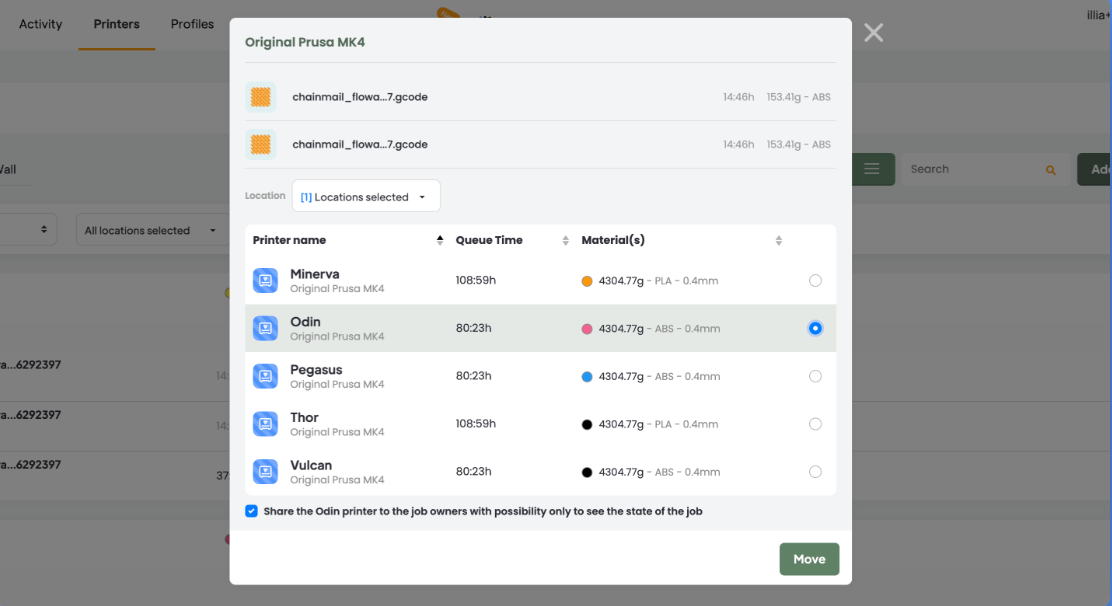
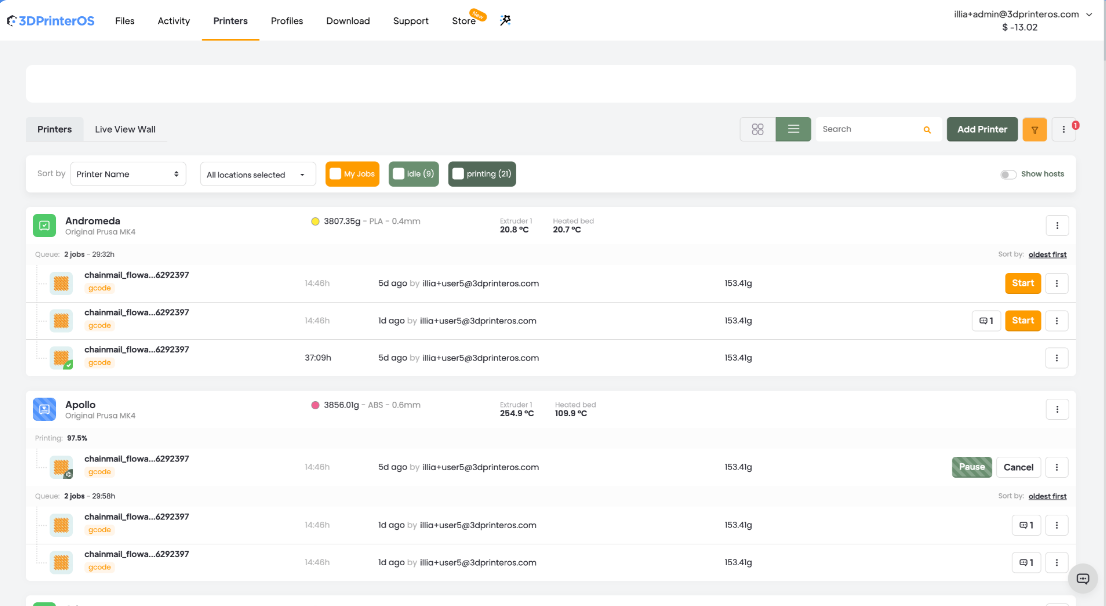
Many organizations use centralized print management platforms like 3DPrinterOS to monitor and manage multiple printers across departments and locations.
<H2>Applications of 3D Printing
3D printing continues to transform numerous industries.
<H3>Aerospace
Additive manufacturing enables aerospace manufacturers to produce lightweight, high-strength components with complex geometries that would be difficult to achieve using conventional manufacturing methods. According to a study published in the Ain Shams Engineering Journal, Boeing has manufactured more than 20,000 additively manufactured parts, while the use of 3D-printed titanium-alloy components has generated estimated savings of USD 2–3 million per aircraft. The study also highlights the growing adoption of additive manufacturing by organizations such as Airbus, NASA, and SpaceX for aircraft and rocket components where weight reduction and performance are critical.
Lightweight components
Tooling
Rapid prototyping
<H3>Automotive
Automotive manufacturers use additive manufacturing to accelerate prototype development, produce tooling, and manufacture replacement parts on demand. A study published in the Ain Shams Engineering Journal notes that Porsche uses additive manufacturing to produce spare parts for classic vehicles, allowing components to be manufactured on demand rather than maintaining large inventories. This approach helps reduce storage requirements, improve parts availability, and support more efficient production workflows.
Prototype development
Manufacturing aids
Spare parts production
<H3>Healthcare
Healthcare organizations increasingly rely on additive manufacturing to produce patient-specific anatomical models, prosthetics, orthotics, surgical guides, and customized medical devices. According to a study published in Biomedical Engineering Advances, 3D printing is enabling more personalized treatment approaches by allowing clinicians to create solutions tailored to each patient's unique anatomy while supporting improved surgical planning across specialties such as orthopedics, dentistry, and reconstructive surgery.
Consumer goods companies increasingly rely on additive manufacturing to accelerate product development, validate designs, and produce customized products in smaller production runs. According to industry statistics compiled by Market.biz, 68% of organizations using 3D printing primarily apply it to prototyping and pre-production activities, while 40% also use the technology to manufacture functional components.
Custom products
Product development
Small-batch manufacturing
As additive manufacturing continues to mature, its adoption across industries is accelerating.
<H2>How to Choose the Right 3D Printer Technology
When evaluating different kinds of 3D printing, consider:
Choose FDM If You Need:
Affordability
Functional prototypes
Educational use
Choose SLA If You Need:
High detail
Smooth surfaces
Presentation-quality models
Choose SLS If You Need:
Strong engineering parts
Complex geometries
Production-grade durability
Choose DMLS If You Need:
Metal parts
Aerospace-grade performance
Medical applications
Selecting the right technology depends on budget, materials, precision requirements, and intended use.
<H2>Getting Started with 3D Printing
For those beginning their 3D printing journey, several factors should be considered.
First, choose a suitable 3D printer based on your budget, application requirements, and desired materials.
Next, become familiar with CAD software and online model repositories such as:
Thingiverse
MyMiniFactory
Printables
Connecting with online communities and educational resources can accelerate your learning and help solve common challenges.
At 3DPrinterOS, we understand the importance of an efficient and streamlined workflow.
The future of additive manufacturing is being shaped by:
Artificial Intelligence (AI)
Cloud-based print management
Multi-material printing
Large-format additive manufacturing
Sustainable materials
Distributed manufacturing networks
Cloud-based print management is making it easier for organizations to monitor, schedule, and manage printers across multiple locations from a centralized platform.
Understanding the various 3D printer types is one of the most important steps toward success in additive manufacturing.
Whether you're using FDM for affordable prototyping, SLA for detailed models, SLS for engineering applications, or DMLS for advanced metal manufacturing, each technology offers unique advantages.
As 3D printing technology continues to evolve, businesses, educators, engineers, and creators gain access to increasingly powerful tools for innovation, product development, and production.
By understanding the strengths of the different types of 3D printers, you can confidently choose the right solution for your projects and maximize the value of your 3D printing investment.
FDM printers are generally the best option for beginners because they are affordable, easy to operate, and compatible with a wide variety of materials.
FDM uses thermoplastic filament while SLA uses liquid resin cured by UV light. SLA offers higher detail, while FDM is typically more affordable and easier to maintain.
Rene-Oscar Ariko is the VP of Global Sales and Co-Founder at 3D Control Systems, the company behind 3DPrinterOS. With more than a decade of experience in global business development, SaaS, and additive manufacturing, Oscar has helped scale 3D printing software into a worldwide market. At 3D Control Systems, he expanded adoption to 100+ countries, and built a category-leading platform trusted by NASA, Google, and leading universities. Through his work at 3DPOS, Oscar continues to advance networked 3D printing on a global scale, connecting institutions, enterprises, and users across industries.
Control access, users, and print permissions by team or lab
“This close collaboration has enabled Koenigsegg to tailor the platform to their specific needs, resulting in an optimized and user-friendly system for managing their 3D printers.”
Tim Bäck
Team Leader Koenigsegg Automotive AB
Thank you! One of our representatives will get in touch as soon as possible.
Oops! Something went wrong while submitting the form.








.png)