Send prints from anywhere
Upload a model, slice it in the browser and send it to any connected printer, whether you are in the office, at home or travelling.


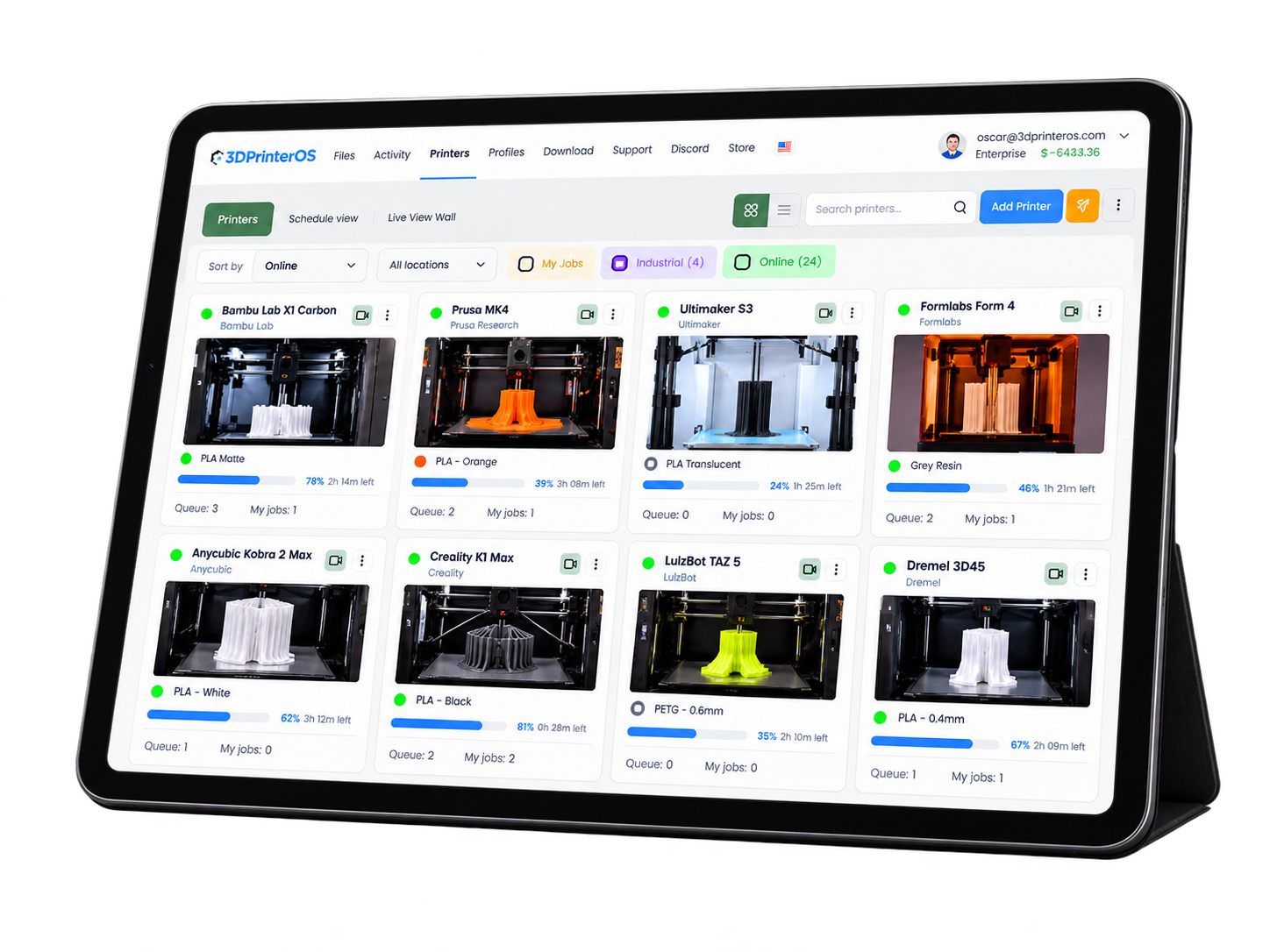
Start, watch, pause and cancel prints on any connected 3D printer from a browser or your phone. 3DPrinterOS gives labs, schools and print farms full 3D printer remote control without anyone standing next to the machine.
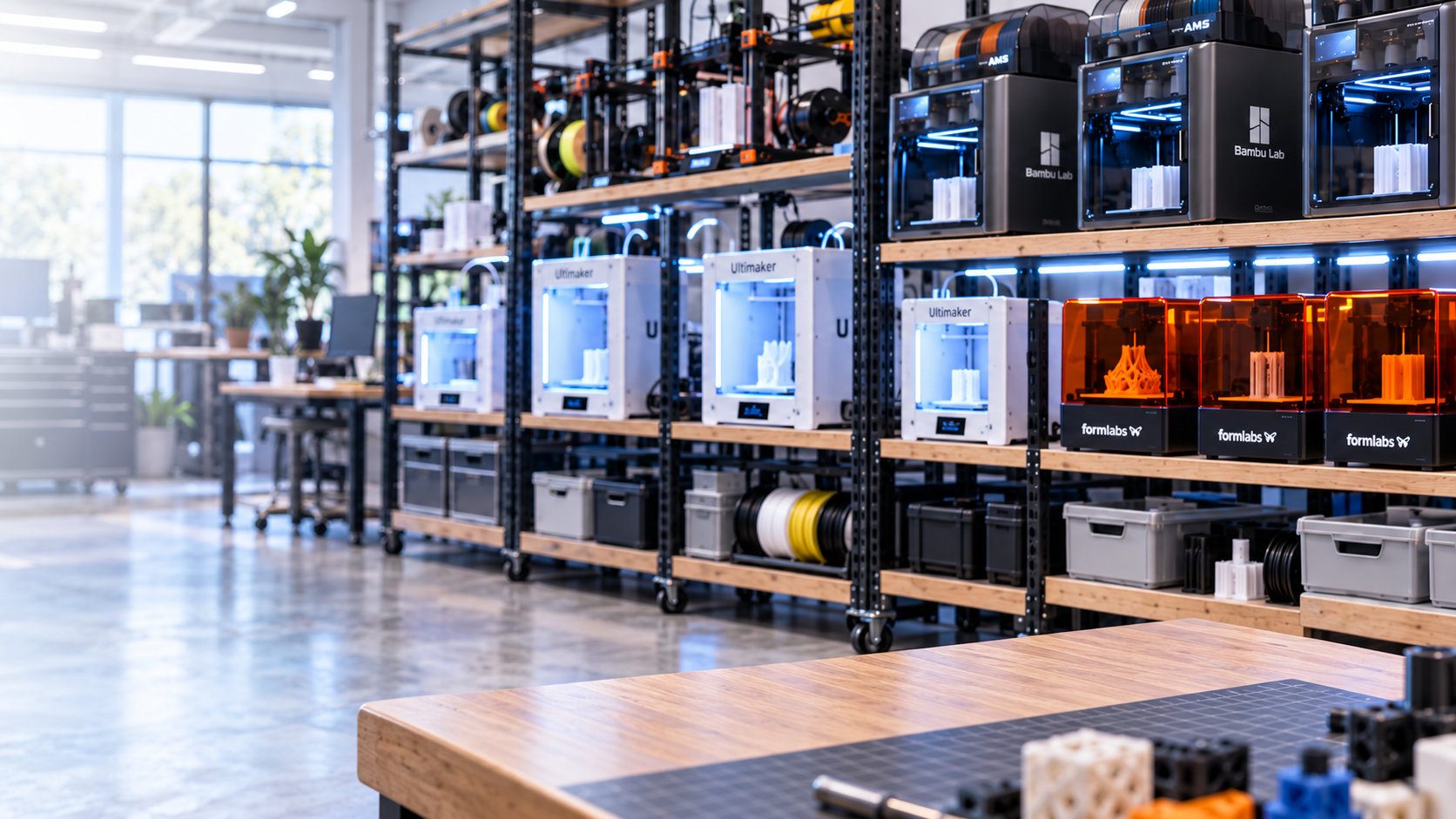
Works with 150+ printer models, including Bambu Lab, Prusa, Ultimaker, Creality and Dremel.








You can be in your dorm room, or you can be in Africa, but as long as you have an internet connection, you can upload your file.
 Brian SlocumLehigh University
One cloud dashboard replaces walking to the lab, swapping USB sticks and checking on prints by hand.
Upload a model, slice it in the browser and send it to any connected printer, whether you are in the office, at home or travelling.
See the build plate through the printer camera and follow progress, layer by layer, from your desk or phone.
Stop a failing print the moment something looks wrong and save the material and machine time that would have been lost.
Set bed and extruder temperatures, move the extruder and run bed levelling remotely on supported printers.
Receive push and email notifications when a print finishes or needs attention, so nobody has to keep checking.
Give each user group full control, view-only monitoring or no remote access at all, printer by printer.
Link each printer to 3DPrinterOS through a PC or Raspberry Pi, or connect supported cloud-ready models directly. Mixed fleets are fine.
Upload STL, OBJ or 3MF files and prepare them with the cloud slicer. Nothing to install on the computer you print from.
Send the job, watch it on camera and pause or cancel from any browser, tablet or phone until the part is done.
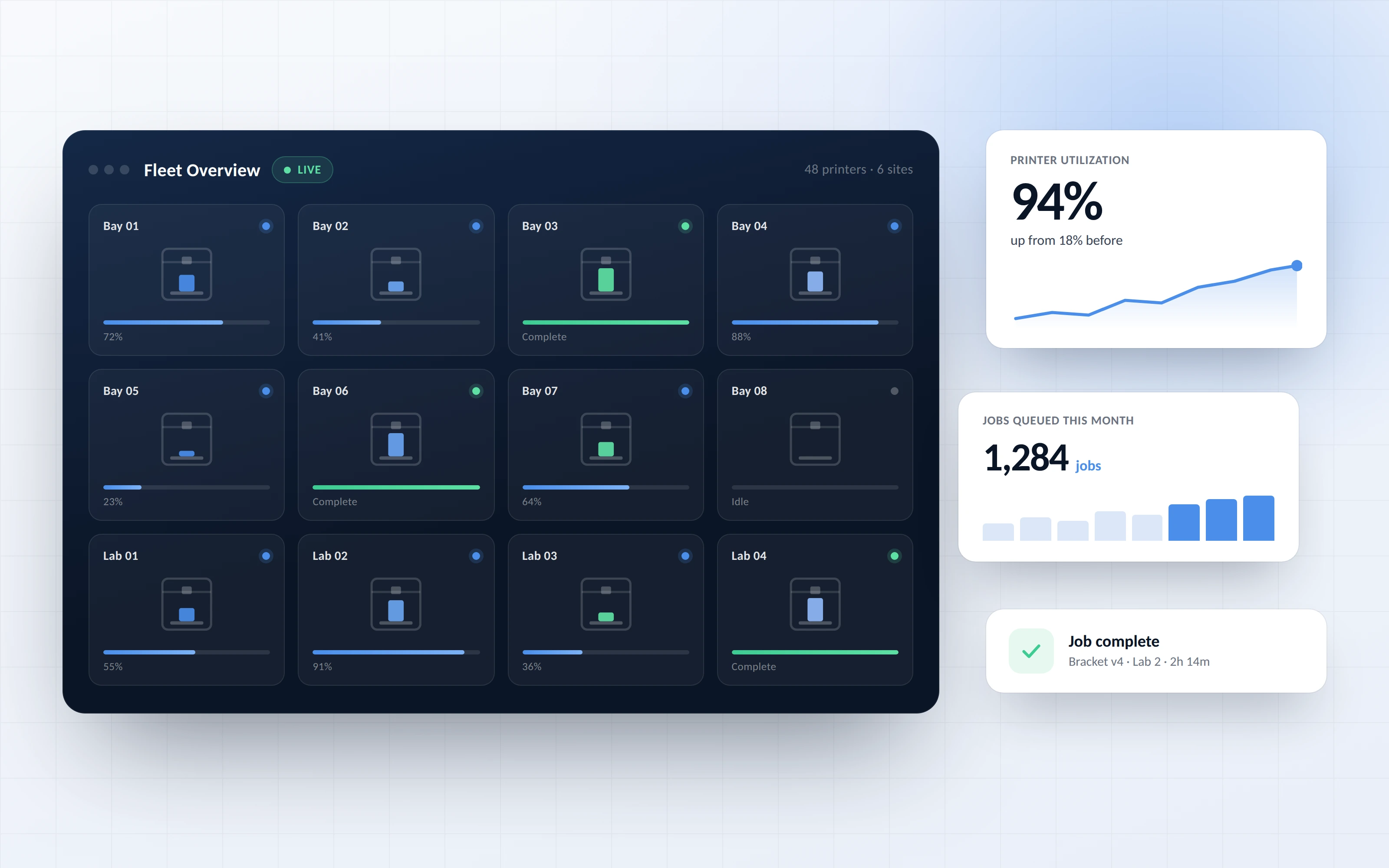
Manage dozens or hundreds of printers from one screen instead of visiting each machine. See which printers are free, which are busy and which need attention.
In multi-user accounts, administrators choose exactly who can print and control machines remotely. Students, staff and engineers get the access they need and nothing more.
.png)
3DPrinterOS runs in the browser, so you can manage prints from a laptop, Chromebook, tablet or phone. There is no desktop slicer to install or keep updated on every computer.
.png)
Each print sent remotely is logged with its file, user, printer and result. Spot failure patterns, report on usage and keep your printing program accountable.
Click through a real 3DPrinterOS workflow, from slicing a file to sending it to a printer.
Students submit and track prints from anywhere on campus while staff stay in control.
Higher education →Teachers approve and launch class prints from their own device, including Chromebooks.
K-12 schools →Engineering teams run prototyping printers across sites without waiting for lab access.
Enterprise →Keep every machine busy around the clock and react to issues without being on site.
Print farm management →Remote 3D printing means sending, monitoring and controlling print jobs on a 3D printer without being physically next to it. With 3DPrinterOS you upload a file, slice it in the browser, send it to a connected printer and follow the print on camera from any location with an internet connection.
Yes. 3DPrinterOS works in any modern web browser and on mobile, so you can start a print, check progress, view the camera and pause or cancel a job from your phone or tablet.
3DPrinterOS supports 150+ printer models, including Bambu Lab, Prusa, Ultimaker, Creality, Dremel and Klipper-based printers. You can mix brands and manage them all from the same dashboard.
Yes. If your printer has a camera connected, you can view the build plate live and follow progress from the dashboard. Notifications tell you when a print finishes or needs attention.
Access is controlled by user roles and groups, so administrators decide who can print or control each printer remotely. 3DPrinterOS supports single sign-on and is TX-RAMP certified, and every job is logged with the user, file and printer.
Not on the computer you print from. Printers connect to 3DPrinterOS once, through a PC, a Raspberry Pi or directly for supported cloud-ready models. After that, you and your users only need a web browser.

Used by higher education, enterprises, and OEMs to manage printers, files, and users from a single, cloud-based platform

Control access, users, and print permissions by team or lab
“This close collaboration has enabled Koenigsegg to tailor the platform to their specific needs, resulting in an optimized and user-friendly system for managing their 3D printers.”

Team Leader
Koenigsegg Automotive AB
Réservez votre évaluation personnalisée dès maintenant et profitez de votre essai gratuit.
