One queue for every brand
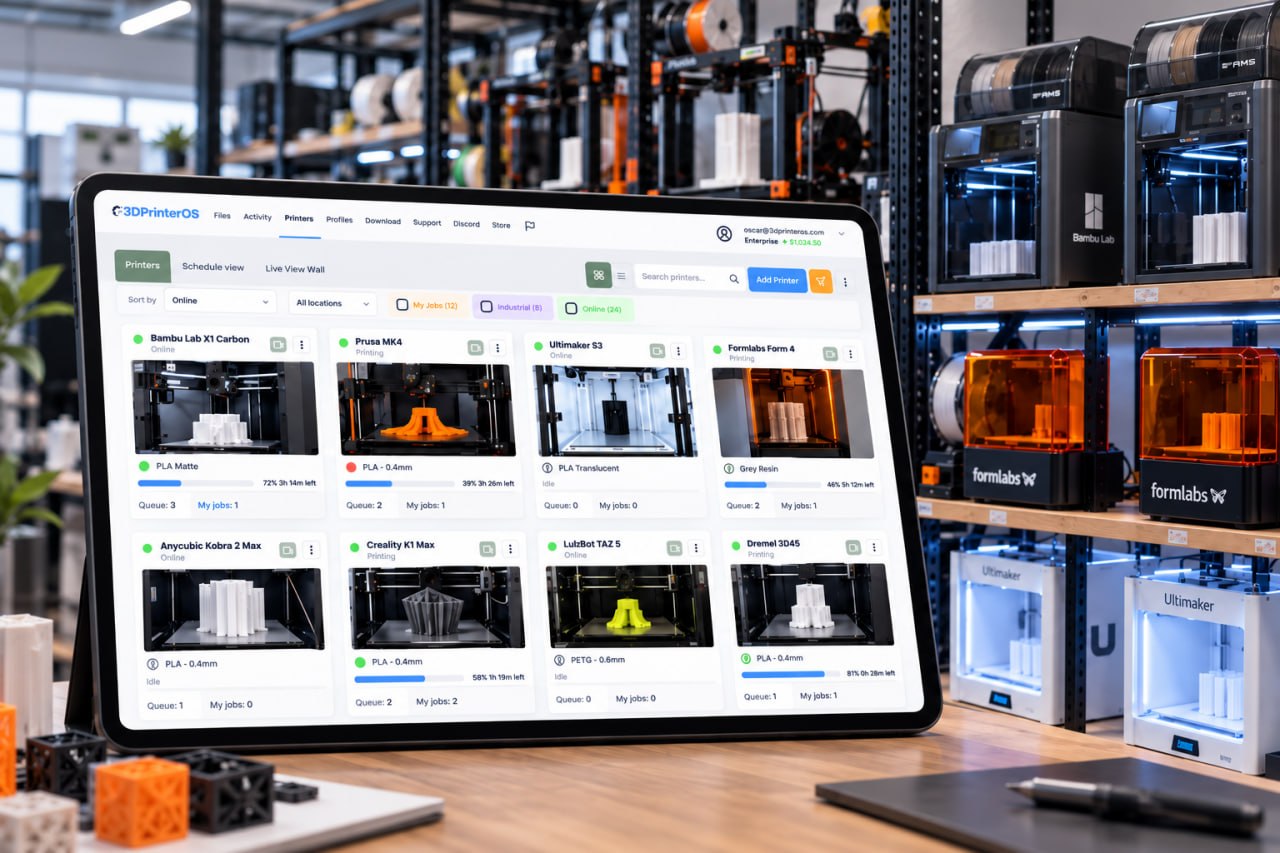
Send jobs to a printer group and 3DPrinterOS routes each one to the next free printer, whether it is a Creality, Bambu Lab, Prusa or Ultimaker machine.
The best Creality Cloud alternative for shared printers is 3DPrinterOS. Creality Cloud gives a maker a model library, built-in slicing and remote monitoring for Creality machines. 3DPrinterOS manages a whole fleet instead: mixed brands, one shared print queue, user roles, job approval, quotas, single sign-on and usage reports for every printer.
Free 14-day trial, no credit card required.


Creality Cloud is Creality's own platform. It combines a model library and maker community with built-in slicing, remote monitoring and real-time printing, and an HD camera with time-lapse videos. You use it through a mobile app, a web page and plug-ins. Printers without built-in networking, such as the Ender-3 S1 Pro or Ender-3 V2, connect through the Creality Box from the Creality Smart Kit. Its Free plan includes 2 GB of cloud storage, and the paid Plus and Commercial memberships add premium models, faster built-in slicing, more storage and AI creation tools.
That works well for one person printing at home on Creality hardware. A school lab, university makerspace or print farm has a different problem: many people share printers from several brands, and someone has to decide who may print, which machine takes each job, how much each user may spend and who printed what. Creality Cloud's own pages describe memberships built around models, storage and slicing speed, not team roles, shared queues or single sign-on. Those are the core of 3D printer management software such as 3DPrinterOS.
Send jobs to a printer group and 3DPrinterOS routes each one to the next free printer, whether it is a Creality, Bambu Lab, Prusa or Ultimaker machine.
Assign printers, shared folders and slicing profiles to workgroups, with role permissions for each student, operator or engineer.
Teachers and lab staff review a file before it reaches a printer, so bad prints are stopped before they waste filament or machine time.
Balances and printing limits per user, charged per gram, per job or flat fee through PaperCut, Stripe or CBORD.
SAML, Shibboleth, OKTA and InCommon sign-in, so there are no shared consumer logins and access ends when people leave.
Usage, cost and success rates per user, printer and department, plus a full print history for audits.
Both are cloud platforms with remote monitoring and slicing. Switch on "Show only differences" to see where a team or print farm needs more than a personal account.
| Feature | Creality Cloud | 3DPrinterOS |
|---|---|---|
| Remote monitoring and printing | ✓ | ✓ |
| Camera viewCreality Cloud: HD camera with time-lapse videos | ✓ | ✓ |
| Slicing without a desktop slicer3DPrinterOS: Slicer 5, Slicer for Prusa, Bambu Slicer, MakerBot Slicer, Formlabs Slicer | ✓ | ✓ |
| Model library and maker community | ✓ | – |
| Free plan3DPrinterOS: 14-day free trial, then paid plans | ✓ | ~ |
| Mixed-brand fleets3DPrinterOS: 200+ printer models, including Creality, Bambu Lab, Prusa, Ultimaker and Formlabs | – | ✓ |
| Shared print queue that sends jobs to the next free printer | – | ✓ |
| Printer groups by material, size or location | – | ✓ |
| Usage, cost and success-rate reports per user and printer | – | ✓ |
| Roles, workgroups and per-printer permissions | – | ✓ |
| Job approval before a print starts | – | ✓ |
| Quotas, balances and billing (PaperCut, Stripe, CBORD) | – | ✓ |
| Single sign-on (SAML, Shibboleth, OKTA, InCommon) | – | ✓ |
| TX-RAMP certified U.S. deployment | – | ✓ |
| Private cloud, on-premise or air-gapped | – | ✓ |
| API for print farms and developers | – | ✓ |
Showing 16 of 16 features
Creality Cloud features as described on crealitycloud.com and creality.com, checked 18 Nov 2026. "–" means not described on those pages. Plans and features change, so check Creality Cloud for current details.
Creality Cloud lists three memberships. The Free plan includes 2 GB of cloud storage and 15 time-lapse videos. Plus costs $79.99 a year and adds premium models, instant and accelerated built-in slicing, 8 GB of storage, 100 time-lapse videos, store coupons and AI creation tools. Commercial costs $159.99 a year and adds commercial models and 50 GB of storage. Those benefits are aimed at one maker: content, downloads, storage and slicing speed.
3DPrinterOS is priced around printers and the people who use them. Premium starts at $19 a month for 2 printers, while Education and Enterprise plans are quoted for your fleet and add the controls that shared labs need, such as approvals, quotas, single sign-on and reports. Every plan starts with a 14-day free trial, and Education and Enterprise customers can ask for an extended trial.
Add your Creality machines to your 3DPrinterOS organization next to your other brands. 3DPrinterOS works with Klipper-based printers and connects other printers through its Cloud Client on a Raspberry Pi, ROCK Pi or PC. Set-up help is included.
Group printers by material, size or location, for example all K1 printers in one group, so jobs sent to a group go to the next free printer.
Create workgroups and roles, or connect single sign-on, then turn on job approval and quotas where you need them.
Upload files sliced in your desktop slicer as before, or slice in the cloud with Slicer 5, including on Chromebooks, and share filament profiles across the fleet.
See how K1, K1C and K1 Max fleets share queues, filament profiles and job analytics on the Creality K1 printer software page, or check every model on the supported printers list.
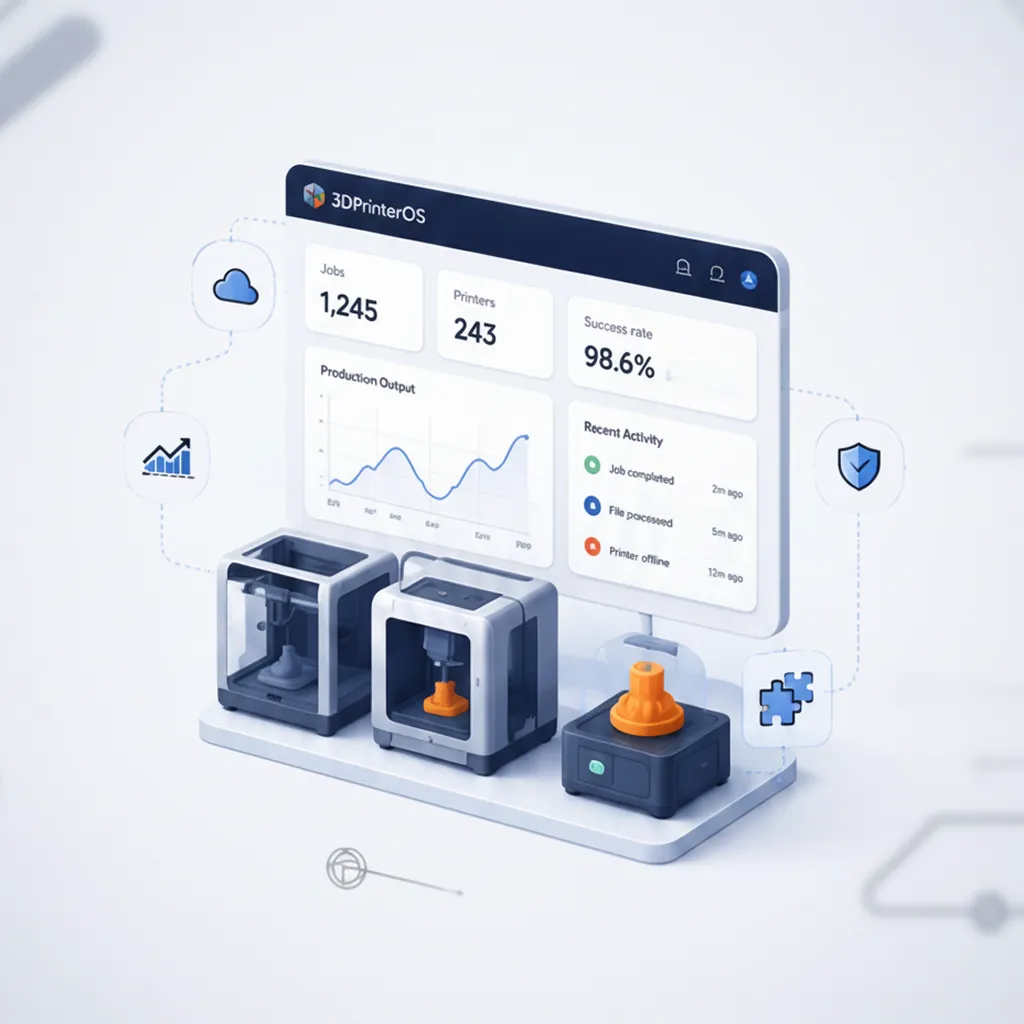
A personal cloud account shows your own prints. 3DPrinterOS shows the whole operation: which printers are busiest, which users fail most and what each group costs.
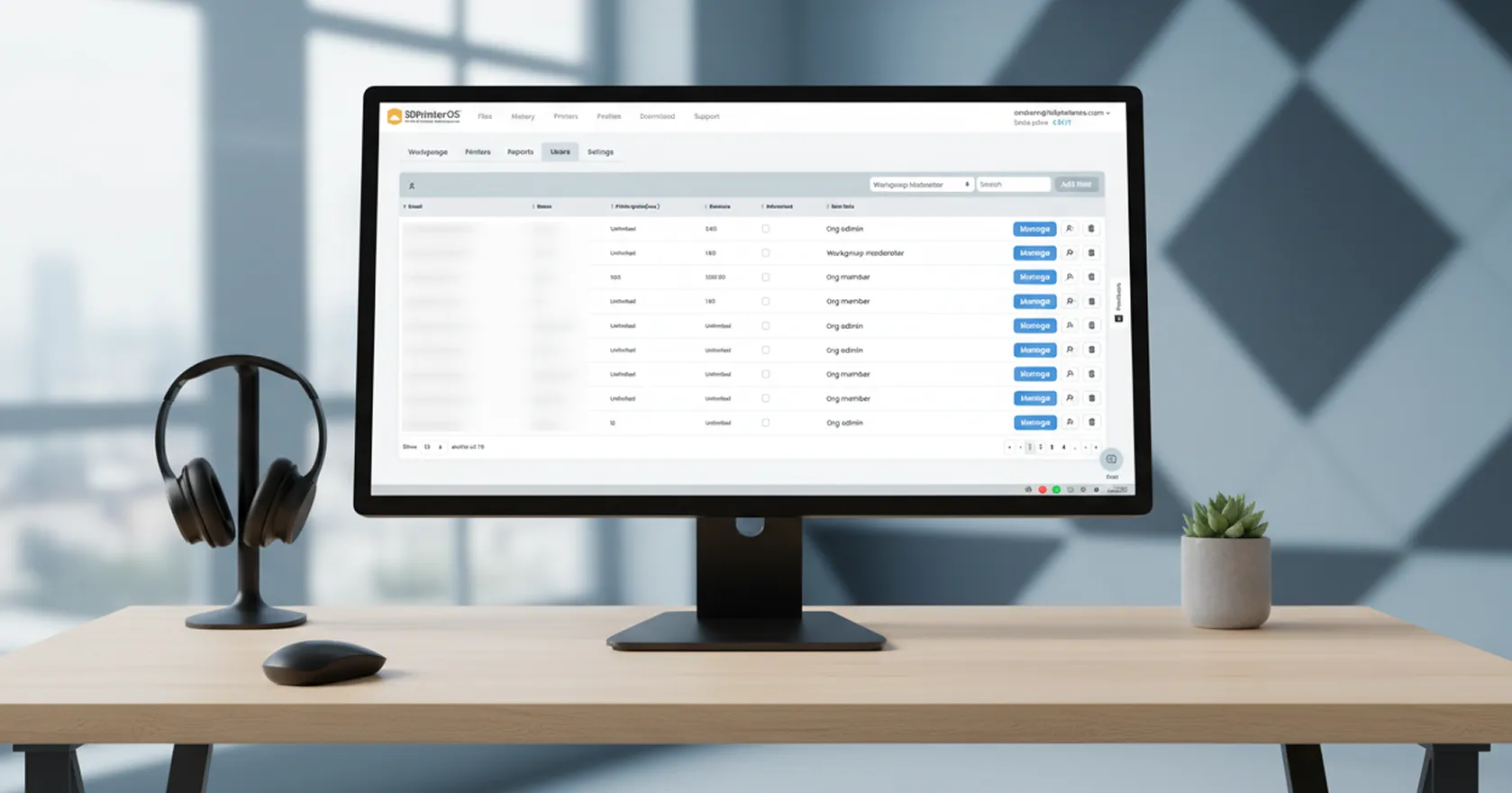
Instead of sharing one login, give every user their own account with queueing or printing rights, approvals and limits on specific printers.
Run 3DPrinterOS in the U.S. or European cloud, in your own private cloud, or as an on-premise, air-gapped installation for sensitive designs.
Click through how organizations manage printers, users and queues in 3DPrinterOS.
Shared labs with approvals, balances and usage data.
Higher education →Teachers approve every job before it prints.
K-12 schools →One queue across printer groups, with cost per job.
3D printer farm management →Audit logs, SSO and private deployment.
Enterprise →For shared printers, 3DPrinterOS. It keeps remote monitoring, camera views and browser slicing, and adds a shared print queue for mixed brands, roles and workgroups, job approval, quotas and billing, single sign-on and usage reports.
Yes. The 3DPrinterOS supported printers list includes Creality models such as the Ender-3, Ender-3 S1, Ender-3 V3 KE, Ender-5 Plus, Ender-6, CR-10 series, K1, K1C, K1 Max, K2 Plus and K2 Pro, and they share queues with every other brand in your fleet.
Yes. You can keep slicing in your desktop slicer and upload the files to 3DPrinterOS, or slice in the browser with Slicer 5. Files are stored in the cloud and can be shared with workgroups.
Yes. Print Fail Detector uses the printer's camera to spot likely failures, such as spaghetti, and notifies the job owner, who can then pause or cancel the print remotely. It is available with an Organizational License.
Creality Cloud has a Free plan, and its Plus and Commercial memberships are listed at $79.99 and $159.99 per year. 3DPrinterOS Premium starts at $19 per month for 2 printers, Education and Enterprise plans are quoted per fleet, and every plan starts with a 14-day free trial.
See how 3DPrinterOS queues, approves, bills and reports every print, on every brand.

Utilisé par l'enseignement supérieur, les entreprises et les OEM pour gérer imprimantes, fichiers et utilisateurs depuis une plateforme cloud unique

Contrôlez les accès, les utilisateurs et les droits d'impression par équipe ou par laboratoire
« Cette étroite collaboration a permis à Koenigsegg d'adapter la plateforme à ses besoins spécifiques, pour aboutir à un système optimisé et simple d'utilisation pour la gestion de ses imprimantes 3D. »

Chef d'équipe
Koenigsegg Automotive AB
Réservez dès maintenant votre évaluation personnalisée et profitez de votre essai gratuit.
Utilisé par l'enseignement supérieur, les entreprises et les OEM pour gérer imprimantes, fichiers et utilisateurs depuis une plateforme cloud unique
Contrôlez les accès, les utilisateurs et les droits d'impression par équipe ou par laboratoire
« Cette étroite collaboration a permis à Koenigsegg d'adapter la plateforme à ses besoins spécifiques, pour aboutir à un système optimisé et simple d'utilisation pour la gestion de ses imprimantes 3D. »
Chef d'équipe
Koenigsegg Automotive AB
Réservez dès maintenant votre évaluation personnalisée et profitez de votre essai gratuit.

