One queue for every brand
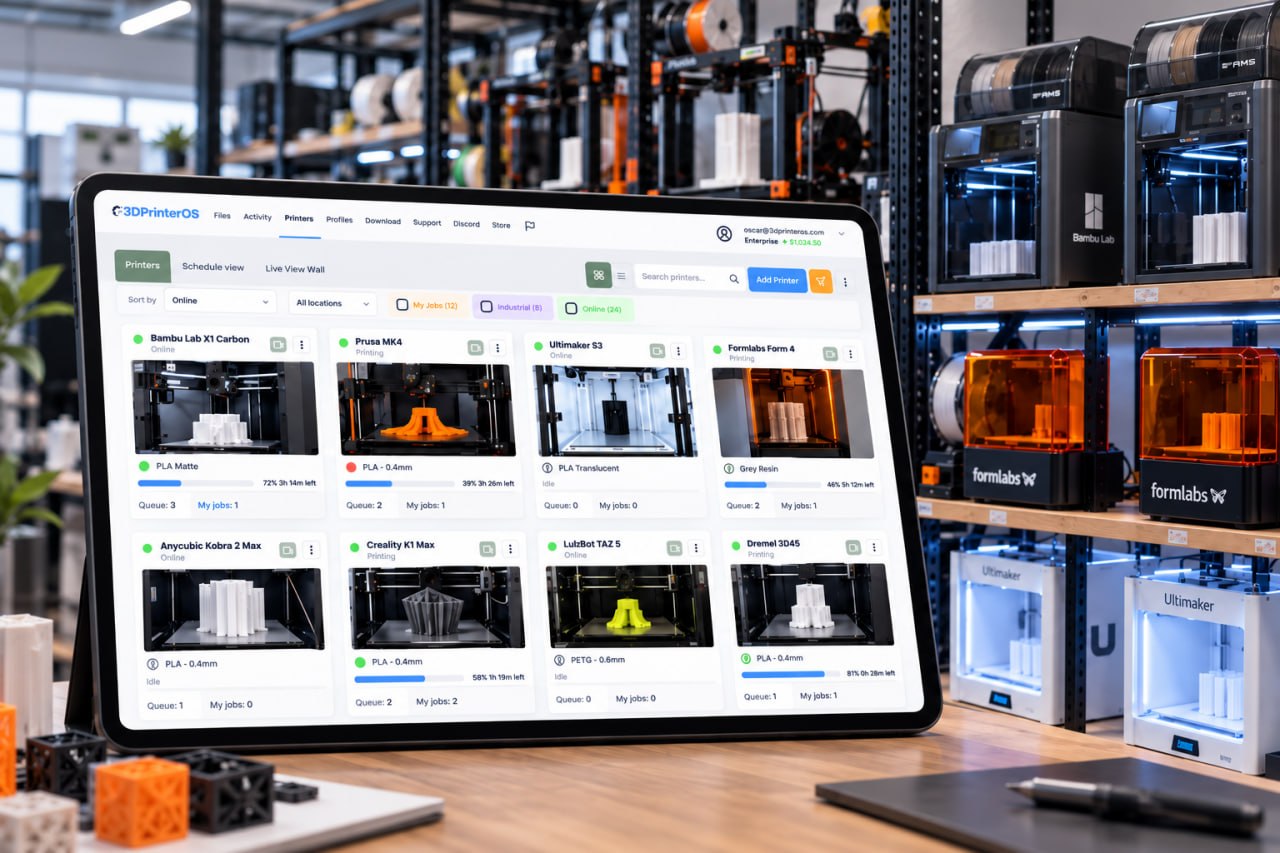
Send jobs to a printer group and 3DPrinterOS routes each one to the next free printer, whether it is a Bambu Lab, Prusa, Creality, Ultimaker or Formlabs machine.
The best Bambuddy alternative for teams that run more than Bambu Lab printers is 3DPrinterOS. Bambuddy is free, open-source software you host yourself to run a Bambu Lab farm. 3DPrinterOS is a managed platform for 200+ printer models, with one shared queue, roles, job approval, billing, single sign-on and a choice of cloud or on-premise deployment.
Free 14-day trial, no credit card required.


Bambuddy calls itself a self-hosted control plane for Bambu Lab printers. It is released under the AGPL-3.0 license and runs on your own hardware: Docker, a Raspberry Pi 5, a NAS or a mini-PC, with SQLite or PostgreSQL. It connects to each printer over the LAN through Developer Mode, with no vendor relay. Its feature list is long: a job archive with 3MF files and cost per print, a queue with a Gantt-style timeline, statistics, AMS slot mapping, spool inventory with Spoolman sync, staff review of student jobs, cost-centre budgets, and optional LDAP or OIDC sign-in. The Bambuddy site says it is not affiliated with Bambu Lab.
That suits a technical team with an all-Bambu farm and someone to run the server. It is a weaker fit when the fleet includes Prusa, Creality, Ultimaker or Formlabs machines, when IT will not maintain self-hosted software, or when the organization needs vendor support, SAML sign-in and billing through campus systems. Those needs are the core of 3D printer management software such as 3DPrinterOS, which runs as a service in the U.S. or EU cloud, in a private cloud, or on your own servers.
Send jobs to a printer group and 3DPrinterOS routes each one to the next free printer, whether it is a Bambu Lab, Prusa, Creality, Ultimaker or Formlabs machine.
Use the U.S. or EU cloud and skip running a server, or choose a private cloud or an on-premise, air-gapped installation when the data must stay with you.
Teachers and lab staff review a file before it reaches a printer, so bad prints are stopped before they waste filament or machine time.
Balances and printing limits per user, charged per gram, per job or as a flat fee through PaperCut, Stripe or CBORD.
SAML, Shibboleth, OKTA and InCommon sign-in, so access follows your identity provider and ends when people leave.
Usage, cost and success rates per user, printer and department, plus a full print history for audits.
Both run queues, archives and statistics for Bambu Lab printers. Switch on "Show only differences" to see where they part ways.
| Feature | Bambuddy | 3DPrinterOS |
|---|---|---|
| Bambu Lab printers over the LANBambuddy: Developer Mode. 3DPrinterOS: LAN Only Mode | ✓ | ✓ |
| Print queue for a printer group | ✓ | ✓ |
| Print history and statistics | ✓ | ✓ |
| Other printer brands in the same fleet3DPrinterOS: 200+ printer models, including Prusa, Creality, Ultimaker and Formlabs | – | ✓ |
| Spool inventory with RFID matching and Spoolman sync | ✓ | – |
| Camera-based failure detection with alerts3DPrinterOS: Print Fail Detector | – | ✓ |
| Roles and permissions | ✓ | ✓ |
| Staff review of jobs before printing | ✓ | ✓ |
| Charging users through PaperCut, Stripe or CBORDBambuddy: cost-centre budgets and per-group printer limits | ~ | ✓ |
| Single sign-onBambuddy: LDAP or OIDC. 3DPrinterOS: SAML, Shibboleth, OKTA, InCommon | ~ | ✓ |
| Hosted cloud service, nothing to install on a server | – | ✓ |
| Runs on your own hardware or servers | ✓ | ✓ |
| Open sourceBambuddy: AGPL-3.0 | ✓ | – |
| Free for unlimited printers3DPrinterOS: 14-day free trial, then paid plans | ✓ | – |
| Onboarding and set-up help included | – | ✓ |
Showing 15 of 15 features
Bambuddy features as described on bambuddy.cool, checked 21 Nov 2026. "–" means not described there. Open-source projects change quickly, so check Bambuddy for current details.
The Bambuddy software is free and needs no account. The site also mentions Bambuddy Orders from €79 a year, an appliance, and business and sponsorship options. The real cost of a self-hosted tool is the time to install, update, back up and secure the server, and to fix it when a printer firmware update changes something.
3DPrinterOS Premium starts at $19 a month for 2 printers. Education and Enterprise plans are quoted for your fleet and include onboarding help, approvals, quotas, single sign-on and reports. Every plan starts with a 14-day free trial, and Education and Enterprise customers can ask for an extended trial. Most teams connect their first printers the same day.
Bambu Lab printers connect to 3DPrinterOS over the local network in LAN Only Mode. Klipper-based printers connect directly, and other brands connect through the 3DPrinterOS Cloud Client on a Raspberry Pi, ROCK Pi or PC.
Group printers by model, material or location, so a job sent to the group goes to the next free printer, overnight and at weekends.
Create workgroups and roles, or connect single sign-on, then turn on job approval, balances and print limits where you need them.
Keep slicing in Bambu Studio and upload the files, or slice in the browser with Bambu Slicer, and share profiles across the fleet.
A1 Mini, A1, A2L, P1P, P1S, P2S, X1 Carbon, X1E, X2D, H2S, H2D, H2D Pro and H2C: see the Bambu Lab fleet management page, or check every model on the supported printers list.
Fantasy Pets runs a product print farm for licensed dragon figurines. With 3DPrinterOS, founder Chris Modesitt manages 116 printers from one interface, keeps designs in one library and sends one job to 10 printers at once. He says the business would otherwise need two to three times as many employees. Production runs 24/7 and the team plans to grow to as many as 200 printers. Read the Fantasy Pets story →
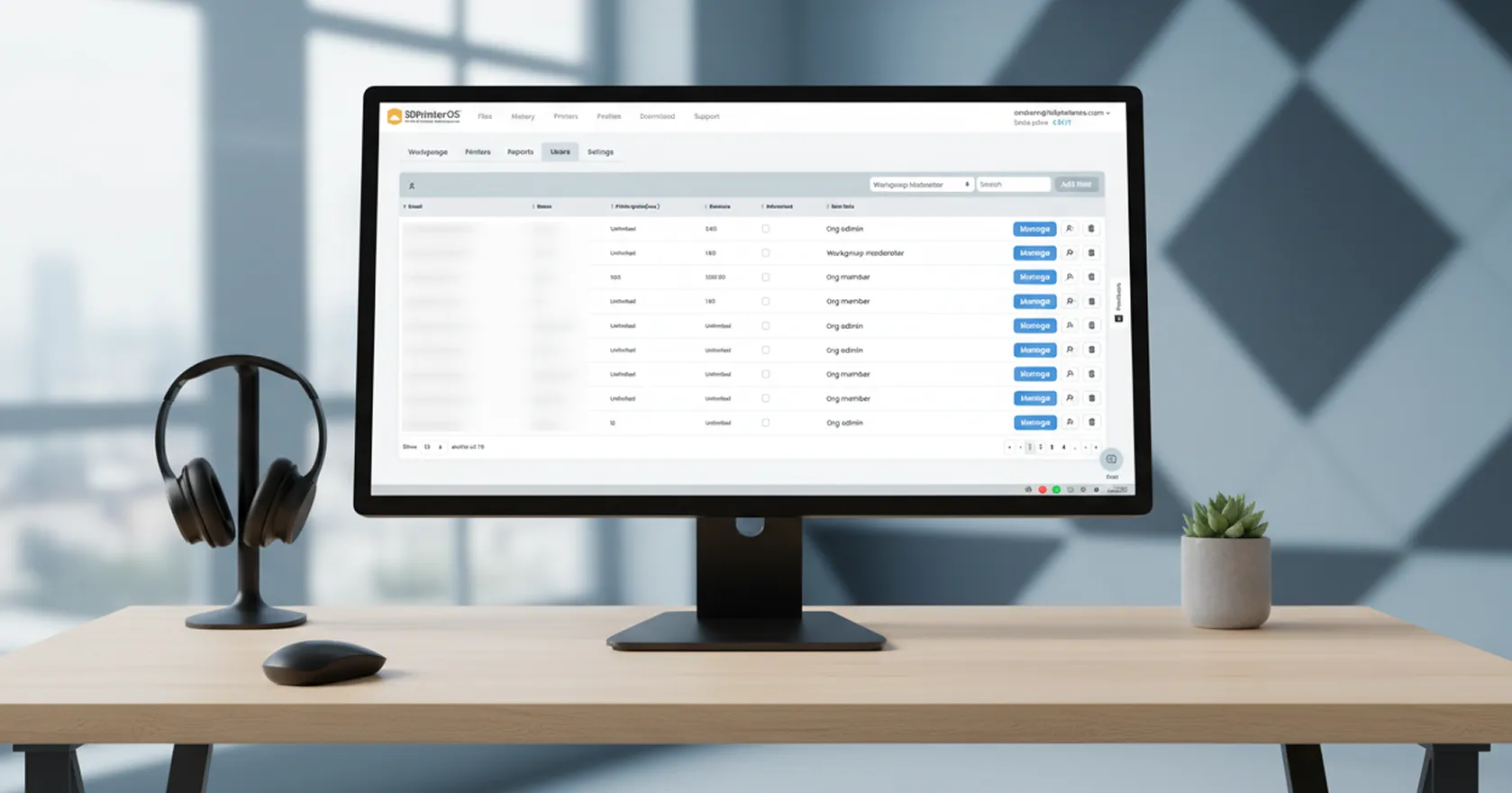
Every user gets their own account with queueing or printing rights, approvals and limits on specific printers, and every print is tied to a named user.

If your data must stay inside, 3DPrinterOS also runs on your own servers or air-gapped, with deployment support from the 3DPrinterOS team. NASA, NIH, Google and Koenigsegg are among the organizations that use 3DPrinterOS.
Running a print farm? See 3D printer farm management with 3DPrinterOS.
For shared printers from several brands, 3DPrinterOS. It keeps the queue, history and statistics, and adds 200+ printer models in one fleet, job approval, billing through PaperCut, Stripe or CBORD, SAML-based single sign-on and a hosted or on-premise deployment with vendor support.
Yes. Besides the U.S. and EU cloud, 3DPrinterOS can run in a private cloud or as an on-premise, air-gapped installation, so print data can stay inside your network.
Every current Bambu Lab printer, including the A1 Mini, A1, A2L, P1P, P1S, P2S, X1 Carbon, X1E, X2D, H2S, H2D, H2D Pro and H2C. They connect over the local network in LAN Only Mode.
Yes. Slice in Bambu Studio and upload the file to 3DPrinterOS, or slice in the browser with Bambu Slicer. Either way the job goes into the same queue and history.
Yes. Print Fail Detector uses the printer's camera to spot likely failures, such as spaghetti, and notifies the job owner, who can then pause or cancel the print remotely. It is available with an Organizational License.
See how 3DPrinterOS queues, approves, bills and reports every print, with nothing to host.

Utilisé par l'enseignement supérieur, les entreprises et les OEM pour gérer imprimantes, fichiers et utilisateurs depuis une plateforme cloud unique

Contrôlez les accès, les utilisateurs et les droits d'impression par équipe ou par laboratoire
« Cette étroite collaboration a permis à Koenigsegg d'adapter la plateforme à ses besoins spécifiques, pour aboutir à un système optimisé et simple d'utilisation pour la gestion de ses imprimantes 3D. »

Chef d'équipe
Koenigsegg Automotive AB
Réservez dès maintenant votre évaluation personnalisée et profitez de votre essai gratuit.
Utilisé par l'enseignement supérieur, les entreprises et les OEM pour gérer imprimantes, fichiers et utilisateurs depuis une plateforme cloud unique
Contrôlez les accès, les utilisateurs et les droits d'impression par équipe ou par laboratoire
« Cette étroite collaboration a permis à Koenigsegg d'adapter la plateforme à ses besoins spécifiques, pour aboutir à un système optimisé et simple d'utilisation pour la gestion de ses imprimantes 3D. »
Chef d'équipe
Koenigsegg Automotive AB
Réservez dès maintenant votre évaluation personnalisée et profitez de votre essai gratuit.

