


What happens when a low-cost microcomputer meets the creativity of 3D printing? For many school makerspaces, combining 3D printing and Raspberry Pi projects creates an ideal blend of affordability, flexibility, and hands-on learning. Students can work on everything from simple automation tasks to advanced printer control systems—gaining technical skills while seeing tangible results.
The Raspberry Pi’s small size, low power needs, and versatile programming options make it a powerful partner for 3D printers in educational environments. Whether it’s serving as a Raspberry Pi 3D printer controller, managing print queues, or adding smart features, this pairing empowers students to apply engineering, coding, and design concepts in real-world ways.
Turn a Raspberry Pi into a 3D Printer Controller
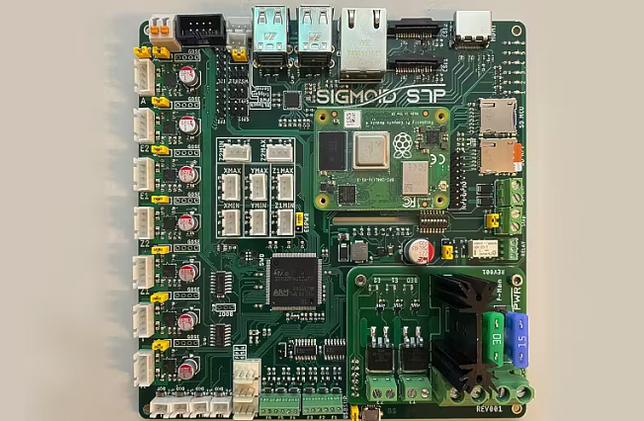
With the right software, a Raspberry Pi can control an entire 3D printing process. Acting as a Raspberry Pi 3D printer controller, it allows schools to run prints without relying on a full desktop computer. This setup reduces equipment costs and frees up valuable space in the makerspace.
Add a Webcam for Print Monitoring and Time-Lapse Videos
A simple USB or Pi camera turns the Raspberry Pi into a live monitoring system. Students can watch prints in progress, record time-lapse videos for project documentation, and analyze print performance. This project pairs well with Raspberry Pi 3D printer setups to encourage observation and troubleshooting skills.
Build a Local Print Server for Shared Printers
Managing multiple printers in a school can be challenging. A Raspberry Pi can act as a dedicated print server, storing files and handling job queues for shared machines. This ensures that all students have fair access and keeps the printing process organized.
Create an Automated Filament Change Alert System
Missed filament changes can ruin prints. Using sensors and a Raspberry Pi, students can build a system that sends alerts when filament runs low. This 3D printing Raspberry Pi project teaches problem-solving while preventing wasted materials.
Design a 3D-Printed Case or Mount for Your Raspberry Pi
3D printers aren’t just for making final products—they can also make parts to improve the makerspace itself. Students can design and print custom cases, mounts, or cooling solutions for their Raspberry Pi, combining digital design with functional hardware.
Build a Custom Print Job Notification System
With simple coding, the Raspberry Pi can send email, SMS, or app notifications when a print finishes. This reduces downtime between projects and helps maintain a smooth workflow in busy classrooms.
Add User Authentication and Print Quotas with 3DPrinterOS
Managing printer access in a school setting is crucial. Integrating the Raspberry Pi with 3D PrinterOS allows schools to set up user authentication, track print usage, and assign quotas. This ensures fair usage and helps maintain accountability in the makerspace.
Bonus Project: Use Pi to Power a Small Tool Organizer or Digital Kiosk
Beyond printers, the Raspberry Pi can support a makerspace by powering digital kiosks, inventory trackers, or tool organizers. Adding a small display or touch interface turns it into a multipurpose classroom asset.
Giving Students Creative Control with Raspberry Pi + 3D Printing
From controlling printers to creating smart alerts, combining 3D printing and Raspberry Pi projects opens up a world of possibilities for school makerspaces. The Raspberry Pi’s adaptability makes it an ideal tool for hands-on learning, coding practice, and technical creativity.
With 3D PrinterOS, schools can integrate these projects into a secure, centralized platform for managing printers, files, and student accounts—whether in a single lab or across multiple campuses. Start building a more connected and innovative makerspace today with 3D Printer OS.